
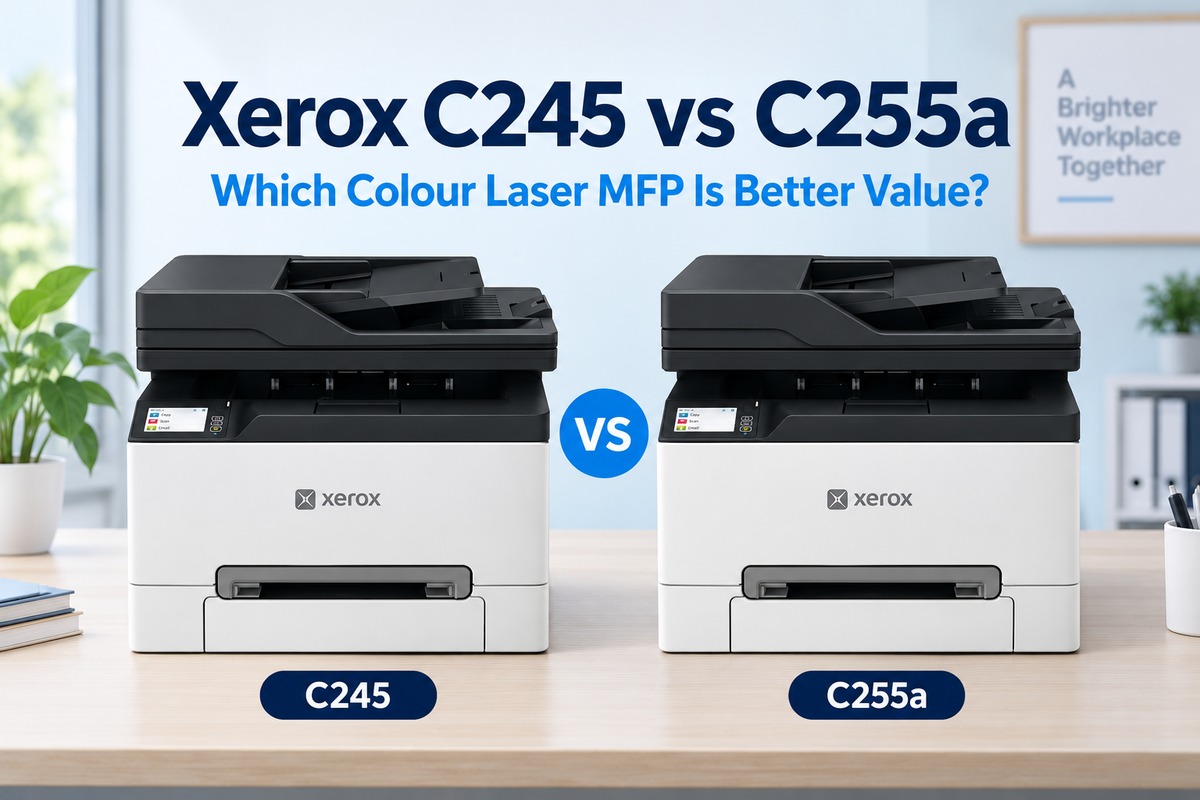
If you are comparing the Xerox C245 sold through authorised business channels with the Xerox C255a available from Officeworks, the model numbers make the choice look more complicated than it is. These compact A4 colour laser multifunction printers share almost all of their core hardware. Both print and copy at up to 25 pages per minute, include Wi-Fi and Gigabit Ethernet, provide automatic two-sided printing and use a 50-sheet automatic document feeder.
The main difference is fax capability. The C255a includes a built-in analogue fax modem; the C245 does not. At the prices checked for this guide, the Xerox C245 was $476.44 at OZ Toner and the C255a was $499 at Officeworks.
Quick answer: choose the C245 if your office needs print, copy and scan functions but does not use a traditional fax line. Choose the C255a only when built-in analogue fax is genuinely required. For most modern small businesses, the lower-priced C245 provides the same everyday printing, scanning, paper capacity and toner options.
Xerox C245 vs C255a: key differences at a glance
| Feature | Xerox C245 | Xerox C255a |
|---|---|---|
| Current advertised price* | $476.44 at OZ Toner | $499 at Officeworks |
| Functions | Print, copy, scan and Internet fax | Print, copy, scan and analogue fax |
| Analogue fax modem | No | Yes, 33.6Kbps |
| A4 print and copy speed | Up to 25ppm / 25cpm | Up to 25ppm / 25cpm |
| Automatic duplex printing | Yes, up to 13 sides per minute | Yes, up to 13 sides per minute |
| ADF scanning | 50-sheet simplex ADF | 50-sheet simplex ADF |
| Standard / maximum input | 250 / 251 sheets | 250 / 251 sheets |
| Optional input tray | No | No |
| Recommended monthly volume | 600–2,500 pages | 600–2,500 pages |
| Maximum toner yield | 3,000 black / 2,500 CMY | 3,000 black / 2,500 CMY |
*Prices checked on 17 September 2026 and may change. Confirm current price, stock and delivery before ordering.

What is actually the same?
The C245 and C255a are much closer than their separate retail channels suggest. Their rated print speed, first-page time, print resolution, processor, memory, touchscreen, physical dimensions and recommended monthly workload are effectively the same.
Both provide:
- Up to 25ppm A4 printing in black and colour
- Automatic duplex printing at up to 13 sides per minute
- A 2.8-inch colour touchscreen
- Wi-Fi, Gigabit Ethernet and USB connectivity
- Apple AirPrint and Mopria support
- A flatbed scanner plus 50-sheet automatic document feeder
- Up to 600 × 600dpi optical scan resolution
- Scan destinations including email, USB, network-connected computer and FTP
- A recommended monthly volume of 600–2,500 pages
- A maximum monthly duty cycle of 50,000 pages
- One-year Advanced Exchange warranty
That means the C255a does not deliver faster printing, faster scanning, a larger paper tray or higher-yield toner. The extra purchase price primarily buys the analogue fax modem.
The deciding feature: analogue fax
The C255a includes a 33.6Kbps analogue fax modem, so it can send and receive documents through a traditional fax service. This can still be useful for medical practices, legal offices, property businesses and organisations that exchange documents with older systems.
The C245 is listed with Internet fax capability, but that is not the same as connecting the machine to a conventional analogue fax line. If your workflow specifically requires a telephone-line fax modem, buy the C255a. If your business already exchanges documents by email, cloud storage, secure portals or scan-to-email, the C245 avoids paying for hardware you may never use.

Why the Xerox C245 is the better-value choice for most offices
1. You get the same core performance for less
At the checked prices, the C245 costs $22.56 less than the C255a. The saving is modest, but there is no performance penalty for normal printing, copying or scanning. A business that does not use analogue fax receives essentially the same working specification at the lower purchase price.
2. Both models use the same practical toner range
Both printers support the Xerox 006R05051–006R05054 Standard Yield Return Programme cartridges, rated at up to 1,300 black pages and 1,200 pages per colour. They also support the 006R05071–006R05074 High Yield range, rated at up to 3,000 black pages and 2,500 pages per colour.
For an office printing regularly, the Xerox 006R05071–006R05074 High Yield CMYK toner set reduces cartridge changes compared with the standard range. Both models also use the Xerox 008R08165 waste toner bottle, rated at up to 15,000 pages.
Declared yields are based on standardised testing. Actual yield varies with page coverage, document design, print settings and the balance of black and colour pages.
3. Specialist support can matter more than the model suffix
The C255a offers the convenience of purchasing from a national office-supplies retailer. The C245 is the stronger fit for buyers who want a machine-and-consumables recommendation based on monthly volume, toner yield and workflow rather than simply choosing the shelf model.
Because the toner range is shared, the long-term buying decision should focus on whether the business needs analogue fax and whether its expected monthly volume sits comfortably within the 600–2,500-page recommended range.
Important: neither model accepts an extra paper tray
This is where the C245 and C255a differ from the more expandable Xerox C300 single-function printer. Both multifunction models have a 250-sheet main tray plus a single-sheet manual feed, and Xerox lists two paper inputs as both the standard and maximum configuration. Their maximum input capacity is therefore 251 sheets.
A printer stand or swivel cabinet may be available as furniture, but these do not add paper capacity. Businesses that need multiple trays for different paper types, letterhead or longer unattended print runs should not buy either model expecting future paper expansion.
If scanning and copying are not required, the Xerox C300 with 250-sheet paper-tray bundle provides a stronger expansion path. The C300 can accept up to two optional 250-sheet trays and reach a maximum input capacity of 751 sheets.
Who should buy the Xerox C245?
The C245 is the better choice for:
- Small businesses that print, scan and copy but no longer use a fax line
- Home offices and professional practices wanting compact colour laser output
- Teams printing roughly 600–2,500 pages per month
- Users who want Wi-Fi, Ethernet, mobile printing and scan-to-email
- Businesses that want the lowest price between these two near-identical models
- Buyers who prefer ongoing access to the complete toner and waste-container range
Who should buy the Xerox C255a?
The C255a makes sense when:
- A built-in analogue fax modem is a non-negotiable requirement
- Your office still receives documents through a traditional fax service
- You prefer Officeworks ordering or in-store collection
- You are comfortable paying a small premium for the fax hardware
Do not choose the C255a expecting faster output, automatic two-sided scanning, higher-capacity toner or an expandable paper tray. Those are not advantages over the C245.
One scanning limitation to understand before buying
Both models provide automatic duplex printing, but their document feeders are specified as simplex ADFs. In other words, they can automatically feed a stack of originals, but they do not automatically capture both sides of each original in a single duplex-scanning pass.
This distinction matters for offices that regularly digitise double-sided contracts, forms or client files. If duplex document scanning is essential, compare a higher-tier multifunction printer or a dedicated duplex document scanner before ordering.
Our verdict
Best overall value for most small offices: Xerox C245. It delivers the same print speed, copy speed, scanning hardware, connectivity, paper capacity, monthly-volume recommendation and replacement toner yields as the C255a while costing slightly less at the time of checking.
Best only when conventional fax is required: Xerox C255a. Its meaningful advantage is the built-in analogue fax modem. For organisations that still depend on fax, that can justify the premium. For everyone else, the C245 is the more rational purchase.
Frequently asked questions (FAQ)
Is the Xerox C245 the same as the C255a?
They are very closely matched but not identical. The C255a includes analogue fax; the C245 does not. Their principal printing, copying, scanning, connectivity, paper-handling and toner specifications are otherwise substantially the same.
Can the Xerox C245 send faxes?
Xerox lists Internet fax for the C245, but it does not include the conventional 33.6Kbps analogue fax modem fitted to the C255a. Confirm the exact fax workflow your organisation requires before buying.
Do the C245 and C255a scan both sides automatically?
No. Both have a 50-sheet simplex automatic document feeder. They support automatic two-sided printing, but not automatic duplex scanning through the ADF.
Can I add a second paper tray later?
No. Xerox lists a maximum of two paper inputs and 251 sheets for both models: the 250-sheet main tray and one-sheet manual feed. The available stand and cabinet accessories do not add paper capacity.
Which toner cartridges fit both models?
Both models support the 006R05051–006R05054 Standard Yield Return Programme cartridges and the 006R05071–006R05074 High Yield Return Programme cartridges. Xerox Australia lists maximum replacement yields of 3,000 black pages and 2,500 pages per colour for these machines.
Which model is better for more than 2,500 pages per month?
Neither is the ideal long-term match if your regular monthly output exceeds 2,500 pages. That figure is the upper end of Xerox’s recommended monthly range for both models. A higher-volume device with larger toner and expandable paper capacity will generally be more appropriate.
Specifications and prices were checked against current Australian product information on 17 September 2026. Prices, availability, promotions and manufacturer specifications may change without notice.
Last Updated Date: 17 September 2026