
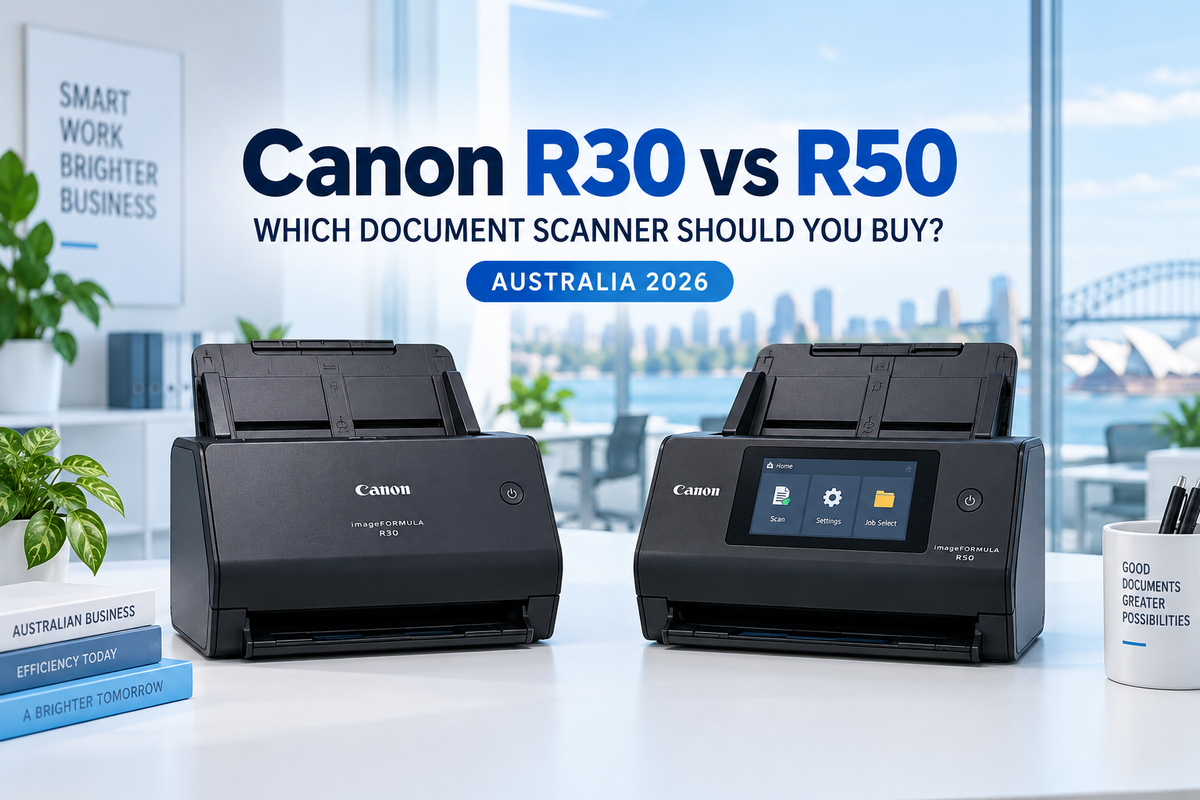
The Canon imageFORMULA R30 and R50 are compact A4 document scanners designed to make everyday paperwork easier to digitise. Both offer automatic double-sided scanning, a 60-sheet automatic document feeder and 600 dpi optical resolution, but they are intended for very different workloads.
The R30 focuses on simplicity: connect it to a Windows or Mac computer by USB and use its built-in CaptureOnTouch Lite software without a conventional software installation. The R50 is the more capable office model, adding faster colour and monochrome scanning, Wi-Fi connectivity, a large colour touchscreen and a much higher suggested daily volume.
Quick answer: choose the Canon imageFORMULA R30 for straightforward, lower-volume scanning from one Windows or Mac computer. Choose the Canon imageFORMULA R50 when faster scanning, Wi-Fi sharing, touchscreen shortcuts and a heavier daily workload justify the upgrade.
If you are comparing more than these two models, begin with our Canon imageFORMULA Scanner Range Australia 2026 guide.
Canon R30 vs R50: key differences
| Feature | Canon imageFORMULA R30 | Canon imageFORMULA R50 |
|---|---|---|
| Best suited to | Home offices, sole traders and light document capture | Busy home offices, small businesses and shared office use |
| Black-and-white speed | Up to 25 ppm / 50 ipm at 200 dpi | Up to 40 ppm / 80 ipm |
| Colour speed | Up to 9 ppm / 19 ipm at 200 dpi | Up to 40 ppm / 80 ipm |
| ADF capacity | 60 sheets | 60 sheets |
| Suggested daily volume | Less than 500 scans per day | Up to 4,000 scans per day |
| Connectivity | High-Speed USB 2.0 | SuperSpeed USB and Wi-Fi |
| Control panel | Simple controls | Large colour touchscreen |
| Software approach | Built-in CaptureOnTouch Lite; plug and scan | CaptureOnTouch software with reusable jobs and destinations |
| Optical resolution | 600 dpi | 600 dpi |
Manufacturer-rated speeds depend on document size, resolution, colour mode, software, computer performance and network conditions. A sheet scanned on both sides produces two images.
Why choose the Canon imageFORMULA R30?
The R30 is designed for users who want a conventional document scanner without a complicated setup process. Its CaptureOnTouch Lite application is stored on the scanner, so a compatible Windows or Mac computer can access the scanning interface after the scanner is connected by USB.
This makes the R30 particularly suitable for a home office, a sole trader, a reception counter or a small business that wants one scanner attached to one main computer. It is a practical step up from scanning documents individually on a multifunction printer.

Its main advantage is simplicity
The R30 does not require every occasional user to learn a complex document-management system. Automatic page-size detection, deskew, text-orientation recognition, blank-page removal and automatic colour detection help reduce the number of settings that must be adjusted for each batch.
It can scan standard documents, receipts, business cards and plastic or embossed cards. The 60-sheet feeder also means that a user can load a multi-page file rather than feeding every sheet separately.
Understand the R30 speed correctly
The headline 25 ppm and 50 ipm figures apply to black-and-white A4 scanning at 200 dpi. Canon rates colour scanning at up to 9 ppm or 19 ipm at 200 dpi. This is an important distinction for buyers who regularly digitise colour forms, brochures or image-heavy documents.
For predominantly black-and-white invoices, statements, correspondence and archived paperwork, the R30 remains a useful entry-level document scanner. For frequent colour batches, the R50 offers a much larger performance advantage than the two product names might suggest.
Where the R30 is less suitable
The R30 is USB-only and is intended for fewer than 500 scans per day. It is not the best choice when several employees need convenient wireless access, when scanning is a continuous daily task or when users frequently process large colour batches.
Choose the R30 when:
- most documents are black-and-white office paperwork;
- daily volume is below approximately 500 scans;
- one Windows or Mac computer will control the scanner;
- you value quick setup and built-in software;
- Wi-Fi and a touchscreen are unnecessary.
Why choose the Canon imageFORMULA R50?
The R50 is aimed at busier users who need more speed and flexibility. It scans colour, greyscale and black-and-white documents at up to 40 ppm or 80 ipm, holds the same 60 sheets as the R30 and has a suggested daily volume of up to 4,000 scans.
Its combination of USB and Wi-Fi allows the scanner to be connected directly to a computer or shared more conveniently across an office network. The large colour touchscreen makes it easier to select saved shortcuts, destinations and common settings.

Faster scanning in both colour and black-and-white
The R50's biggest productivity benefit is not simply that 40 ppm is faster than 25 ppm. It also maintains its rated speed across colour, greyscale and black-and-white scanning under Canon's stated test conditions. A business that regularly scans coloured invoices, signed forms, identification documents or marketing material should notice the difference most clearly.
Wi-Fi makes shared use easier
The R50 can connect to a compatible Windows or Mac computer by USB or over Wi-Fi. This removes the need to place the scanner next to one permanently attached computer and can make it more accessible to a small team.
However, Wi-Fi should not be confused with the fully standalone network workflow offered by Canon's DR-S350NW. The R50 uses Canon scanning software and connected devices to manage jobs and destinations. Businesses needing PC-less scanning directly to email, shared folders, printers or secure server destinations should read our Canon DR-C350 vs DR-S350NW comparison before deciding.
The touchscreen improves repeat jobs
When staff repeatedly scan to the same folder or use the same document settings, saved jobs and touchscreen shortcuts can reduce setup time. This benefit is easy to underestimate: both scanners have 60-sheet feeders, but the R50 can reduce the work required before and after each batch.
Choose the R50 when:
- daily scanning may approach several thousand pages or images;
- colour scanning speed is important;
- more than one user needs convenient access;
- Wi-Fi connectivity is required;
- a touchscreen and reusable scanning jobs will simplify the workflow.
R30 vs R50 image quality
Both models use contact image sensors and offer optical resolution up to 600 dpi. For normal business records, OCR and searchable PDFs, 200 or 300 dpi is usually sufficient. Selecting 600 dpi creates larger files and may reduce practical throughput without improving the readability of ordinary office text.
Both scanners include automatic image-processing functions designed to correct page alignment, detect document size, remove blank pages and enhance text. The R50's advantage is therefore mainly throughput and workflow rather than a simple claim that every R50 scan will look better.
Which scanner offers better value?
The R30 is the better-value purchase when its limitations match the job. Paying for Wi-Fi, a touchscreen and an eight-times-higher suggested daily volume provides little benefit if one person scans a few batches of black-and-white paperwork each week.
The R50 becomes better value when the scanner is used frequently. Faster colour performance, easier shared access and reusable touchscreen jobs can save staff time across the life of the device. The relevant cost is not only the purchase price; it is also the time spent waiting for scans, changing settings and moving documents between users.
When should you move beyond the R50?
The R50 is a capable small-office scanner, but Canon offers different models for more specialised business workflows:
- Choose the DR-C350 when one operator needs 50 ppm scanning, a larger 100-sheet ADF, USB-C connectivity and efficient large-batch capture at a dedicated computer.
- Choose the DR-S350NW when several users need Ethernet, Wi-Fi, a touchscreen and PC-less direct scanning to supported network destinations.
Our DR-C350 vs DR-S350NW business scanner guide explains the difference between dedicated batch scanning and shared network scanning in more detail.
Canon R30 vs R50: final verdict
The Canon R30 is the sensible choice for simple, lower-volume scanning. It is easy to deploy, has a useful 60-sheet feeder and avoids a conventional software installation through its built-in CaptureOnTouch Lite interface. It suits a single user who mainly scans black-and-white business documents.
The Canon R50 is the stronger small-office scanner. Its 40 ppm/80 ipm performance, faster colour scanning, Wi-Fi, touchscreen and 4,000-scan suggested daily volume make it more suitable for frequent work and shared use.
Do not choose by speed alone. Choose the R30 when simplicity and lower acquisition cost matter most; choose the R50 when staff time, colour throughput and shared access justify the upgrade.
View the Canon imageFORMULA R30, shop the Canon imageFORMULA R50, or compare all four current models in our Canon imageFORMULA Scanner Range Australia 2026.
Frequently asked questions
Is the Canon R50 faster than the R30?
Yes. The R50 scans colour, greyscale and black-and-white documents at up to 40 ppm or 80 ipm. The R30 is rated at up to 25 ppm/50 ipm for black-and-white documents and 9 ppm/19 ipm for colour at 200 dpi.
Do the R30 and R50 both have automatic duplex scanning?
Yes. Both scan the front and back of a sheet in a single pass and both include a 60-sheet automatic document feeder.
Can the Canon R30 connect over Wi-Fi?
No. The R30 connects to a compatible Windows or Mac computer through USB. Choose the R50 if built-in Wi-Fi is required.
Does the Canon R30 need software installation?
The R30 stores CaptureOnTouch Lite on the scanner and is designed for plug-and-scan operation with compatible Windows and Mac computers, without a conventional driver or application installation.
Can the Canon R50 scan without a computer?
The R50 offers Wi-Fi, a touchscreen and shortcuts, but it should not be treated as equivalent to Canon's DR-S350NW standalone network scanner. If direct PC-less scanning to network destinations is required, confirm the workflow you need and consider the DR-S350NW.
Which scanner is better for a small business?
The R30 suits a small business with light, mainly single-user scanning. The R50 is better for more frequent use, colour documents, shared access and workloads above the R30's suggested daily volume.
Last Updated Date: 13 September 2026