
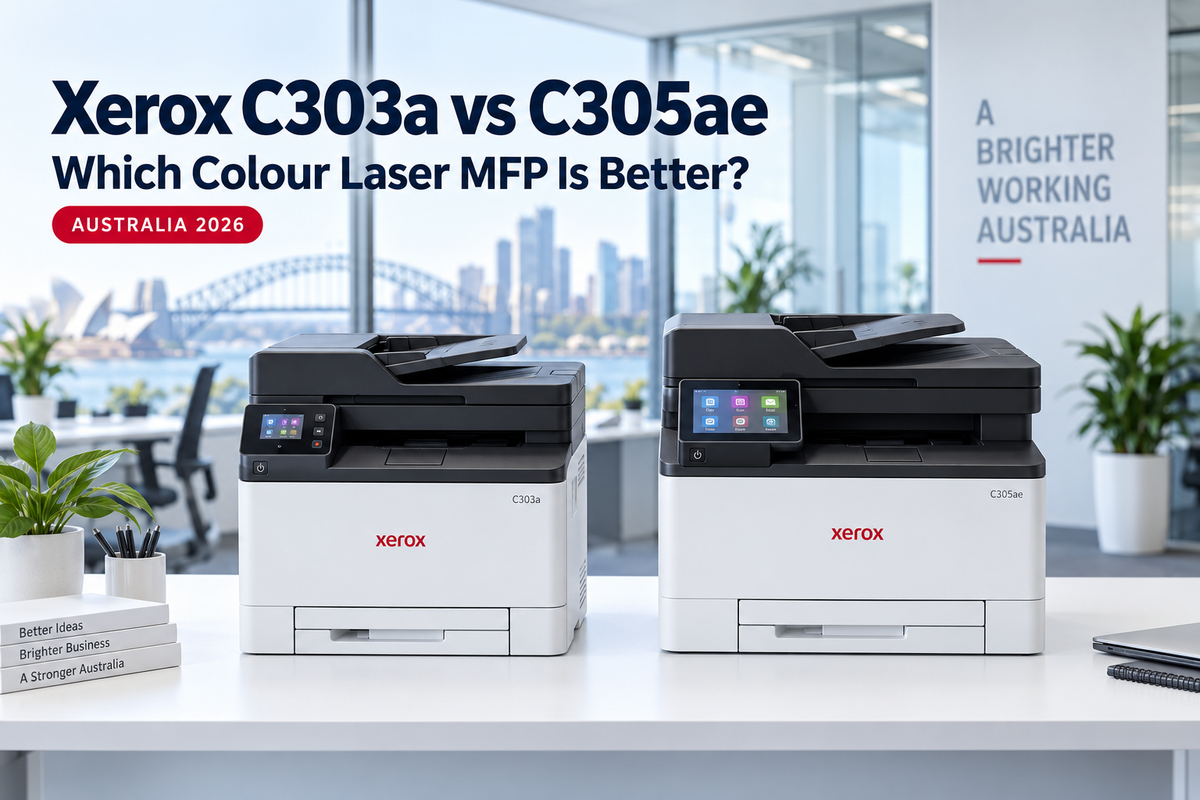
Choosing between the Xerox C303a and Xerox C305ae is less about print speed and more about how your team works. Both are 30ppm A4 colour multifunction printers with automatic duplex printing, single-pass two-sided scanning, analogue fax, wireless networking, Extra High Yield toner support and expandable paper capacity. The C305ae adds a larger touchscreen, more memory, a faster processor, hardware-backed security and a more capable workflow platform.
For a small office that mainly needs reliable printing, copying, scanning and faxing, the lower-priced C303a is usually the better-value choice. For a busy multi-user office, professional practice or document-heavy team that will benefit from easier walk-up operation, workflow apps and stronger device security, the C305ae is the more future-ready investment.
Xerox C303a vs C305ae: Quick Verdict
- Choose the Xerox C303a if you want the same 30ppm print engine, duplex scan speed, fax, toner options and paper expansion at the lowest upfront cost.
- Choose the Xerox C305ae if your team regularly scans and routes documents, several people share the device, security matters, or the larger 4.3-inch interface will save time every day.
- Do not upgrade for speed alone: both models are rated at up to 30ppm on A4 paper and have the same quoted A4 scan speeds.
| Feature | Xerox C303a | Xerox C305ae |
|---|---|---|
| ANZ part number | 100S14995 | 100S15005 |
| Functions | Print, copy, scan, analogue fax | Print, copy, scan, analogue fax + solutions |
| A4 print speed | Up to 30ppm colour and mono | Up to 30ppm colour and mono |
| Document feeder | 50-sheet single-pass DADF | 50-sheet single-pass DADF |
| A4 duplex scan speed | Up to 92ipm mono / 40ipm colour | Up to 92ipm mono / 40ipm colour |
| Touchscreen | 2.8-inch colour | 4.3-inch colour e-Task |
| Memory / processor | 1GB / 1GHz | 2GB / 1.2GHz |
| TPM security module | Not listed | Included |
| Starter toner | Up to 1,300 black / 1,200 each CMY | Up to 2,000 black / 1,200 each CMY |
| Maximum toner yield | Up to 6,200 black / 6,400 each CMY | Up to 6,200 black / 6,400 each CMY |
| Paper capacity | 250 standard / up to 751 sheets | 250 standard / up to 751 sheets |
| Recommended monthly volume | 750–5,000 pages | 750–5,000 pages |
| Best for | Value-focused small offices | Document-heavy and security-conscious teams |
Specifications are based on Xerox Australia information for the ANZ configurations. “32ppm” may appear on overseas material because it refers to US Letter paper; the relevant Australian A4 rating is 30ppm.
Meet the Two Printers


What Is the Same?
The C303a and C305ae sit on the same productive A4 colour platform. Both print and copy at up to 30ppm in colour or black and white, support automatic two-sided printing and include a 50-sheet single-pass duplex automatic document feeder. Their quoted A4 scanning performance is also identical: up to 46 images per minute for simplex mono scanning, 20ipm for simplex colour, 92ipm for duplex mono and 40ipm for duplex colour.
Both include Wi-Fi, Gigabit Ethernet and USB connectivity, plus a 33.6Kbps analogue fax modem. Xerox rates both for a recommended monthly print volume of 750 to 5,000 pages and a maximum monthly duty cycle of up to 75,000 images.
The shared print engine also means the two models use the same high-capacity toner family. Busy users can choose the Genuine Xerox 006R05091–006R05094 Extra High Yield CMYK toner set, rated at up to approximately 6,200 black pages and 6,400 pages for each colour under the applicable ISO test standard. Actual yield varies with coverage, document type and print settings.
Why Pay More for the Xerox C305ae?
1. A Larger, More Capable Touchscreen
The most visible upgrade is the 4.3-inch colour e-Task touchscreen, compared with the C303a's 2.8-inch display. The larger interface provides more room for navigating scan destinations, settings and workflow functions. That difference matters most when employees regularly operate the machine directly rather than simply sending print jobs from a computer.
2. More Memory and Faster Processing
The C305ae has 2GB of memory and a 1.2GHz processor, while the C303a has 1GB and a 1GHz processor. This does not change the published 30ppm print speed, but the stronger platform is better suited to larger or more complex files, frequent network use and richer device-based workflows.
3. Stronger Security Foundation
Xerox lists a Trusted Platform Module (TPM) as a standard function on the C305ae. A TPM supports hardware-backed protection of cryptographic information and strengthens the device's security foundation. This makes the C305ae the more appropriate choice for legal, accounting, healthcare, finance and other workplaces that handle sensitive documents or apply stricter endpoint-security policies.
4. Workflow and Solutions Capability
The C305ae is positioned as the solutions-enabled model. Its e-Task interface and optional workflow capabilities are designed for teams that want to streamline document capture and distribution. A business that repeatedly scans to shared locations, routes documents or wants to extend the device with workflow services has a stronger reason to choose the C305ae.
5. More Starter Black Toner
The C305ae is supplied with a starter black cartridge rated at up to 2,000 pages, compared with up to 1,300 pages for the C303a. Both ship with starter cyan, magenta and yellow cartridges rated at up to 1,200 pages each. The additional 700 starter black pages offset a small part of the C305ae's higher purchase price, although they are not enough on their own to justify the upgrade.
When Is the Xerox C303a the Smarter Buy?
The C303a is not a slower entry-level alternative. It retains the same core output speed, single-pass duplex scanning, fax capability, recommended monthly volume, maximum toner yield and paper expansion as the C305ae. If your staff mostly print from computers and use straightforward scan-to-email, scan-to-network, copy and fax functions, the C303a can deliver almost all of the practical output performance for less.
It is particularly compelling for:
- small offices and home-based businesses watching their equipment budget;
- retail counters, reception areas and back offices with standard document workflows;
- teams that need automatic two-sided scanning but do not require advanced workflow apps;
- businesses that want Extra High Yield toner and expandable paper capacity without paying for a larger interface; and
- buyers replacing an older colour laser MFP who prioritise output performance over device customisation.
Paper Expansion: An Important Advantage on Both Models
Both printers start with a 250-sheet main tray and support a maximum input capacity of up to 751 sheets when configured with optional trays. Xerox specifies support for up to two additional 250-sheet inputs, using the Genuine Xerox 097S05292 250-sheet paper tray.
This expandability is valuable for businesses that want to keep different media loaded—for example, letterhead in one tray, plain A4 in another and coloured forms in a third. It also reduces interruptions in higher-volume environments. The C303a therefore remains a strong option even when paper handling, rather than workflow software, is the main requirement.
Which Customer Should Choose Each Model?
Choose the Xerox C303a if:
- upfront value is the priority;
- you need 30ppm A4 colour printing and fast duplex scanning;
- your workflows are conventional and easy to manage from a smaller screen;
- you want access to Extra High Yield toner and optional paper trays; or
- your team does not have a specific requirement for TPM-backed security or e-Task workflow capability.
Choose the Xerox C305ae if:
- several users operate the device throughout the day;
- your team scans, routes and distributes documents frequently;
- a larger, clearer touchscreen will improve staff usability;
- you work with sensitive client, patient, legal or financial records;
- your IT policy values a TPM and a more capable security platform; or
- you want greater headroom for workflow solutions and future process changes.
Value Comparison in Australia
At the prices checked on 20 September 2026, the C303a was listed by OZ Toner at $799.95 and the C305ae at $967.12, a difference of $167.17. Prices and availability can change, so always check the current product page before purchasing.
That gap is reasonable for an office that will use the C305ae's larger interface, stronger processing platform, TPM security or workflow functions. If those features will rarely be used, the C303a offers the more rational value proposition because it does not sacrifice print speed, scan speed, toner yield or paper expansion.
Final Verdict
The Xerox C303a is the value winner; the Xerox C305ae is the workflow and security winner. Choose the C303a for strong everyday multifunction performance at a lower purchase price. Step up to the C305ae when the printer will become a shared document hub and its larger interface, extra memory, TPM security and workflow platform will deliver real daily value.
For many professional and document-intensive workplaces, the C305ae is the better long-term business purchase even though it is not faster on paper. For a cost-conscious small office with straightforward requirements, the C303a remains difficult to beat.
Compare the Xerox Colour Laser Range
The C303a and C305ae sit above Xerox’s compact colour laser models. Use these related comparisons to choose the right platform for your workload:
Frequently Asked Questions (FAQ)
Is the Xerox C305ae faster than the C303a?
No. Both are rated at up to 30ppm for A4 colour and black-and-white printing. Their quoted A4 simplex and duplex scan speeds are also the same.
What is the main difference between the C303a and C305ae?
The C305ae adds a 4.3-inch e-Task touchscreen, 2GB memory, a 1.2GHz processor, a Trusted Platform Module and stronger workflow capability. The C303a uses a 2.8-inch touchscreen, 1GB memory and a 1GHz processor.
Do both printers scan both sides automatically?
Yes. Both include a 50-sheet single-pass duplex automatic document feeder that captures both sides of a two-sided original in one pass.
Do the C303a and C305ae use the same toner?
Yes. Both support the same Xerox toner family, including Extra High Yield 006R05091 black and 006R05092, 006R05093 and 006R05094 colour cartridges.
Can both models take extra paper trays?
Yes. Both support up to two optional 250-sheet trays and a maximum paper input capacity of up to 751 sheets.
Does the Xerox C303a have fax?
Yes. Both the C303a and C305ae include analogue fax.
Which model is better for a medical, legal or accounting office?
The C305ae is generally the stronger fit because its TPM, larger interface and workflow capability better suit shared, security-conscious and document-heavy environments. A smaller practice with simple workflows may still obtain better value from the C303a.
Last Updated Date: 20 September 2026