
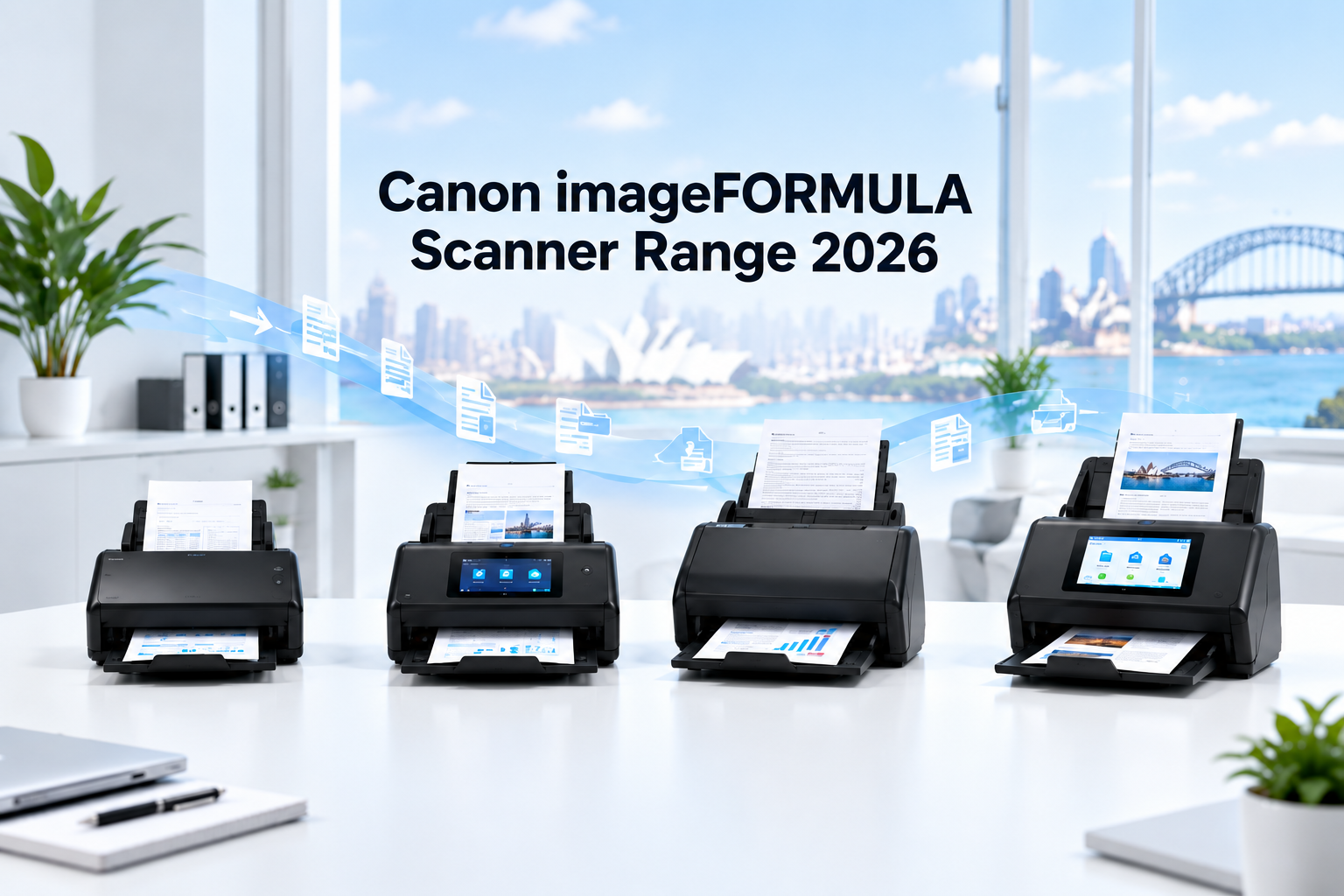
Canon’s imageFORMULA scanner range has expanded in Australia with several desktop models that, at first glance, can appear surprisingly similar. The Canon R30, R50, DR-C350 and DR-S350NW are all A4 duplex document scanners, but they have been designed for distinctly different users and workflows.
The R Series focuses on easy setup and everyday scanning, the DR-C Series prioritises fast, high-capacity document capture from a connected computer, and the DR-S Series adds advanced networking, secure sharing and standalone scanning features.
This guide explains the differences between Canon’s current-generation A4 desktop scanners and helps Australian homes, businesses and professional offices select the right model.
Choose the Canon R30 for simple home-office scanning, the R50 for an easy-to-use wireless small-office solution, the DR-C350 for high-capacity USB batch scanning, or the DR-S350NW for shared network scanning and PC-less workflows.
Understanding Canon’s imageFORMULA Scanner Families
Canon’s model names are not simply a ladder from cheapest to most expensive. Each series addresses a different way of working.
Canon R Series: Simple, Accessible Everyday Scanning
The Canon imageFORMULA R Series is designed around straightforward setup and operation. These scanners suit home offices and smaller workplaces that want to digitise documents without implementing a complex document-management system.
The entry-level R30 includes built-in CaptureOnTouch Lite software, allowing it to begin scanning through a connected Windows or Mac computer without a conventional software installation. The faster R50 adds Wi-Fi, a colour touchscreen and support for a wider range of devices.
Canon DR-C Series: Professional Desktop Batch Scanning
The DR-C Series is intended for businesses processing larger document batches through a dedicated computer. Instead of concentrating on wireless networking, the new DR-C350 focuses on feeding capacity, compact dimensions, broad media handling and productive USB operation.
Its 100-sheet Automatic Document Feeder makes it particularly suitable for accounts departments, legal practices, medical administration, records management and other environments where staff regularly scan large files.
Canon DR-S Series: Shared and Standalone Network Workflows
The DR-S Series is designed for connected offices in which multiple people may need to use the same scanner. The DR-S350NW combines USB, Gigabit Ethernet and dual-band Wi-Fi with secure browser-based scanning, direct job scanning and a 4.3-inch colour touchscreen.
It is the strongest choice when the scanner must operate as a shared business device rather than as an accessory attached to one computer.
Canon R30 vs R50 vs DR-C350 vs DR-S350NW
| Feature | R30 | R50 | DR-C350 | DR-S350NW |
|---|---|---|---|---|
| Scan speed | 25ppm / 50ipm | 40ppm / 80ipm | 50ppm / 100ipm | 50ppm / 100ipm |
| ADF capacity | 60 sheets | 60 sheets | 100 sheets | 60 sheets |
| Suggested daily volume | Less than 500 scans | Up to 4,000 scans | 5,000–8,000 scans | 6,000–9,000 scans |
| USB | Yes | Yes | USB Type-C | Yes |
| Wi-Fi | No | Yes | No | Dual-band Wi-Fi |
| Ethernet | No | No | No | Gigabit LAN |
| Colour touchscreen | No | Yes | No | 4.3-inch touchscreen |
| Driverless web scanning | No; embedded USB software | Not its primary workflow | No | Yes |
| Best suited to | Home and SOHO | Small wireless offices | High-volume PC scanning | Shared network workflows |
ppm means pages per minute. ipm means images per minute; when duplex scanning, each side of a sheet is counted as one image.
Canon imageFORMULA R30: Best for Home Offices and Occasional Scanning
The Canon imageFORMULA R30 is the most accessible model in this group. It scans at up to 25 pages or 50 images per minute and includes a 60-sheet feeder.
Its most important feature is built-in CaptureOnTouch Lite software. Connect the scanner to a compatible Windows or Mac computer and it can begin operating without the usual full software installation process. This makes it attractive to users who want straightforward scanning without complicated setup.
The recommended daily volume of fewer than 500 scans confirms its intended role. It is well suited to household records, receipts, invoices, contracts and occasional office batches, but it is not intended to serve as a high-volume departmental scanner.
Choose the R30 if:
- You normally scan fewer than 500 pages per day.
- You want an easy USB-connected scanner.
- You do not need Wi-Fi or Ethernet.
- Simple setup is more important than advanced network management.
Canon imageFORMULA R50: Best for Small Offices Wanting Wi-Fi
The Canon imageFORMULA R50 occupies the middle of the new range. It increases scanning speed to 40ppm/80ipm while retaining a 60-sheet feeder. It also adds Wi-Fi, USB connectivity and a large colour touchscreen.
With a suggested maximum of 4,000 scans per day, the R50 is designed for significantly heavier use than the R30. It supports Windows, Mac, ChromeOS and Android, making it a flexible choice for smaller workplaces using a mixture of devices.
Although the R50 can be shared over Wi-Fi, it should not be confused with the DR-S350NW. The DR-S350NW adds wired Ethernet, embedded browser scanning, direct network destinations and more advanced security and administration features. The R50 instead focuses on making ordinary office scanning fast and approachable.
Choose the R50 if:
- You want Wi-Fi and a colour touchscreen.
- You scan regularly but do not require an enterprise network workflow.
- Your office uses different computers or mobile platforms.
- You need more speed and capacity than a home-office scanner.
Canon imageFORMULA DR-C350: Best for Large Batches at One Workstation
The Canon imageFORMULA DR-C350 is a compact professional scanner built around fast, reliable document feeding. It scans at up to 50ppm/100ipm and has the largest feeder in this comparison, holding up to 100 A4 sheets.
It connects through USB Type-C rather than Wi-Fi or Ethernet. That is a deliberate design choice: the DR-C350 is intended to sit beside a dedicated computer and process substantial batches efficiently.
It can handle a wide range of documents, including business cards, plastic cards, thick and thin paper, long documents and passports. Its recommended daily volume of 5,000 to 8,000 scans makes it a strong choice for accounts payable, medical administration, legal records, government offices and document digitisation projects.
Choose the DR-C350 if:
- You want a 100-sheet ADF.
- One operator or workstation performs most of the scanning.
- You process large or mixed document batches.
- You do not need Wi-Fi, Ethernet or standalone scan-to-email.
Canon imageFORMULA DR-S350NW: Best for Shared Network Scanning
The Canon imageFORMULA DR-S350NW matches the DR-C350’s 50ppm/100ipm speed but serves a different purpose.
It includes USB, Gigabit Ethernet and dual-band Wi-Fi, together with a 4.3-inch colour touchscreen. Users can scan through the embedded CaptureOnTouch Lite Web interface without installing a driver, while a QR code displayed on the scanner can simplify connection from compatible mobile devices.
Preconfigured jobs can send scanned files directly to destinations such as email, shared folders, printers and FTP, FTPS or SFTP servers without relying on a connected PC. The model also includes stronger authentication, connection controls and document security features for managed business environments.
Its feeder holds 60 sheets rather than the DR-C350’s 100, but its suggested daily scan volume reaches up to 9,000. The DR-S350NW is therefore designed for frequent use by multiple users rather than solely for the largest individual batches.
Choose the DR-S350NW if:
- Several people or departments need to share one scanner.
- You need both Ethernet and Wi-Fi.
- You want browser-based scanning without installing drivers.
- You need direct scanning to email, network folders or FTP destinations.
- Security and centralised device management are important.
Which Canon Scanner Is Best for Your Workplace?
For a home office or sole trader
Choose the R30 if scanning is occasional and you mainly want to convert invoices, receipts and records into searchable digital files. It offers the simplest and most economical route into automatic duplex document scanning.
For a small business wanting wireless convenience
The R50 provides the best balance. It is substantially faster than the R30, supports Wi-Fi and offers a friendly touchscreen without moving into the more complex enterprise features of the DR-S350NW.
For an accounts, legal or medical scanning station
The DR-C350 is likely to be the strongest choice when one workstation processes large files. Its 100-sheet feeder reduces interruptions, while its professional feeding system is designed for varied document batches.
For a shared office, clinic or branch location
Choose the DR-S350NW when different staff members need to scan without relying on one particular computer. Its Ethernet, Wi-Fi, browser scanning and direct-send functions make it the most complete shared workflow model.
What About the Canon DR-S150 and DR-S250N?
The DR-S350NW overlaps heavily with the earlier DR-S150 and DR-S250N network scanners. It retains the central network-scanning concept while adding dual-band Wi-Fi, a larger colour touchscreen, improved browser-based operation and updated security features.
Australian availability of the DR-S150 and DR-S250N may vary by distributor. The DR-S250N remains shown on Canon Australia’s current product pages but may not always be available through local distribution. Customers considering either older model should confirm stock before ordering and compare it with the newer DR-S350NW.
The DR-S250N can still make sense if available at a suitable price and wired Ethernet is sufficient. However, buyers wanting Wi-Fi and Canon’s most complete current shared-scanning interface should consider the DR-S350NW.
Other Canon Scanner Families
These four models represent Canon’s main current-generation compact A4 desktop choices, but they are not the company’s entire scanner range.
- P Series: portable scanners for mobile professionals.
- DR-M Series: compact and higher-volume professional document scanners.
- DR-G Series: heavy-duty production scanners for centralised capture environments.
- RS40: a specialist photo and document scanner designed for mixed personal archives.
- CanoScan LiDE Series: flatbed scanners for photographs, artwork, books and documents that cannot pass through a feeder.
Customers choosing between these broader families should consider document size, daily volume, media type, portability, connectivity and whether an automatic feeder or flatbed is required.
Frequently Asked Questions
Is the Canon R50 a network scanner?
The R50 supports Wi-Fi and USB, allowing flexible use around a small office. However, it does not provide the same enterprise-oriented Ethernet, embedded web scanning, direct network destinations and security controls as the DR-S350NW.
Do the DR-C350 and DR-S350NW scan at the same speed?
Yes. Both are rated at up to 50 pages per minute and 100 images per minute in duplex mode. The DR-C350 provides a larger 100-sheet feeder, while the DR-S350NW provides more advanced networking and standalone workflow functions.
Which Canon scanner has the largest feeder?
Among the four models compared here, the DR-C350 has the largest feeder at 100 sheets. The R30, R50 and DR-S350NW each have a 60-sheet feeder.
Which model is easiest to set up?
The R30 is designed specifically for straightforward setup. Its embedded CaptureOnTouch Lite software allows compatible Windows and Mac users to begin scanning without installing a conventional full software package.
Which Canon scanner is best for several users?
The DR-S350NW is the strongest multi-user option because it combines Ethernet, dual-band Wi-Fi, USB, browser-based scanning, touchscreen operation and direct network scanning.
Which model is best for high-volume invoice scanning?
The DR-C350 is particularly suitable when invoices are processed in large batches at one computer because it combines 50ppm scanning with a 100-sheet feeder. The DR-S350NW may be more suitable when several employees need to scan into shared business destinations.
Final Recommendation
The best Canon scanner is determined less by headline speed than by how and where it will be used.
- Canon R30: best for straightforward home-office and occasional scanning.
- Canon R50: best for small businesses wanting Wi-Fi, a touchscreen and higher speed.
- Canon DR-C350: best for 100-sheet batch scanning from a dedicated computer.
- Canon DR-S350NW: best for secure, shared and PC-less network scanning.
Explore the Canon scanner range available from OzToner Australia, or contact our team if you need help matching a scanner to your document types, daily workload and office network.
Product specifications and availability are subject to change. Scan speeds are based on manufacturer test conditions and may vary according to document type, resolution, computer performance and workflow settings.