
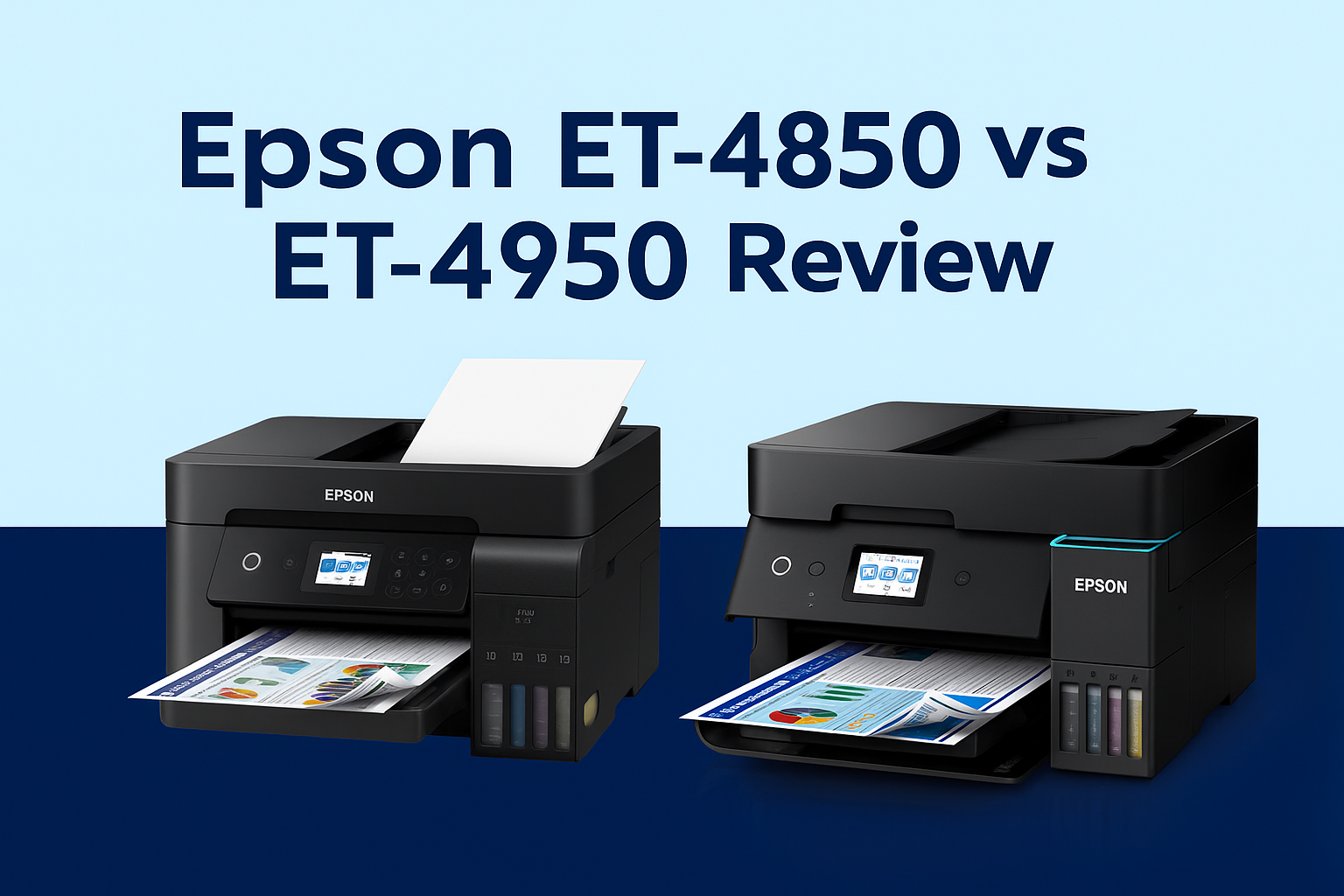

The Epson EcoTank ET-4950 is the successor to the popular ET-4850, but this is not a case where everything has changed simply because the model number is newer.
Both printers are cartridge-free A4 multifunction EcoTank models designed primarily for busy homes, home offices and small businesses. Both print, scan, copy and fax. Both include a 250-sheet paper tray, 30-sheet Automatic Document Feeder (ADF), automatic two-sided printing, Ethernet and wireless connectivity, and both use Epson 502 ink bottles.
The real difference is more focused: the ET-4950 improves office workflow with faster print speeds, automatic two-sided scanning through the ADF, and newer dual-band Wi-Fi connectivity.
That makes the buying decision fairly straightforward. If you already own a working ET-4850, the ET-4950 is not necessarily an urgent upgrade. But if you are buying a new printer today, replacing an ageing ET-4850, or regularly scanning double-sided documents, the newer ET-4950 is generally the more sensible choice.
Epson ET-4950 vs ET-4850: Quick Verdict
Choose the Epson ET-4950 if:
- You regularly scan double-sided documents.
- You want the faster of the two printers.
- You use the printer in a busy home office or small business.
- You want newer dual-band Wi-Fi connectivity.
- You are buying new and the price difference is relatively small.
Consider the Epson ET-4850 if:
- You already own one and it is still working reliably.
- You mainly print rather than scan.
- You do not need automatic two-sided scanning.
- You find remaining ET-4850 stock at a meaningfully lower price.
Our overall verdict: the ET-4950 is the better printer for a new purchase, but existing ET-4850 owners should upgrade only if the newer workflow features solve a real need.
Epson ET-4950 vs ET-4850 Specifications
| Feature | Epson EcoTank ET-4950 | Epson EcoTank ET-4850 | Why It Matters |
|---|---|---|---|
| Functions | Print, Copy, Scan, Fax | Print, Copy, Scan, Fax | No major difference |
| Print Technology | PrecisionCore / MicroPiezo inkjet | PrecisionCore / MicroPiezo inkjet | Both target document and general-purpose printing |
| ISO Print Speed | Up to 18 ppm black / 9 ppm colour | Up to 15.5 ppm black / 8.5 ppm colour | ET-4950 is faster, especially for black office documents |
| Automatic 2-Sided Printing | Yes | Yes | Both save paper when printing longer documents |
| Automatic Document Feeder | 30 sheets | 30 sheets | Both handle multi-page copying and scanning |
| 2-Sided Scanning | Yes | No automatic 2-sided ADF scanning | One of the most important ET-4950 upgrades |
| Paper Input | 250 sheets | 250 sheets | No meaningful difference |
| Display | 2.4" colour touchscreen | 2.4" colour touchscreen | Contrary to some early comparisons, screen size is not an upgrade |
| Wireless | Wi-Fi 5 dual-band, Wi-Fi Direct | 802.11 b/g/n, Wi-Fi Direct | ET-4950 offers newer wireless networking |
| Ethernet | Yes | Yes | Both suit shared office networks |
| Mobile Printing | Epson Smart Panel, AirPrint, Mopria and Epson Connect services | Epson Smart Panel, AirPrint, Mopria and Epson Connect services | Both support modern mobile workflows |
| Ink Family | Epson 502 ink bottles | Epson 502 ink bottles | Existing 502 users retain a familiar consumable platform |
| Maximum Print Resolution | 4,800 × 1,200 dpi | 4,800 × 1,200 dpi | Print-quality positioning remains broadly similar |
| Weight | Approx. 7.3 kg | Approx. 6.8 kg | Minor practical difference |
Specifications are based on Epson Australia product information and may be updated by the manufacturer. Print speeds are ISO-rated figures; real-world performance varies according to document complexity, print settings and system configuration.
The Biggest Upgrade: Automatic Two-Sided Scanning
If there is one feature that meaningfully separates the ET-4950 from the ET-4850, it is two-sided scanning through the Automatic Document Feeder.
The ET-4850 already has a useful 30-sheet ADF, so it can scan or copy a stack of single-sided pages without requiring you to place each page individually on the flatbed. However, dealing with double-sided originals requires more manual intervention.
The ET-4950 adds two-sided scanning capability to the 30-sheet ADF. For an occasional household scan this may not sound important, but in a working office the difference can be substantial.
Think about documents such as:
- Double-sided invoices
- Contracts and agreements
- School or university documents
- Medical and administrative records
- Property or financial documents
- Multi-page business correspondence
If your workflow regularly involves these types of documents, the ET-4950 removes a surprisingly repetitive manual task. That is a genuine productivity improvement rather than simply a specification-sheet upgrade.
The ET-4950 Is Also Faster
Epson rates the ET-4950 at up to 18 ISO ppm in black and 9 ISO ppm in colour, compared with 15.5 ISO ppm black and 8.5 ISO ppm colour for the ET-4850.
The colour difference is relatively modest. The larger improvement is black document printing, which is also the type of printing most home offices and small businesses do most often.
This does not turn the ET-4950 into a high-speed departmental printer, and businesses producing very large print volumes may still be better served by a faster business inkjet or laser device. But within the EcoTank home-office category, the additional speed makes the ET-4950 feel better suited to repeated document work.

Wireless Connectivity: A Quiet but Useful Improvement
Both printers support Wi-Fi Direct and Ethernet, so either can work well as a shared network printer.
The ET-4950, however, moves to Wi-Fi 5 (802.11ac) dual-band connectivity and supports newer wireless networking features. The older ET-4850 uses 802.11 b/g/n Wi-Fi.
For a single computer sitting next to the printer, this is unlikely to transform the experience. But modern homes and small offices often have crowded wireless networks filled with laptops, phones, tablets, security cameras, televisions and smart devices.
In that environment, newer dual-band networking can be more useful than it first appears—particularly when several people share the printer wirelessly.
What Has Not Changed?
This comparison is just as much about what Epson didn't change.
The ET-4950 remains conceptually very close to the ET-4850. Both are four-colour A4 EcoTank multifunction printers aimed at home-office and small-business users rather than professional photographers or large corporate workgroups.
Both provide:
- Print, copy, scan and fax functions
- Automatic two-sided printing
- A 30-sheet Automatic Document Feeder
- A 250-sheet main paper tray
- A 2.4-inch colour touchscreen
- Ethernet networking
- Wi-Fi Direct
- Mobile printing support
- Borderless printing up to A4
- Epson 502 EcoTank ink bottles
- Maximum print resolution up to 4,800 × 1,200 dpi
That continuity matters because the ET-4950 should be viewed as a refined successor rather than a completely different class of printer.
A Correction to Earlier ET-4950 Comparisons
Early online comparisons—including an earlier version of this article—sometimes listed the ET-4950 as having a larger 2.7-inch touchscreen.
Epson Australia's current specification lists the ET-4950 with a 2.4-inch colour touchscreen, the same screen size specified for the ET-4850.
We have therefore updated this comparison to reflect Epson Australia's current published specifications.
This is also a useful reminder when comparing printers online: model specifications can differ between regions, and early product information is not always carried forward accurately. For Australian buyers, Australian manufacturer specifications should take priority over overseas listings or older comparison tables.
Do the ET-4950 and ET-4850 Use the Same Ink?
Yes. Both Australian models use the Epson 502 ink bottle family in black, cyan, magenta and yellow.
This is useful for an existing ET-4850 owner considering replacement because changing to an ET-4950 does not require moving to an entirely unfamiliar consumable family.
It is worth separating included ink yield from replacement ink compatibility, however. Epson has supplied different quantities of bundled ink with different EcoTank generations and packages, so advertised “pages in the box” should not be interpreted as the printer itself suddenly consuming dramatically more or less ink.
When comparing long-term running costs, the more useful question is the cost and yield of the replacement bottles you will purchase over the life of the printer.
Is the ET-4950 Worth Upgrading From an ET-4850?
This is where the answer becomes more nuanced.
If Your ET-4850 Is Still Working Well
For many owners, no immediate upgrade is necessary.
The ET-4850 remains a capable home-office EcoTank. It already provides fax, Ethernet, automatic duplex printing, a 250-sheet paper tray, a 30-sheet ADF and the same general 502-bottle EcoTank proposition.
If you mostly print ordinary documents and only occasionally scan a few pages, replacing a reliable ET-4850 purely because the ET-4950 is newer may deliver relatively little practical benefit.
If You Frequently Scan Double-Sided Documents
This is the strongest reason to upgrade.
For someone processing multi-page two-sided documents every week, duplex scanning can save enough repetitive handling to justify moving to the ET-4950.
If Your ET-4850 Is Reaching Replacement Age
The equation also changes once an older printer begins requiring maintenance or becomes less dependable.
At that point, choosing the ET-4950 makes more sense than deliberately replacing an ET-4850 with another older-generation unit, particularly because Epson has positioned the ET-4950 series as the successor to the ET-4850 series.
Buying New in 2026: ET-4950 or ET-4850?
If you are choosing between these printers as a new purchase in 2026, we would generally favour the ET-4950.
The ET-4850 can still make sense where remaining stock is available at a substantial discount. A buyer who prints frequently but rarely scans double-sided paperwork may reasonably decide that the older model does everything required.
However, if the price gap is modest, saving a relatively small amount to buy the discontinued generation is harder to justify. The ET-4950 gives you:
- The newer platform
- Faster black document printing
- Automatic two-sided scanning
- Newer dual-band Wi-Fi
- A model with a longer remaining life in Epson's current product range
Those benefits are more important over several years of ownership than a small difference in purchase price on day one.
Which Printer Is Better for a Home Office?
The ET-4950 wins for the more document-intensive home office.
If your day includes contracts, invoices, forms, correspondence and regular scanning, the newer model's workflow improvements make sense.
The ET-4850 remains perfectly capable for users whose workload is mainly printing with occasional copying or single-sided scanning.
In other words, don't choose based simply on which model has the higher number. Choose based on how much paperwork actually passes through your office.
Which Printer Is Better for a Small Business?
For a small business buying today, we would again favour the ET-4950.
The combination of Ethernet, dual-band wireless networking, fax, 250-sheet paper capacity, automatic duplex printing, ADF scanning and two-sided document scanning makes it the more complete workflow device.
There is an important limit, however. Neither model should automatically be treated as the right answer for every business simply because EcoTank ink is inexpensive.
A company printing thousands of pages every month, requiring very fast output or depending heavily on printer uptime should also compare higher-volume business inkjet and laser alternatives before purchasing.
ET-4950 vs ET-4850: Who Wins Each Category?
| Category | Winner | Reason |
|---|---|---|
| Print Speed | ET-4950 | 18 ppm black versus 15.5 ppm |
| Duplex Scanning | ET-4950 | Automatic two-sided scanning capability |
| Wireless Networking | ET-4950 | Newer Wi-Fi 5 dual-band support |
| Paper Capacity | Tie | Both hold 250 sheets |
| ADF Capacity | Tie | Both have 30-sheet ADFs |
| Touchscreen Size | Tie | Both are 2.4-inch colour touchscreens |
| Ink Compatibility | Tie | Both use Epson 502 ink bottles |
| Value for Existing ET-4850 Owners | Depends | Upgrade only where newer workflow features matter |
| Best New Purchase in 2026 | ET-4950 | Newer generation with meaningful workflow improvements |
Our Recommendation
The Epson EcoTank ET-4950 is a sensible evolution of the ET-4850 rather than a radical redesign.
That is actually a positive thing. Epson retained many of the features that made the ET-4850 popular—large refillable ink tanks, 502 ink bottles, fax, Ethernet, a 250-sheet tray, ADF and automatic duplex printing—while improving some of the areas that matter most in a modern office.
For someone buying new in 2026, we recommend the ET-4950 unless the ET-4850 is available at a substantially lower clearance price.
For an existing ET-4850 owner, we would not replace a reliable printer merely to have the newer model. Upgrade when duplex scanning, faster document output, improved wireless networking or the age of the existing machine creates a genuine reason to do so.
You can view the Epson EcoTank ET-4950 at OzToner, or compare it with the remaining Epson EcoTank ET-4850.
Other Epson EcoTank Comparisons
If you are not sure that either of these models is the right fit, the next useful comparison depends on how much office functionality you actually need.
For a lower-cost home and family option, read our Epson ET-4950 vs ET-2950 comparison.
If you are deciding between two newer office-focused EcoTank models, see our Epson ET-3950 vs ET-4950 comparison.
Frequently Asked Questions (FAQ)
Is the Epson ET-4950 the replacement for the ET-4850?
Yes. Epson has positioned the ET-4950 series as the successor to the ET-4850 series. The newer model retains the same general home-office EcoTank concept while adding faster printing, two-sided scanning capability and newer wireless networking.
Is the Epson ET-4950 faster than the ET-4850?
Yes. Epson Australia rates the ET-4950 at up to 18 ISO ppm for black and 9 ISO ppm for colour. The ET-4850 is rated at up to 15.5 ISO ppm black and 8.5 ISO ppm colour.
Does the Epson ET-4950 have duplex scanning?
Yes. The ET-4950 has a 30-sheet Automatic Document Feeder with two-sided scanning capability, making it considerably more convenient for double-sided paperwork.
Does the Epson ET-4850 have duplex scanning?
The ET-4850 supports automatic two-sided printing, but its ADF does not provide the same automatic two-sided scanning capability found on the ET-4950.
Does the ET-4950 have a larger touchscreen than the ET-4850?
No. Epson Australia's current specifications list both printers with a 2.4-inch colour touchscreen. Some earlier online comparisons incorrectly described the ET-4950 as having a larger display.
Do the ET-4950 and ET-4850 use the same ink bottles?
Yes. Both Australian models use Epson 502 black, cyan, magenta and yellow EcoTank ink bottles.
Should I upgrade from an ET-4850 to an ET-4950?
If your ET-4850 is working reliably and you mainly print rather than scan, there may be little reason to upgrade immediately. The ET-4950 becomes more compelling if you regularly scan double-sided documents, want faster printing, need newer wireless networking or are replacing an ageing ET-4850.
Which is better for a new purchase, ET-4950 or ET-4850?
For most new buyers, the ET-4950 is the better long-term choice. The ET-4850 remains worth considering only when available at a sufficiently attractive clearance price and the buyer does not need the ET-4950's newer workflow features.
Sources and Further Reading
Technical specifications in this comparison were checked against Australian manufacturer information. For the latest manufacturer specifications, visit Epson Australia – EcoTank ET-4950 and Epson Australia – EcoTank ET-4850 Back Catalogue.
Last reviewed and updated: August 2026. Product availability, bundled ink, promotions and manufacturer specifications may change over time.
The EcoTank range features a wide variety of cartridge-free printers to suit your everyday printing needs. With 1,000s of pages worth of ink included and big refillable ink tanks, you no longer need to worry about running out of ink and buying expensive ink cartridges all the time. Just set and forget! NO cartridges…NO JOKE!
The Epson EcoTank series has revolutionized home and small office printing with its cartridge-free design and ultra-low running costs. The latest addition, the ET-4950, builds upon the solid foundation of the ET-4850, introducing enhancements that cater to modern printing needs. Let's delve into the differences and help you decide which model suits your requirements.

