
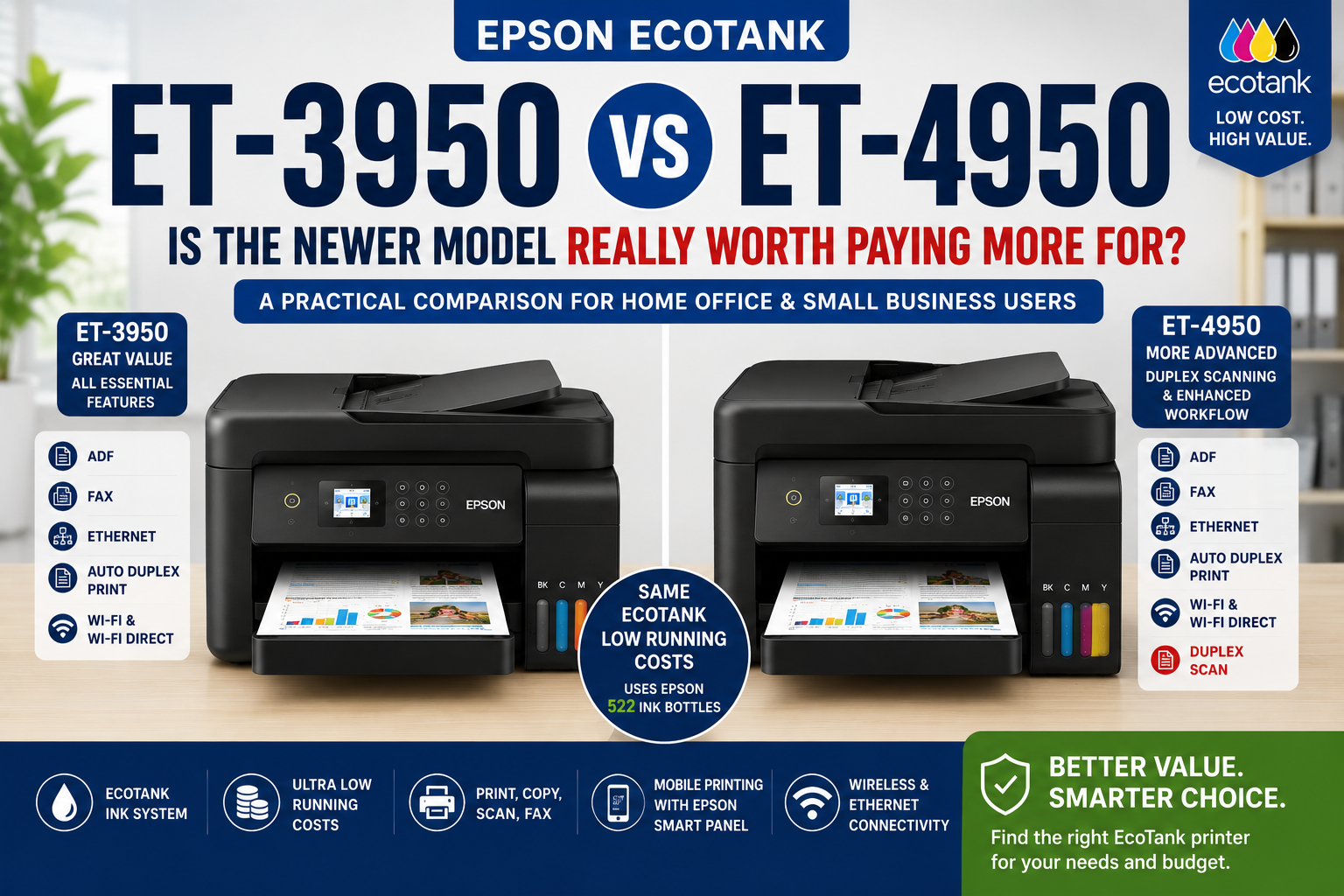
The Epson EcoTank ET-3950 and ET-4950 are far more similar than their model numbers suggest. In fact, once you compare the current Australian specifications side by side, most of the features buyers normally care about—print speed, duplex printing, two-sided scanning, paper capacity, ADF size, ink bottles and networking—are essentially the same.
That makes this an unusual printer comparison.
The question is not really whether the ET-4950 is a dramatically more capable printer. It is whether you actually need the main extra function it adds: fax capability.
For buyers who do not need fax, the ET-3950 can deliver almost the same everyday printing and scanning experience. For businesses that still rely on fax for orders, forms, medical documents, legal correspondence or administration, the ET-4950 becomes the obvious choice.
ET-3950 vs ET-4950: The Short Answer
Choose the Epson ET-3950 if:
- You need print, copy and scan but do not need fax.
- You want a 30-sheet ADF with two-sided scanning.
- You want automatic duplex printing.
- You need Ethernet, Wi-Fi 5, Wi-Fi Direct and mobile printing.
- You want the same Epson 502 EcoTank ink system used by the ET-4950.
- The ET-3950 is available at the better price when you buy.
Choose the Epson ET-4950 if:
- You genuinely need a built-in fax function.
- Your office still sends or receives fax documents.
- You want print, copy, scan and fax combined in one EcoTank device.
- The price difference is small enough that having fax available is worthwhile.
Our practical verdict: if fax is irrelevant to you, the ET-3950 is difficult to overlook because its core print, scan and networking specifications are remarkably close to the ET-4950. If fax matters, buy the ET-4950.
The Comparison Is Much Closer Than It Looks
Printer model numbers often encourage us to assume that the higher-numbered machine must be faster, more powerful or significantly more advanced.
That assumption does not work particularly well here.
According to Epson Australia's current specifications, both the ET-3950 and ET-4950 offer:
- 18 ISO ppm black printing
- 9 ISO ppm colour printing
- Automatic two-sided printing
- 30-sheet Automatic Document Feeder
- Two-sided scanning capability
- 250-sheet paper input capacity
- 4,800 × 1,200 dpi maximum print resolution
- Wi-Fi 5 dual-band connectivity
- Wi-Fi Direct
- 10/100 Ethernet
- USB connectivity
- Epson Smart Panel and Epson Connect support
- Apple AirPrint and Mopria
- Epson 502 replacement ink bottles
- The same published replacement ink yields
That is why this comparison should not be framed as a basic model versus a premium model. In normal printing and document-scanning work, they are much closer than that description would suggest.
Epson ET-3950 vs ET-4950 Specifications
| Feature | Epson ET-3950 | Epson ET-4950 | Practical Difference |
|---|---|---|---|
| Functions | Print, Copy, Scan | Print, Copy, Scan, Fax | Fax is the clearest major difference |
| ISO Print Speed | 18 ppm black / 9 ppm colour | 18 ppm black / 9 ppm colour | Same published speed |
| Auto 2-Sided Print Speed | 7 ppm black / 5 ppm colour | 7 ppm black / 5 ppm colour | Same |
| Automatic Duplex Printing | Yes | Yes | No meaningful difference |
| ADF | 30 sheets | 30 sheets | Same capacity |
| 2-Sided Scanning | Yes | Yes | Both support two-sided document workflows |
| Fax | No | Yes | Important for offices that still rely on fax |
| Paper Input | 250 sheets | 250 sheets | Same |
| Maximum Print Resolution | 4,800 × 1,200 dpi | 4,800 × 1,200 dpi | Same |
| Wireless | Wi-Fi 5 dual-band, Wi-Fi Direct | Wi-Fi 5 dual-band, Wi-Fi Direct | Same core networking platform |
| Ethernet | 10/100 Mbps | 10/100 Mbps | Both suit shared office networks |
| Display | 2.4-inch colour display | 2.4-inch colour touchscreen | Very similar control-panel format; check current model interface if this matters to you |
| Ink Bottles | Epson 502 | Epson 502 | Same consumable family |
| Replacement Ink Yield | Up to 8,500 black / 6,500 colour | Up to 8,500 black / 6,500 colour | Same published Epson yield |
| Recommended Monthly Volume | Up to 1,600 pages | Up to 1,600 pages | Same positioning |
Specifications above are based on Epson Australia's published information. Actual performance may vary according to document type, system configuration and print settings.
The Real Difference: Do You Need Fax?
Fax might sound like an outdated technology, and for many households it is. But it has not disappeared from every workplace.
Some industries and organisations still use fax for particular workflows, including:
- Medical practices and healthcare administration
- Legal and professional offices
- Government forms and legacy systems
- Property and conveyancing documentation
- Purchase orders and supplier paperwork
- Businesses dealing with organisations that still require fax transmission
The ET-4950 includes both black-and-white and colour fax, with speeds up to 33.6 Kbps, fax memory and speed-dial functionality.
The ET-3950 does not have a fax modem.
That creates a very simple buying rule:
If your business needs fax—even occasionally—the ET-4950 is the safer choice.
If you have not sent or received a fax in years and have no foreseeable reason to do so, paying extra purely to have fax hardware sitting unused may not add much value.
Both Models Support Two-Sided Scanning
This point deserves special attention because some early comparisons of the ET-3950 and ET-4950 incorrectly described duplex scanning as an ET-4950-only feature.
Epson Australia's current specifications list two-sided scanning capability for both the ET-3950 and ET-4950, combined with a 30-sheet Automatic Document Feeder.
That means both printers are suitable for common office jobs such as digitising:
- Double-sided invoices
- Contracts
- Reports
- Forms
- Correspondence
- Business records
This changes the value equation considerably.
If you were considering the ET-4950 solely because you believed the ET-3950 could only scan one side of a document through the ADF, that should no longer be the deciding factor.
Print Performance: Effectively the Same Class
Both models use Epson's PrecisionCore-based four-colour EcoTank platform and carry the same published ISO document speeds: 18 ppm black and 9 ppm colour.
Automatic two-sided printing is rated at 7 ISO ppm black and 5 ISO ppm colour on both models.
In other words, buying the ET-4950 should not be viewed as buying a substantially faster printer.
For everyday office jobs—emails, reports, invoices, schoolwork, spreadsheets and general colour documents—their published performance is essentially in the same class.
This is one of the most important differences between this comparison and the ET-4950 vs ET-4850 comparison. The older ET-4850 has a lower published black print speed, whereas the ET-3950 and ET-4950 share the same current 18/9 ppm specification.
Ink and Running Costs: No Reason to Choose One Over the Other
The two printers also use the same Australian ink family: Epson 502 EcoTank ink bottles.
Epson lists:
- Epson 502 Black
- Epson 502 Cyan
- Epson 502 Magenta
- Epson 502 Yellow
Replacement yields are published at up to approximately 8,500 black pages and 6,500 colour pages using Epson's stated methodology.
Because the print engines and consumable platform are so closely aligned, there is no meaningful running-cost argument for choosing the ET-4950 over the ET-3950.
In practical terms, your long-term ink expenditure should be driven much more by how much and what you print than by which of these two models you buy.

Connectivity Is Also Essentially Equal
Both printers are well equipped for a modern home office or small business network.
Epson lists the same core connection options:
- Hi-Speed USB
- Wi-Fi 5
- 2.4 GHz and 5 GHz wireless networking
- Wi-Fi Direct
- 10/100 Ethernet
- Epson Smart Panel
- Epson iPrint
- Epson Email Print
- Epson Scan to Cloud
- Apple AirPrint
- Mopria Print Service
So there is little reason to choose between the two based on network connectivity alone.
Both can work as a shared wired office printer or as a wireless printer for laptops, phones and tablets.
ET-3950: Where It Makes the Most Sense
The ET-3950 has an interesting position in Epson's EcoTank range because it gives buyers a large portion of the functionality normally associated with a higher-end office EcoTank without adding fax.
That makes it particularly attractive for:
- Work-from-home users
- Families with higher print volumes
- Students and university households
- Consultants
- Small businesses using email and cloud-based document workflows
- Businesses that scan frequently but no longer use fax
For these users, the absence of fax may not feel like a missing feature at all.
Instead, what matters is that the ET-3950 still provides the 250-sheet tray, ADF, duplex printing, two-sided scanning, Ethernet, dual-band Wi-Fi and high-yield 502 ink platform.
You can view the current Epson EcoTank ET-3950 at OzToner.
ET-4950: When Paying for the Extra Function Makes Sense
The ET-4950 becomes the logical choice once fax is part of the requirement.
Rather than buying a separate fax-capable device—or discovering after installation that a client, supplier or organisation still expects fax—the ET-4950 keeps that functionality built into the same multifunction printer.
It is therefore better suited to:
- Medical and allied-health offices
- Legal and administrative environments
- Small businesses with legacy fax workflows
- Users replacing an older fax-equipped multifunction printer
- Businesses that prefer to retain every traditional office communication option
For these users, the small difference between “almost the same printer” and “the same core printer plus fax” can be operationally important.
You can view the Epson EcoTank ET-4950 at OzToner.
Don't Pay More Just Because 4950 Is a Higher Number
This is probably the most useful lesson from comparing these two printers.
A model number is not a feature.
The ET-4950 may sit above the ET-3950 in the naming hierarchy, but buyers should not automatically assume that it gives them:
- Faster printing
- Higher ink yields
- A larger paper tray
- A larger ADF
- Better print resolution
- Cheaper running costs
- A fundamentally better scanning system
Based on Epson Australia's published specifications, those areas are either the same or extremely similar.
The sensible question is simply:
What does the ET-4950 give me that I will actually use?
For most buyers comparing these two specific models, the answer comes back to fax.
Price Matters More in This Comparison Than Usual
Because the underlying specifications are so close, the actual street price on the day you buy becomes unusually important.
Printer pricing can move due to promotions, channel exclusives, rebates, stock levels and clearance campaigns, so it is better not to assume that one model will always be a fixed amount cheaper than the other.
A useful rule is:
- If you do not need fax: compare the current prices carefully and favour the ET-3950 when it provides a worthwhile saving.
- If you do need fax: the ET-4950 is the appropriate model regardless of a modest price difference.
- If prices are almost identical: some buyers may reasonably choose the ET-4950 simply to retain fax capability for future flexibility.
This is a better way to make the decision than treating the ET-4950 as automatically superior.
Which One Wins?
| Category | Winner | Why |
|---|---|---|
| Print Speed | Tie | Both rated at 18 ppm black / 9 ppm colour |
| Duplex Printing | Tie | Both support automatic two-sided printing |
| Two-Sided Scanning | Tie | Both current Australian specifications support it |
| ADF | Tie | 30 sheets on both |
| Paper Capacity | Tie | 250 sheets on both |
| Networking | Tie | Wi-Fi 5, Wi-Fi Direct and Ethernet on both |
| Ink and Running Cost | Tie | Both use Epson 502 ink bottles |
| Fax | ET-4950 | ET-3950 has no fax function |
| Best Value Without Fax | ET-3950 | Assuming it is available at a lower street price |
| Best Complete Office Feature Set | ET-4950 | Adds fax to an otherwise very similar platform |
Our Verdict: Buy the Function, Not the Model Number
The Epson ET-3950 vs ET-4950 comparison turns out to be much simpler—and more interesting—than it first appears.
These are not two printers separated by a large performance gap. They share the same published print speeds, the same EcoTank 502 ink family, the same 250-sheet paper capacity, the same 30-sheet ADF capacity, very similar scanning functionality and essentially the same modern network connectivity.
If you do not need fax, the ET-3950 gives you remarkably little to give up.
If you do need fax, the ET-4950 is the clear choice.
That means price and actual workflow matter much more here than the model number printed on the front of the machine.
For buyers comparing other models in the range, you may also find our Epson ET-4950 vs ET-4850 comparison useful, or read our Epson ET-4950 vs ET-2950 comparison if you are deciding how much office functionality you really need.
Frequently Asked Questions (FAQ)
What is the main difference between the Epson ET-3950 and ET-4950?
The most important confirmed difference in the current Australian specifications is fax. The ET-4950 includes fax functionality, while the ET-3950 is a print, copy and scan multifunction printer without fax.
Does the Epson ET-3950 have fax?
No. Epson Australia's current ET-3950 specifications do not include fax capability.
Does the Epson ET-4950 have fax?
Yes. The ET-4950 supports black-and-white and colour fax, with fax memory and speed-dial features.
Can the Epson ET-3950 scan double-sided documents?
Yes. Epson Australia lists two-sided scanning capability for the ET-3950, together with a 30-sheet Automatic Document Feeder.
Does the ET-4950 have better duplex scanning than the ET-3950?
Current Australian manufacturer specifications list two-sided scanning capability for both models. Duplex scanning therefore should not be treated as the main reason to choose the ET-4950 over the ET-3950.
Which ink bottles does the Epson ET-3950 use?
The Australian ET-3950 uses Epson 502 black, cyan, magenta and yellow EcoTank ink bottles.
Which ink bottles does the Epson ET-4950 use?
The ET-4950 also uses Epson 502 black, cyan, magenta and yellow ink bottles, so both models share the same replacement ink family.
Is the ET-4950 faster than the ET-3950?
No meaningful difference appears in Epson Australia's current ISO print-speed specifications. Both are rated at up to 18 ppm black and 9 ppm colour.
Which is better for a home office?
For a home office that does not use fax, the ET-3950 can be the better-value choice because its core print, scan, ADF, duplex and networking specifications are extremely close to the ET-4950. If fax is required, choose the ET-4950.
Which is better for a small business?
It depends on workflow rather than print performance. Businesses using email, cloud documents and scanning but no fax may find the ET-3950 sufficient. Businesses that still send or receive fax should choose the ET-4950.
Sources and Specification Notes
This comparison has been updated using current Australian manufacturer specifications rather than relying on overseas model descriptions or older comparison material.
For the latest technical information, see Epson Australia – EcoTank ET-3950 and Epson Australia – EcoTank ET-4950.
Last reviewed and updated: August 2026. Product specifications, pricing, availability, promotions and warranty offers may change over time.
When shopping for a premium Epson EcoTank printer, two models frequently appear on buyers' shortlists: the Epson EcoTank ET-3950 and the newer Epson EcoTank ET-4950.
At first glance, many customers naturally assume the ET-4950 must be the better choice simply because it is the newer model. However, once you compare the actual features, running costs and everyday usability, the answer may not be as straightforward.
Both printers are designed for home office and small business users, both use Epson's ultra-low-cost EcoTank refillable ink system, and both offer features that traditional cartridge printers simply cannot match.
The real question is:
Is the ET-4950 worth paying significantly more for, or does the ET-3950 already provide everything most users actually need?

Quick Verdict
If you regularly scan double-sided documents, process contracts, invoices or large document batches, the ET-4950's duplex scanning capability may justify its higher purchase price.
However, for many home office users, families, students, accountants, consultants and small businesses, the ET-3950 already delivers almost everything needed for everyday productivity while offering better overall value.
Our Recommendation
Choose ET-3950 if:
- Value for money matters most
- You need ADF, Fax and Ethernet
- You rarely scan double-sided documents
- You want a fully-featured home office printer
Choose ET-4950 if:
- You frequently scan double-sided documents
- You want Epson's latest generation model
- You are willing to pay extra for duplex scanning convenience
Shared Features: More Similar Than Different
One of the biggest surprises when comparing these two printers is how much they actually have in common.
Both models include:
- ✅ Epson EcoTank refillable ink technology
- ✅ Print, Copy and Scan functions
- ✅ Automatic Document Feeder (ADF)
- ✅ Automatic Duplex Printing
- ✅ Fax capability
- ✅ Ethernet networking
- ✅ Wi-Fi and Wi-Fi Direct
- ✅ Epson Smart Panel App support
- ✅ Epson Connect cloud printing
- ✅ Epson 502 ink bottle compatibility
- ✅ Extremely low running costs
For many buyers, these are the features that matter most on a day-to-day basis.

Both printers share Epson EcoTank technology, ADF functionality, fax capability, Ethernet networking and low running costs.
ET-3950 vs ET-4950 Comparison Table
| Feature | ET-3950 | ET-4950 |
|---|---|---|
| ✅ | ✅ | |
| Copy | ✅ | ✅ |
| Scan | ✅ | ✅ |
| ADF | ✅ | ✅ |
| Fax | ❌ | ✅ |
| Ethernet | ✅ | ✅ |
| Automatic Duplex Printing | ✅ | ✅ |
| Duplex Scanning | ✅ | ✅ |
| Ink Bottles | Epson 502 | Epson 502 |
| Running Cost | Same | Same |
The One Feature That Separates Them
The biggest difference between these two printers is duplex scanning.
The ET-3950 can scan documents through the Automatic Document Feeder, but only one side at a time.
The ET-4950 adds automatic duplex scanning, allowing double-sided documents to be scanned without manually flipping pages.
For users who regularly digitise contracts, invoices, financial documents, legal paperwork or medical records, this can save significant time.
For everyone else, it may be a feature that rarely gets used.

The ET-4950 adds duplex scanning, but many home office users may never use this feature frequently enough to justify the additional cost.
Running Costs: No Difference At All
This is where things become particularly interesting.
Both printers use the same Epson 502 ink bottles.
- ✔ Epson 502 Black
- ✔ Epson 502 Cyan
- ✔ Epson 502 Magenta
- ✔ Epson 502 Yellow
As a result:
- ✔ Cost per page is virtually identical
- ✔ Ink replacement process is identical
- ✔ Ink availability is identical
- ✔ Long-term ownership cost is almost identical
Choosing the ET-4950 does not reduce running costs compared with the ET-3950.
Shop Genuine Epson 502 Ink Bottles
Both ET-3950 and ET-4950 use Epson 502 ink bottles.
Who Should Buy The ET-3950?
The ET-3950 is an excellent choice for:
- Home offices
- Families
- Students
- Accountants
- Consultants
- Small business owners
- Work-from-home professionals
If you need:
- ADF
- Fax
- Ethernet
- Wireless printing
- Automatic duplex printing
then the ET-3950 already delivers virtually everything most users need.
Best Value Choice
The ET-3950 offers most of the same productivity features as the ET-4950 at a more attractive price point.
Who Should Buy The ET-4950?
The ET-4950 is better suited for:
- Heavy document management
- Double-sided scanning workflows
- Professional offices
- Legal firms
- Medical practices
- Businesses digitising large document volumes
If duplex scanning is a feature you use every week, the ET-4950 may justify its premium pricing.
OZ Toner 2026 Office Printer Guide Series
Continue with a More Specific Office Printer Guide
If you are deciding between the ET-3950 and ET-4950 as part of a wider office upgrade, these guides compare them with other current business options:
- Best Printer for Small Business Australia — small business printer selection
- Best Printer for 1000 Pages Per Month — around 1,000 pages per month
- Best Office Printer Australia 2026 — broader office comparison
Final Verdict: Which One Offers Better Value?
The Epson ET-4950 is undoubtedly the more advanced printer.
However, the ET-3950 remains one of the best-value EcoTank multifunction printers available for home office and small business users.
If you rarely scan double-sided documents, the ET-3950 delivers almost the same day-to-day experience as the ET-4950 while costing less.
For many buyers, the ET-3950 represents the sweet spot between affordability and productivity.
| Category | Winner |
|---|---|
| Value for Money | 🏆 ET-3950 |
| Feature Set | 🏆 ET-4950 |
| Running Costs | Tie |
| Home Office Users | 🏆 ET-3950 |
| Duplex Scanning Workflows | 🏆 ET-4950 |