
Brother 3-Year Extended Warranty Australia (2026): Registration, Eligible Printers & Warranty Claims Guide
Effective from 10 November 2026 | Updated: 10 November 2026
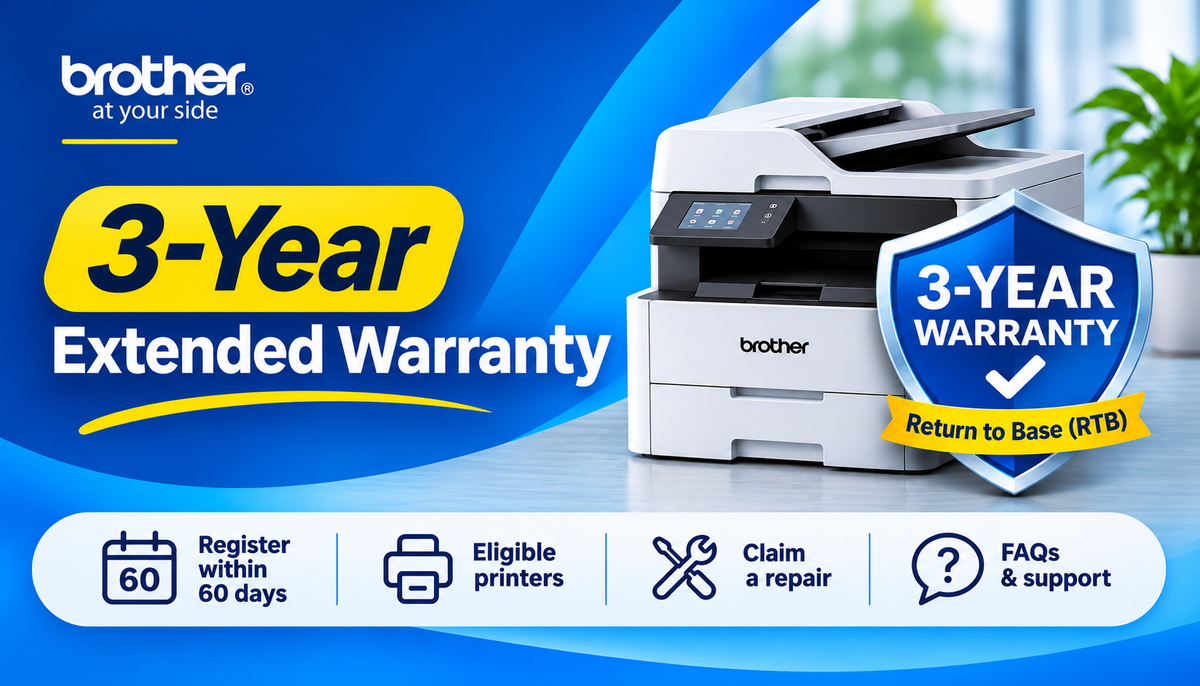
Brother Australia has introduced an Extended Warranty program for eligible inkjet, monochrome laser and colour laser printers. Customers who successfully register their eligible printers within 60 days of purchase can receive a total of 3 Years Return to Base Warranty.
At OZ Toner, we've prepared this practical guide to help Australian customers understand the new warranty program, register their printers, check warranty coverage and arrange repairs when required.
Whether you purchased your printer from OZ Toner or another authorised Australian retailer, this guide explains the essential steps.
Quick Navigation
-
What is Brother's new 3-year warranty?
-
How to register your printer
-
How to check your warranty status
-
How to make a warranty claim
-
What does Return to Base mean?
-
Who pays for return shipping?
-
What is covered and excluded?
-
Full list of eligible Brother printers
-
Frequently asked questions
-
Useful Brother support links
1. What Is Brother's New 3-Year Extended Warranty?
From 10 November 2026, Brother Australia offers an optional warranty extension on selected printers.
| Existing Standard Warranty | Additional Warranty After Registration | Total Warranty |
|---|---|---|
| 1 Year Return to Base | +2 Years | 3 Years Return to Base |
| 2 Years Return to Base | +1 Year | 3 Years Return to Base |
Important: The additional warranty is not automatic.
Customers must complete the registration requirements within 60 days of purchase. Without successful registration, the printer retains its original standard warranty.
The Extended Warranty does not change the existing warranty exclusions or your rights under Australian Consumer Law.
2. How to Register Your Brother Printer for the Extended Warranty
Registering your printer is straightforward, but timing matters.
Step 1 – Purchase an eligible Brother printer
Check that your exact printer model appears on Brother's eligible printer list.
Step 2 – Visit Brother's official registration website
Go to:
Brother Australia – Product Registration
Create a Brother account or sign in to your existing account.
Step 3 – Open My Products
From your Brother account dashboard, navigate to My Products and select the option to register a product.
Step 4 – Enter your printer details
You will need:
-
Printer model number
-
Serial number
-
Purchase date
-
Retailer or place of purchase
-
Proof of purchase, such as your tax invoice
The serial number is normally located on a label on the printer. Its exact position varies by model.
Step 5 – Upload your proof of purchase
Upload the required purchase documentation and complete the registration process.
Step 6 – Confirm your Extended Warranty
After successful registration and validation, your printer's extended warranty should be recorded against its serial number.
Check your Brother confirmation email and the warranty information displayed under My Products.
Registration deadline: Within 60 days of purchase.
We strongly recommend registering immediately after receiving your printer rather than waiting until the deadline.
3. How to Check Whether Your Printer Has a 3-Year Warranty
You can confirm your warranty using several methods.
Option A – Your Brother account
Sign in to your Brother account and review the registered printer under My Products.
Option B – Serial number warranty lookup
Visit:
Brother Australia – Warranty Terms & Verification
Use the serial number warranty verification facility where available.
Please note that a printer registered only for standard warranty may not appear as eligible for the Extended Warranty in this lookup.
Option C – Contact Brother Customer Care
Brother can assist if you are unsure whether your registration was successful or your warranty period is correct.
Keep your purchase invoice and serial number ready.
4. How to Make a Brother Printer Warranty Claim in Australia

If your printer develops a fault, follow the procedure below.
Step 1 – Contact Brother Customer Care first
Do not immediately return your printer to OZ Toner or send it to an unfamiliar repair centre.
Start with Brother's official technical support:
Brother Australia – Support & Downloads
Brother's Customer Care team can help troubleshoot your printer remotely.
Many software, connection, configuration and printing problems can be resolved without transporting the machine.
Step 2 – Prepare the required information
Before contacting Brother, have the following ready:
-
Printer model and serial number
-
Purchase invoice or receipt
-
Purchase date
-
Description of the fault
-
Any displayed error codes
-
Relevant photographs or test printouts
-
Extended Warranty registration confirmation, if applicable
Step 3 – Follow Brother's diagnosis and instructions
Brother will attempt to diagnose the issue and establish whether further hardware assessment is necessary.
If repair is required, Brother can confirm the applicable warranty and direct you to an authorised service provider.
Step 4 – Locate an authorised Brother repair centre
Use Brother's official locator:
Find a Brother Authorised Service Repair Centre
You can search by postcode or location to identify a suitable repair centre.
Contact the repair centre before visiting or sending your printer.
Confirm that the centre accepts your particular printer model, whether a booking or reference number is needed, and any transport arrangements.
Step 5 – Deliver or arrange shipment of the printer
Follow the repair centre's instructions for transporting the machine.
Include the requested proof of purchase and any diagnostic information.
Do not ship your printer before confirming the correct receiving address and requirements.
Step 6 – Assessment and repair
The authorised repairer will assess the printer and determine whether the reported fault is covered under the applicable Brother warranty.
For an approved warranty repair, eligible parts and labour are provided in accordance with Brother's warranty conditions.
If the fault is not covered, the repairer may explain the applicable charges and provide a repair quotation.
Step 7 – Collect or arrange return transportation
After the repair is completed, arrange collection or return delivery with the service centre.
Check any applicable freight, packaging or insurance charges before arranging shipment.
5. What Does Return to Base (RTB) Warranty Mean?
Return to Base means that the printer must be taken or transported to an authorised repair centre for assessment and repair.
It is not the same as Onsite Warranty.
| Return to Base Warranty | Onsite Warranty |
|---|---|
| Printer is taken or shipped to a repair centre | Technician attends an eligible customer location |
| Customer normally arranges transport | Service arrangements depend on the onsite warranty terms |
| Freight and packaging costs may apply | Travel coverage depends on service area and conditions |
| Repair takes place at the service centre | Eligible repair takes place at the customer site |
Brother's new 3-year program is a Return to Base warranty, not a complimentary onsite repair service.
This distinction is particularly important for larger or heavier multifunction printers.
6. Who Pays for Shipping Under Return to Base Warranty?
Under Brother Australia's published standard Return to Base warranty terms, the customer is generally responsible for arranging and paying for transportation to and from the authorised repairer, including packaging and insurance.
This means that even if the repair itself is covered under the manufacturer's warranty, shipping costs may still be your responsibility under the manufacturer's warranty arrangements.
For example:
-
You may choose to deliver the printer personally to the authorised repair centre.
-
If you cannot deliver it, you may arrange a courier.
-
After repair, you may collect the printer or arrange return shipping.
-
If the repair centre organises a courier on your behalf, confirm any associated charges beforehand.
Does Brother provide a prepaid return shipping label?
Do not assume a prepaid return label is included. Contact Brother Customer Care or the nominated repair centre to confirm your specific arrangements.
Important consumer rights notice: These manufacturer warranty transportation conditions do not override Australian Consumer Law. Depending on the circumstances, consumers may have additional rights and remedies, including rights relating to reasonable return costs.
7. What Does the Brother Warranty Cover?
Subject to the applicable warranty terms, Brother's manufacturer's warranty generally covers qualifying defects in materials or workmanship.
For an approved claim, the repair may involve replacement parts, repair labour or another remedy determined under the applicable warranty terms and consumer law.
Common warranty exclusions
The standard manufacturer warranty generally does not cover:
-
Normal wear and tear
-
Routine cleaning or maintenance
-
Consumable items such as ink and toner
-
Periodic maintenance kits and other excluded service items
-
Accidental or physical damage
-
Liquid spills, moisture or foreign matter entering the printer
-
Damage caused by misuse, neglect or improper operation
-
Damage caused by environmental events
-
Damage resulting from unauthorised modifications or repairs
-
Faults caused by incompatible or unsuitable accessories or supplies
What about third-party ink or toner?
Using third-party consumables does not necessarily mean every future fault is automatically excluded. However, damage caused by non-genuine consumables may be excluded under Brother's applicable warranty terms.
Warranty decisions depend on the cause of the fault and the applicable conditions.
Please note: This is a general explanation, not a complete statement of every warranty exclusion. Always refer to Brother's current published terms.
8. Which Brother Printers Are Eligible?
The Extended Warranty program includes selected monochrome laser, colour laser/LED and inkjet printers.
The following models are included in Brother's October 2026 eligibility information.
Monochrome Laser Printers
HL-L1230W, HL-L2400DW, HL-L2400DW-RFB, HL-L2445DW, HL-L2445DW-RFB, HL-L2460DW, HL-L2460DW-RFB, HL-L2460DWXL, HL-L2464DW, HL-L2480DW, HL-L2480DW-RFB, HL-L5210DN, HL-L5210DW, HL-L6210DW.
Colour Laser / LED Printers
HL-L3240CDW, HL-L3240CDW-RFB, HL-L3280CDW, HL-L8240CDW, HL-L8360CDW, HL-L8360CDW-RFB, HL-L8430CDW.
Monochrome Laser Multifunction Printers
DCP-L2640DW, DCP-L2640DW-RFB, MFC-1810VP, MFC-7240, MFC-L2800DW, MFC-L2800DW-RFB, MFC-L2820DW, MFC-L2880DW, MFC-L2880DW-RFB, MFC-L2880DWXL, MFC-L2920DW, MFC-L5710DW, MFC-L5915DW, MFC-L6720DW.
Colour Laser / LED Multifunction Printers
DCP-L3520CDW, DCP-L3560CDW, DCP-L3560CDW-RFB, MFC-L3755CDW, MFC-L3760CDW, MFC-L3760CDW-RFB, MFC-L8390CDW, MFC-L8390CDW-RFB, MFC-L8690CDW, MFC-L8690CDW-RFB, MFC-L8730CDW, MFC-L8900CDW, MFC-L8900CDW-RFB, MFC-L8930CDW, MFC-L9630CDN.
Colour Inkjet Multifunction Printers
DCP-J1200W, DCP-J1200WXL, DCP-J1260W, DCP-J1800DW, DCP-T580DW, DCP-T780DW.
MFC-J4340DWXL, MFC-J4355DW, MFC-J4440DW, MFC-J4440DW-RFB, MFC-J4540DW, MFC-J4540DW-RFB, MFC-J4555DW, MFC-J5010DW, MFC-J5110DW, MFC-J5340DW, MFC-J5740DW, MFC-J5740DW-RFB.
MFC-J5855DWXL, MFC-J5855DWXL-RFB, MFC-J5955DW, MFC-J5955DW-RFB, MFC-J6540DW, MFC-J6555DWXL, MFC-J6560DW, MFC-J6740DW, MFC-J6740DW-RFB, MFC-J6940DW, MFC-J6955DW, MFC-J6955DW-RFB, MFC-J6957DW, MFC-J6957DW-RFB, MFC-J6959DW, MFC-J6960DW.
Important eligibility notes
-
Eligibility is model-specific.
-
MPS-exclusive models are excluded from this Extended Warranty offer.
-
The presence of an
-RFBmodel on Brother's list does not, by itself, establish eligibility for every independently refurbished or ex-demo unit. -
Registration and proof-of-purchase requirements apply.
-
Always verify the current eligibility information and terms on Brother Australia's website.
9. Frequently Asked Questions
Q1. Is the 3-year Brother warranty automatic?
No. You must successfully register an eligible printer within 60 days of purchase and provide the required purchase information and proof of purchase.
Q2. Is the 3-year warranty free?
The program provides an additional manufacturer warranty period to qualifying customers who complete the registration requirements. Return to Base transportation and other excluded costs may still apply.
Q3. What happens if I forget to register within 60 days?
Your printer retains its original standard warranty. Contact Brother if you need clarification about your registration status or circumstances. Your Australian Consumer Law rights remain unaffected.
Q4. I already registered my printer. Do I need to do anything else?
Check that your printer shows the Extended Warranty coverage, not merely standard product registration. If the additional coverage is not confirmed, contact Brother.
Q5. I lost my invoice. What should I do?
Contact your retailer and request a copy of your tax invoice or purchase receipt. If you purchased from OZ Toner, contact support@oztoner.com with your order details.
Q6. I purchased my printer before 10 November 2026. Am I eligible?
The program begins on 10 November 2026. Eligibility for purchases made before the launch date should be confirmed directly with Brother rather than assumed.
Q7. Does the warranty include free onsite repair?
No. This particular Extended Warranty program provides 3 Years Return to Base coverage. Separate onsite service arrangements, where offered, have their own conditions.
Q8. Can I take my printer to any repair shop?
For a manufacturer warranty claim, use the Brother-authorised repair pathway. Contact Brother Customer Care first and follow its instructions.
Q9. Can I send my printer back to OZ Toner for repair?
Please contact Brother Customer Care first for the manufacturer warranty procedure. Do not send a printer to OZ Toner without prior return authorisation.
This does not affect any rights you may have against OZ Toner as the retailer under Australian Consumer Law.
Q10. Who pays the courier charges?
Under Brother's standard Return to Base manufacturer warranty conditions, customers generally arrange and pay for transport, packaging and insurance to and from the authorised repairer. Statutory consumer rights may provide additional remedies depending on the circumstances.
Q11. Will Brother send me a prepaid shipping label?
A prepaid label is not an automatic benefit stated in the program. Confirm the arrangements with Brother or your nominated repair centre.
Q12. Should I remove the toner or ink before shipping?
Follow the authorised repair centre's packing instructions. Brother's standard warranty guidance may require consumables to remain installed for testing. Do not remove them without checking first.
Q13. What if my printer is found to have no fault?
Where an inspection identifies no manufacturing defect or a non-covered issue, reasonable assessment, labour, transport or other charges may apply under Brother's terms. Request clarification before authorising chargeable work.
Q14. Are ink cartridges, toner cartridges and drums covered for three years?
The printer's Extended Warranty does not automatically extend coverage to consumables or excluded maintenance items. Their applicable warranties and consumer guarantees must be considered separately.
Q15. Does using compatible toner automatically void my warranty?
Not automatically in every situation. Brother's terms address damage caused by non-genuine supplies. A warranty decision should take account of the actual fault, its cause and applicable consumer law.
Q16. Does a replacement printer restart the three-year period?
Do not assume a repair or replacement restarts the manufacturer's warranty period. Check the applicable warranty terms and any statutory rights.
Q17. What if my printer is outside the three-year warranty?
You may still request technical support, seek a paid repair quotation or consider replacement. Australian Consumer Law rights may continue beyond an express manufacturer's warranty period depending on the circumstances.
Q18. Does this apply to refurbished or ex-demo printers?
Brother's eligibility information includes some model numbers ending in -RFB. However, eligibility for a particular refurbished, ex-demo or previously used printer must be verified against Brother's current terms and purchase conditions.
Q19. Does the program apply to printers purchased overseas?
The Australian manufacturer warranty has product and distribution eligibility requirements. Check with Brother Australia before assuming an overseas or parallel-imported unit qualifies.
Q20. Is marketing email consent compulsory to receive the warranty?
No. Brother states that marketing consent is optional and separate from Extended Warranty eligibility.
Q21. How do I find a repair centre near my postcode?
Use the official Brother Authorised Service Repair Centre Locator, search by postcode or location, and contact the centre before attending.
Q22. Who should I contact if my Extended Warranty is not showing?
Contact Brother Customer Care with your serial number, registration information and proof of purchase.
10. Useful Brother Australia Links
Register your printer
https://www.brother.com.au/en/product-registration-benefits
Brother Technical Support
https://www.brother.com.au/en/support
Find an Authorised Repair Centre
https://www.brother.com.au/en/support/service-centre-location
Warranty Terms and Verification
https://www.brother.com.au/en/contents/standardwarrantyterms
OZ Toner Customer Support
Email: support@oztoner.com
Phone: 1300 698 246
OZ Toner Returns Policy
https://oztoner.au/pages/return-policy
A Final Reminder from OZ Toner
Register early. Keep your invoice. Contact Brother first for technical assistance. Confirm the authorised repair location before sending your printer.
We recommend keeping a copy of your warranty confirmation and purchase invoice in a safe place.
OZ Toner is pleased to help customers locate their purchase records and understand the appropriate support channels.
Important Disclaimer
This article is an independent customer information guide prepared by OZ Toner. It is not an official Brother warranty certificate or a substitute for Brother's current warranty terms. Eligibility, coverage, registration and repair decisions are subject to the applicable Brother Australia warranty conditions and Australian Consumer Law.
The program information is based on Brother's October 2026 Extended Warranty communication. Please consult Brother's official website for the latest terms and product eligibility updates.
