Description

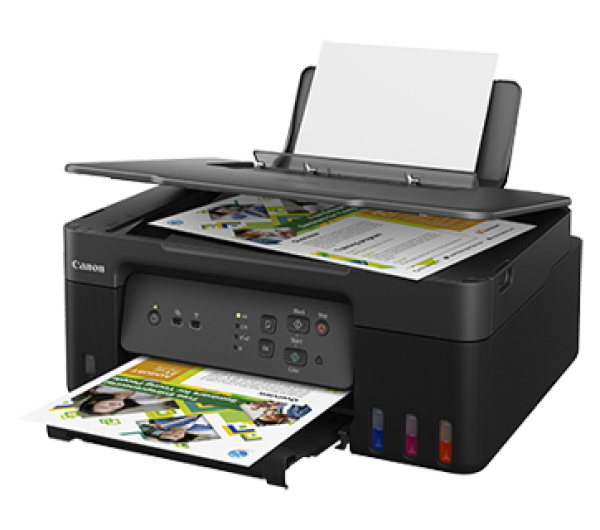
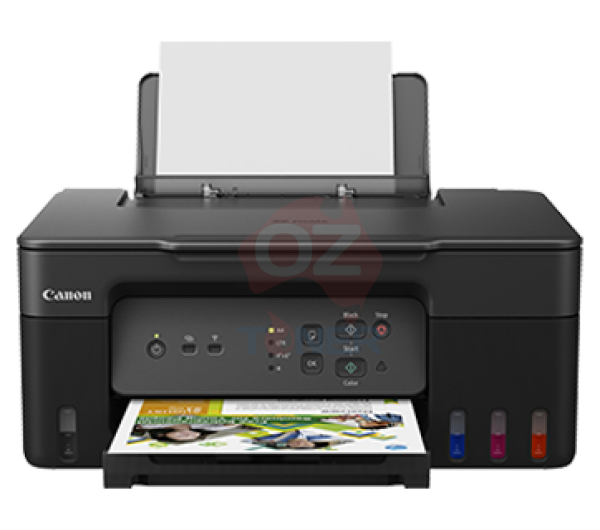
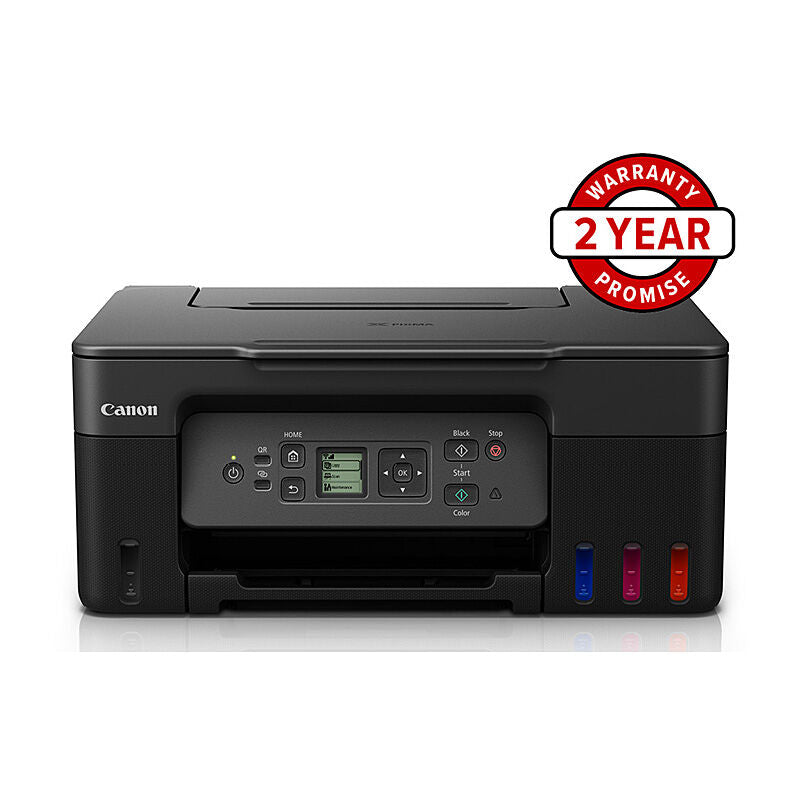
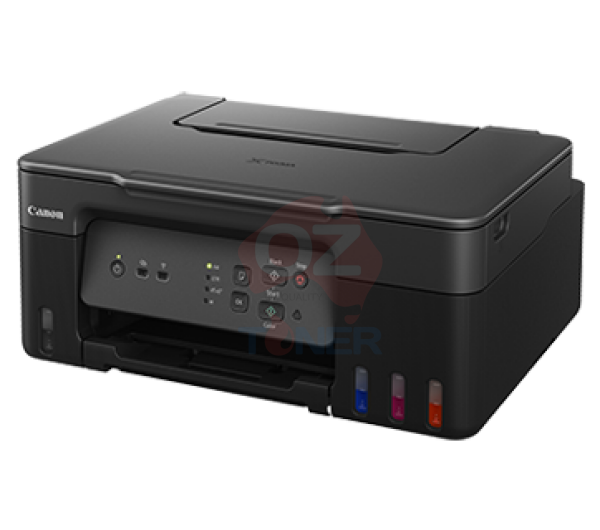
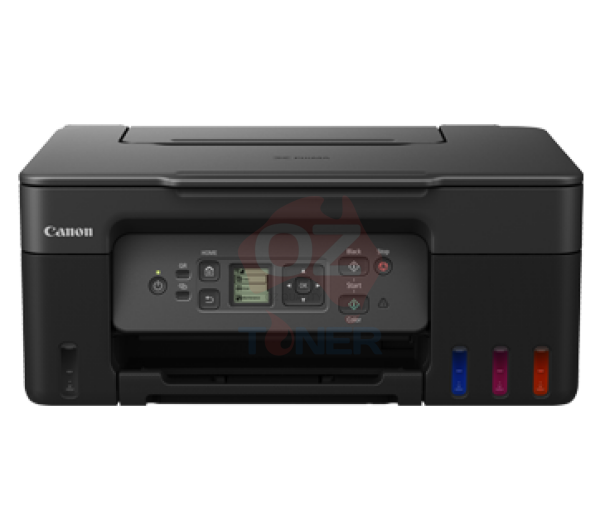
The Canon PIXMA G3670 MegaTank 3-in-1 Refillable Ink Tank Multifunction Printer combines Print, Copy and Scan functionality with Canon's economical refillable MegaTank ink system. Designed for home, study and home-office use, the G3670 offers wireless printing, a convenient 1.35-inch LCD display and high-yield Canon GI-61 ink bottles for a low ongoing cost per page.
✓ Print, Copy & Scan – convenient 3-in-1 functionality
✓ High-capacity refillable Canon MegaTank ink system
✓ Up to 11 ipm Black / 6 ipm Colour printing
✓ Up to 6,000 Black / 7,700 Colour pages from replacement GI-61 inks
✓ Built-in Wi-Fi for convenient wireless printing
✓ Apple AirPrint & Mopria mobile printing support
✓ 1.35-inch LCD display for easy operation
✓ 100-sheet rear paper feed
✓ User-replaceable maintenance cartridge
✓ Uses economical Canon GI-61 Black, Cyan, Magenta & Yellow ink bottles
Affordable 3-in-1 Canon MegaTank Printing
The Canon PIXMA G3670 is designed for users who want the convenience of a multifunction printer without the ongoing expense of traditional ink cartridges.
Its integrated refillable ink tanks hold significantly more ink than conventional cartridges, making the G3670 particularly suitable for households, students and home offices with regular printing requirements.
Key Features
- Model: Canon PIXMA G3670 MegaTank
- Functions: Print, Copy, Scan
- Printer Type: A4 Colour Refillable Ink Tank Multifunction Printer
- Ink System: Canon MegaTank Continuous Ink Tank System
- Print Resolution: Up to 4800 x 1200 dpi
- Black Print Speed: Up to 11 ipm
- Colour Print Speed: Up to 6 ipm
- Paper Capacity: Up to 100 sheets plain paper
- Display: 1.35-inch LCD
- Automatic Duplex Printing: No
- Automatic Document Feeder: No
- Connectivity: Wi-Fi, Wireless Direct and USB-B
- Mobile Printing: Canon PRINT App, Apple AirPrint and Mopria
- Compatible Ink: Canon GI-61BK, GI-61C, GI-61M and GI-61Y
High-Yield Canon GI-61 Ink Bottles
The Canon G3670 uses four individually refillable Canon GI-61 ink bottles, allowing you to replace only the colour you need.
- Canon GI-61BK Black Ink Bottle – up to approximately 6,000 pages
- Canon GI-61C Cyan Ink Bottle – up to approximately 7,700 pages
- Canon GI-61M Magenta Ink Bottle – up to approximately 7,700 pages
- Canon GI-61Y Yellow Ink Bottle – up to approximately 7,700 pages
Need several colours? Browse our complete Canon GI-61 ink bottle range for genuine replacement Black, Cyan, Magenta and Yellow inks.
Low-Cost Printing with Canon MegaTank
Instead of replacing conventional ink cartridges, the G3670 allows users to refill its integrated ink reservoirs using Canon GI-61 ink bottles. The spill-resistant bottle design makes topping up individual colours straightforward while helping significantly reduce the ongoing cost per page.
Canon rates replacement GI-61 ink at up to approximately 6,000 pages in Black and up to approximately 7,700 pages per Colour bottle under its specified testing conditions. Actual yield varies depending on print content, settings and usage conditions.
Print, Copy and Scan
The PIXMA G3670 combines three essential home and home-office functions in one compact machine. Print everyday documents and photos, make convenient copies, or scan paperwork and images directly from the flatbed scanner.
Please note that the G3670 uses a flatbed scanner and does not include an Automatic Document Feeder (ADF). Users regularly scanning or copying multi-page documents should consider stepping up to the Canon PIXMA G4670.
Wi-Fi and Mobile Printing
Built-in Wi-Fi makes the G3670 easy to share between compatible computers, smartphones and tablets without requiring a direct USB connection.
Users can print through the Canon PRINT app or compatible mobile printing technologies including Apple AirPrint and Mopria.
Easy-to-Use 1.35-inch LCD Display
The built-in 1.35-inch LCD screen provides convenient access to printer functions and settings directly from the machine, making everyday operation simple and straightforward.
Flexible Media Support
The G3670 supports a wide variety of standard and creative media, including A4 and A5 documents, envelopes, card-size media, square paper and photo paper.
Custom media up to approximately 1,200 mm long is also supported, providing additional flexibility for creative printing projects.
Need an ADF? Consider the Canon PIXMA G4670
If you regularly copy or scan multi-page documents, consider the Canon PIXMA G4670 MegaTank Multifunction Printer.
The G4670 is a step-up model in Canon's GI-61 MegaTank family and adds an Automatic Document Feeder (ADF), making it more convenient for processing multi-page documents.
Importantly, the G3670 and G4670 use the same Canon GI-61 ink bottle family, which makes upgrading particularly convenient if you already keep GI-61 replacement inks at home or in the office.
Other Canon GI-61 MegaTank Printers
The GI-61 ink family is also used across several Canon MegaTank models. You can browse related printers including the Canon PIXMA G3630 and Canon PIXMA G4670.
Ideal For
- Home and family printing
- Students and schoolwork
- Home offices
- Regular colour document printing
- Photos and creative projects
- Users wanting lower ongoing ink costs
- Customers who prefer refillable ink tanks over conventional cartridges
Frequently Asked Questions (FAQ)
Which ink does the Canon G3670 use?
The Canon PIXMA G3670 uses GI-61BK Black, GI-61C Cyan, GI-61M Magenta and GI-61Y Yellow.
How many pages can Canon GI-61 ink print?
Canon rates replacement GI-61 ink at up to approximately 6,000 pages for Black and up to approximately 7,700 pages per Colour bottle under its specified test conditions. Actual page yield varies depending on what you print and your printer settings.
Does the Canon G3670 have Wi-Fi?
Yes. The G3670 supports Wi-Fi and direct wireless connectivity, as well as USB-B connection.
Does the Canon G3670 have automatic duplex printing?
No. The G3670 does not feature automatic duplex printing. Two-sided documents need to be handled manually.
Does the Canon G3670 have an Automatic Document Feeder?
No. The G3670 uses a flatbed scanner. If you regularly scan or copy multi-page documents, consider the Canon PIXMA G4670 MegaTank.
Can I replace the GI-61 colours individually?
Yes. Black, Cyan, Magenta and Yellow are supplied as separate ink bottles, so you can purchase only the colour you need.
Are GI-61 inks compatible with other Canon printers?
Yes. Canon GI-61 inks are also used by selected other Canon MegaTank printers including the G3620, G3630, G3660, G3675 and G4670.
Product Brochure
Here’s a comparison between the Canon MegaTank G3670 and the Canon MegaTank G3630 multifunction printers:
1. Core Features
-
Canon MegaTank G3670:
- Print, copy, scan, and wireless functions.
- Wireless connectivity including mobile printing via Canon PRINT app, Apple AirPrint, Mopria, and direct wireless.
- Higher-end model in the MegaTank series with more robust wireless capabilities.
- Print, copy, scan, and wireless functions.
-
Canon MegaTank G3630:
- Print, copy, and scan (no fax functionality).
- Manual duplex printing.
- Wireless connectivity for basic mobile printing needs.
- A more affordable option with fewer advanced features compared to the G3670.
2. Print Speed & Quality
- Both models offer similar print speeds and quality, with a resolution of 4800 x 1200 dpi.
- Black (A4, ISO): Approx. 11 pages per minute (ppm).
- Color (A4, ISO): Approx. 6 ppm.
- Both use Canon's MegaTank ink system, offering very high page yields (up to 6,000 pages from a black ink bottle and up to 7,700 pages from a color set).
3. Connectivity
-
Canon G3670:
- Offers more connectivity options, including wireless (Wi-Fi), and compatibility with mobile printing solutions like Google Cloud Print.
-
Canon G3630:
- Wireless connectivity but lacks more advanced features like auto duplex printing.
- Focuses on core printing and scanning tasks, offering manual duplex instead.
4. Display
-
Canon G3670:
- Features a 1.35-inch LCD display for easy navigation and operation.
-
Canon G3630:
- Lacks an LCD display, relying more on physical buttons, making navigation a bit more cumbersome.
5. Target Audience
-
Canon G3670:
- Designed for users who need more advanced features like wireless printing.
- Ideal for home offices or small businesses that require efficient, high-volume printing.
-
Canon G3630:
- Suitable for budget-conscious users who still need the benefits of a high-yield printer but don’t need wireless or advanced features.
- Great for basic home use or small businesses with lower demand for connectivity options.
6. Price
-
Canon G3670:
- Typically priced higher due to additional features like wireless printing and LCD display.
-
Canon G3630:
- More affordable, as it strips away some of the advanced features.
7. Ink Efficiency
- Both printers use Canon’s MegaTank system, offering extremely low cost-per-page with refillable ink tanks.
- Both offer similar yields, with very high output for both black and color prints.
Conclusion:
- Choose Canon MegaTank G3670 if you need wireless printing and a more user-friendly interface.
- Choose Canon MegaTank G3630 if you’re looking for a more affordable, no-frills printer that still delivers high-volume, low-cost printing.
Both are great options for high-volume printing with low running costs, but the G3670 has more advanced features for users with greater connectivity and automation needs.
Here's a comparison of the Canon PIXMA G3670, G3630, and G3690 MegaTank multifunction printers:
| Feature | Canon PIXMA G3670 MegaTank | Canon PIXMA G3630 MegaTank | Canon PIXMA G3690 MegaTank |
|---|---|---|---|
| Functions | Print, Copy, Scan | Print, Copy, Scan | Print, Copy, Scan |
| Print Speed | - Black: 11 ipm - Color: 6 ipm |
- Black: 11 ipm - Color: 6 ipm |
| Print Resolution | Up to 4800 x 1200 dpi | Up to 4800 x 1200 dpi | Up to 4800 x 1200 dpi |
| Ink Yield | - Black: Up to 6,000 pages - Color: Up to 7,700 pages |
- Black: Up to 3,100 pages - Color: Up to 4,400 pages |
- Black: Up to 6,000 pages - Color: Up to 7,700 pages |
| Display | 1.35" LCD screen | No display | 2.7" color touch LCD display |
| Auto Duplex Printing | No | No | Yes |
| Connectivity | - USB - Wi-Fi - Canon PRINT app - Apple AirPrint - Mopria |
- USB - Wi-Fi - Canon PRINT app - Apple AirPrint - Mopria |
| Paper Handling | - Input Tray: 100 sheets - Auto Document Feeder |
- Input Tray: 100 sheets | - Input Tray: 100 sheets |
| Dimensions (W x D x H) | 41.5 x 34.5 x 16.3 cm | 41.5 x 33.0 x 16.5 cm | 41.5 x 34.5 x 16.3 cm |
| Weight | 6.0 kg | 6.5 kg | 6.0 kg |
| Additional Features | - User-replaceable maintenance cartridge - Supports various creative print media |
- Economy printing mode to reduce costs | - User-replaceable maintenance cartridge - Enhanced security with WPA3-Personal and TLS 1.3 encryption |
Note: Ink yields are approximate and can vary based on usage and other factors.
Last Updated: 30 September 2026

Estimate shipping
Refund Policy
The OZ Toner Return Policy applies to all purchases made on this website.
We recommend you read our Returns Policy carefully prior to placing an order and retain a copy of these terms and your order so you are familiar with our policy on refunds, returns and exchanges and your rights under the Australian Consumer Law.
We recommend you immediately examine goods delivered to you to ensure that there are no visible signs of damage or fault and that the goods received match the order you placed. Our exchange/return window is within 30 days of receiving your order. All incorrectly ordered or unwanted returns will incur a minimum 20% restocking fee.
Our Return Address
52A/5 Gladstone Rd, Castle Hill, NSW 2154
Exchange/Return (Consumables)
OZ Toner allows exchange/return within 30 days of receiving your order. This applies to consumable products purchased from us: inks, toners, printing and fax supplies and paper. Please scroll down to read our policy on exchange/return for scanners and printers.
If any consumable goods purchased from OZ Toner are damaged, lost in transit, incorrect or faulty, please contact us at support@oztoner.com with this information:
- Your order number
- Detailed description of the reason for return/exchange request
- Photo proof (if applicable).
For exchanges, the product/s must be in the original (new/unused) condition that you received it, in its original packaging. The customer is responsible for the postage fee to send the product/s back to us. OZ Toner will pay the postage to send the new product/s to the customer. All product/s sent back to us must use tracked post, we are not responsible for product/s lost in transit.
Exchange/Return (Hardware)
OZ Toner allows exchange/return within 30 days of receiving your order. This applies to hardware products purchased from us: scanners and printers.
If any hardware goods purchased from OZ Toner are damaged, lost in transit, incorrect or faulty, please contact us at support@oztoner.com with this information:
- Your order number
- Detailed description of the reason for return/exchange request
- Photo proof (if applicable).
Please ensure to contact us via email at support@oztoner.com before returning any items to obtain a Return Authorization Number. Return Authorizations are only valid for 14 days.
It is your obligation to pack returned products satisfactorily to prevent any damage to the items or boxes. You have a legal obligation to take reasonable care of the product/s while they are in your possession until they reach our warehouse.
When returning your purchase, we ask that you provide a Proof of Purchase (Order Confirmation Email) and where possible the product/s in original unopened packaging.
Once received back, we will issue a replacement or full/partial refund depending on actual case.
Change of Mind Returns
Please choose carefully as we do not provide a refund if you have simply changed your mind or made a wrong selection.
If you wish to exchange product/s which you have purchased in error, we will happily exchange provided that:
- You return the product/s within 30 days of purchase.
- You provide Proof of purchase (Your Order Confirmation Email)
- Product/s are unopened, unused and in its original packaging.
- A minimum of 20% restocking fee applies.
- You must bear the risk of return and is responsible for the costs of return postage.
- You must confirm the product/s are received and notify us before returning the product/s, the product/s being returned must satisfy all the return requirement stated above.
- The initial shipping fee charged, or any outbound postage incurred to ship to the customer will not be refunded or credited.
We reserve the right not to offer an exchange if the above requirements are not met.
Return shipping and costs are the responsibility of the customer. We recommend customers to send the item back with a tracked service. For high value products, the customer is also advised to use an insured shipping method.
Faulty or Damaged items
We provide refund or replacement on defective and damaged products.
You MUST contact us within 30 days of product/s being received and believed to be faulty. We will provide the contact information of manufacturer. Customer MUST contact manufacturer to request return authorization letter / DOA letter. Once we received the RA letter or DOA letter from the customer, we will initiate the return process and send customer our return instruction. When the goods are returned to us, we will offer either refund or replacement for the customer.
Items with Manufacturer Warranty:
Buyers must contact manufacturer of the item for all the warranty service within the warranty period. We will provide contact details of the manufacturer to the buyer. We have no other responsibility (including DOA) for items covered with manufacturer warranty.
Items with Onsite Manufacturer Warranty:
Buyers must contact manufacturer of the item for all the on-site warranty service within the warranty period. We will provide contact details of the manufacturer to the buyer. We have no other responsibility (including DOA) for items covered with manufacturer warranty.
Items with Return to Base Warranty:
Buyers are responsible to send back the faulty item to us. Items with valid warranty within the warranty period will be replaced with fully functional unit after checking. Please allow up to 2 weeks for replacement. We have no guarantee on product compatibility with buyers own equipment unless specified on the item listing.
Any other issues and queries, customers are welcome to send us message and email to discuss further.
Refund Conditions
-
Refunds are only issued under certain circumstances, such as:
-
DOA products where no exchange/replacement is possible
-
Incorrect supply where the proper model cannot be provided
-
Approved cases where neither replacement nor upsell option is available
-
-
All refunds must be pre-approved by OzToner.au management before processing.
-
Refunds are made via the original payment method and typically processed within 7 business days after approval.
Delivery Charges
Any product/s replaced under the Returns Policy due to being damaged, faulty or incorrect will be delivered to you free of charge.
Any returns due to you changing your mind about your purchase will incur a re-delivery fee.
Consumer Guarantees
Under the Australian Consumer Law, you have Consumer Guarantees for Goods and Services You purchase. Our product/s come with guarantees that cannot be excluded under the Australian Consumer Law. You are entitled to a replacement or refund for a major failure and for compensation for any other reasonably foreseeable loss or damage. You are also entitled to have the product/s repaired or replaced if the product/s fail to be of acceptable quality and the failure does not amount to a major failure.
Where you believe an item is faulty, you must contact manufacturer to for it to be assessed within a reasonable period of time, and you must request return authorization letter from the manufacturer if the item is confirmed faulty. If there is a major failure with the item, and you have forwarded the return authorization letter granted by manufacturer to us, you may choose a refund or exchange. If the failure is minor, manufacturer will honor the warranty and repair the item for you within a reasonable time.
Where an item is damaged through misuse or abnormal use, OZ Toner cannot provide a refund, exchange or repair, whether the fault is identified by OZ Toner, the manufacturer or their service agent.
OZ Toner will require satisfactory proof of purchase before providing a remedy under the Australian Consumer Law.
For further information about the Australian Consumer Law and Consumer Guarantees, visit www.consumerlaw.gov.au.