


Description

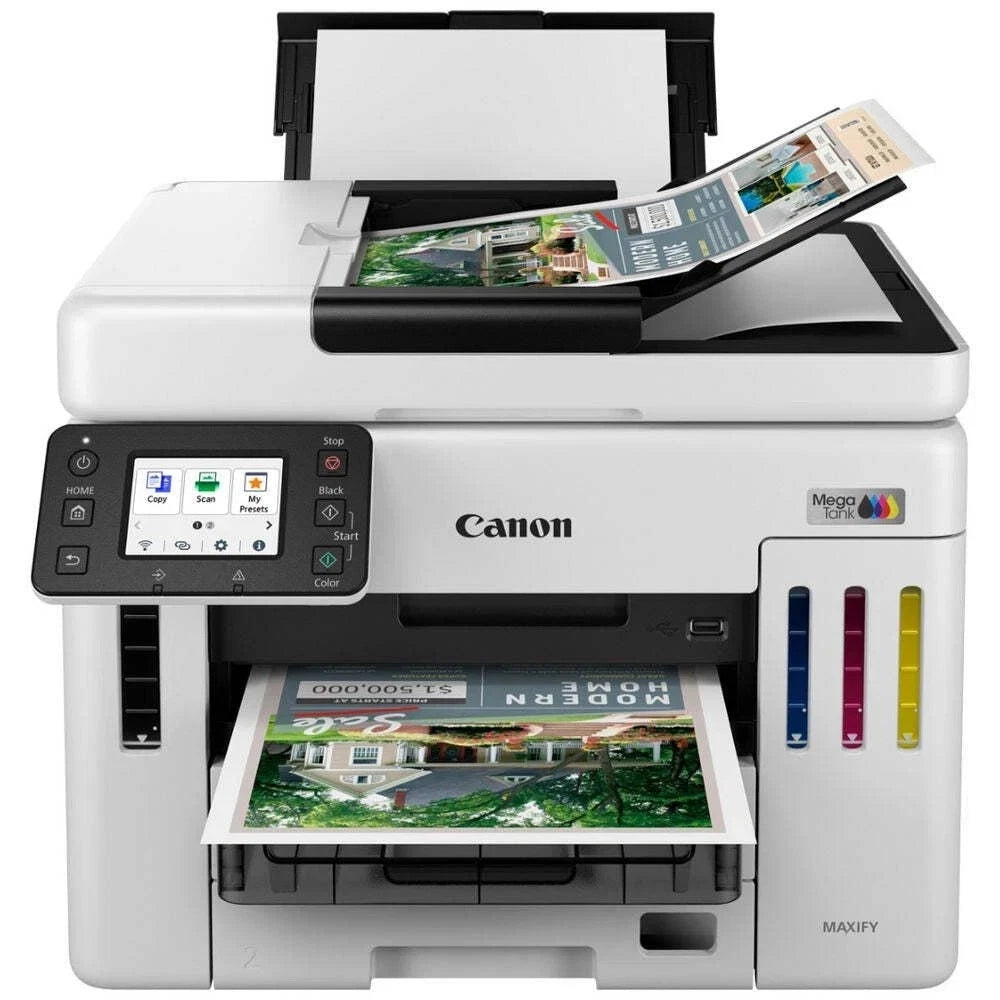
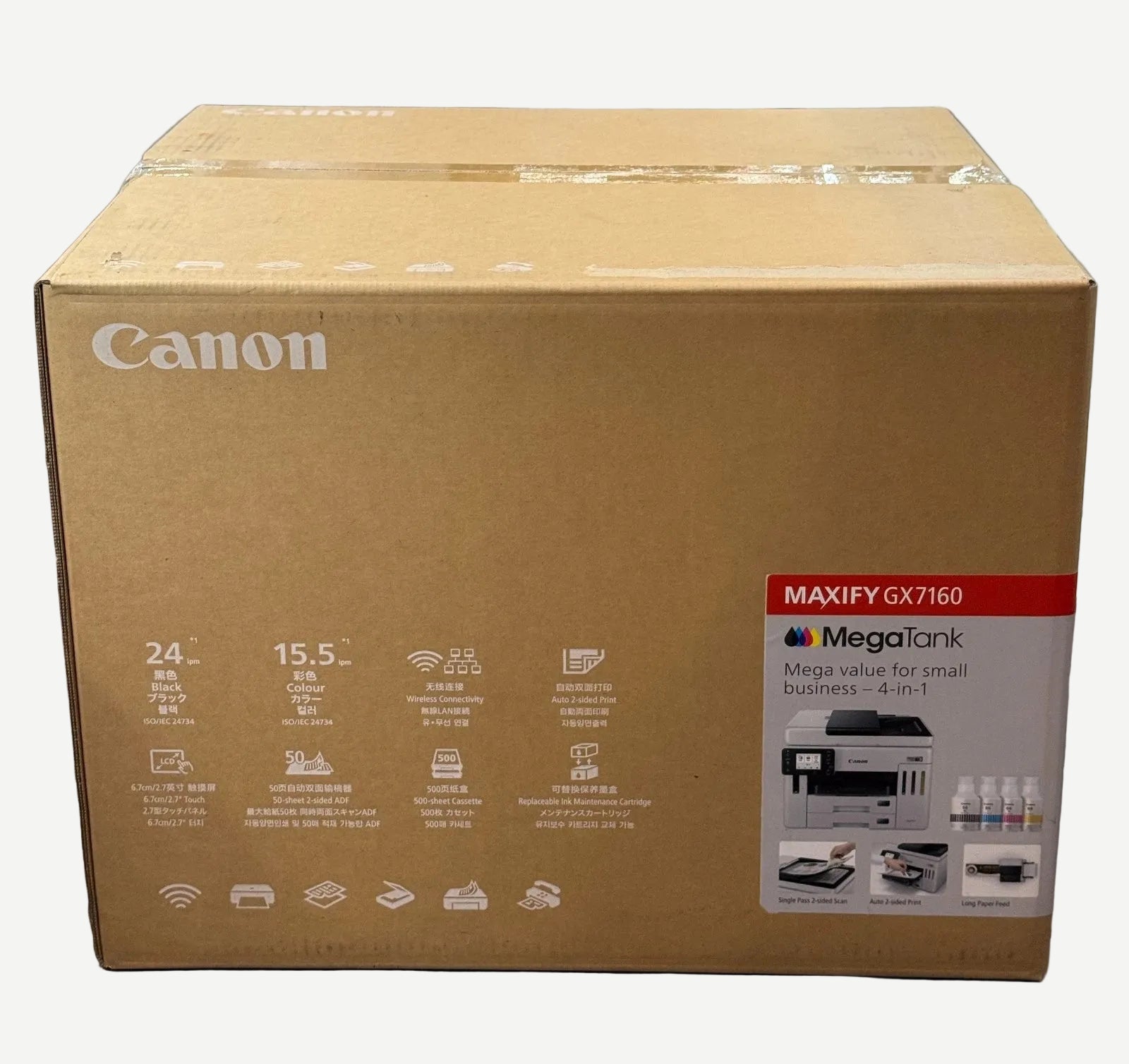
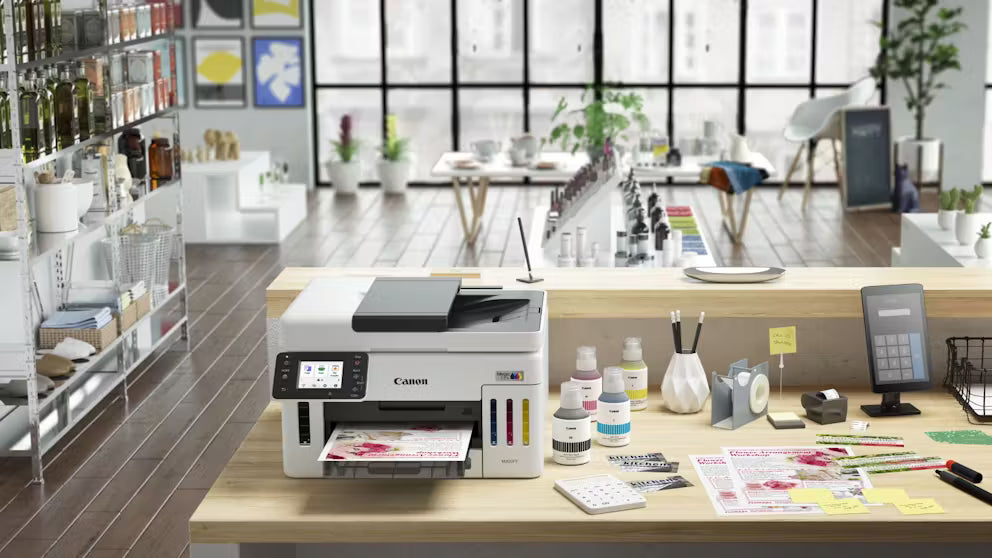
The Canon MAXIFY GX7160 MegaTank is a high-volume A4 colour ink tank multifunction printer designed for small businesses and busy offices requiring Print, Copy, Scan and Fax functionality with exceptionally low ongoing printing costs.
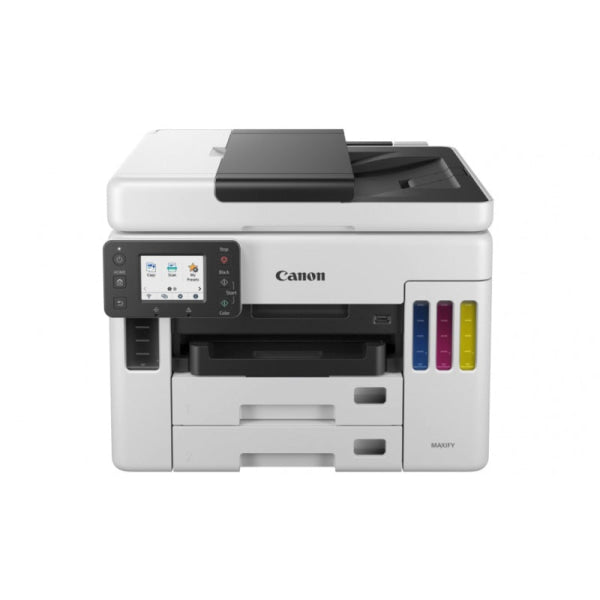
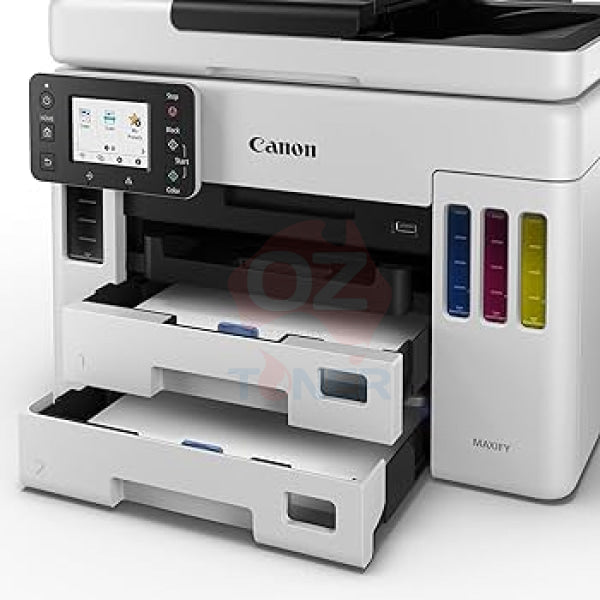
As the current-generation successor to the popular Canon MAXIFY GX7060 MegaTank, the GX7160 retains the same proven Canon GI-66 Black, Cyan, Magenta and Yellow ink bottle system while providing a comprehensive business feature set including automatic duplex printing, automatic duplex scanning, a 50-sheet ADF, two 250-sheet front cassettes, 100-sheet rear feed, Ethernet and Wi-Fi connectivity.
For existing GX7060 users, this is particularly convenient: if you already have spare Genuine Canon GI-66 ink bottles, they can continue to be used with the GX7160.
✓ Current-generation replacement for Canon MAXIFY GX7060
✓ Print, Copy, Scan & Fax – 4-in-1 Business MFP
✓ High-volume refillable MegaTank ink system
✓ Uses the same Canon GI-66 inks as GX7060
✓ Up to 24.0 ipm Black / 15.5 ipm Colour
✓ Automatic 2-Sided Printing
✓ Automatic Duplex Scanning
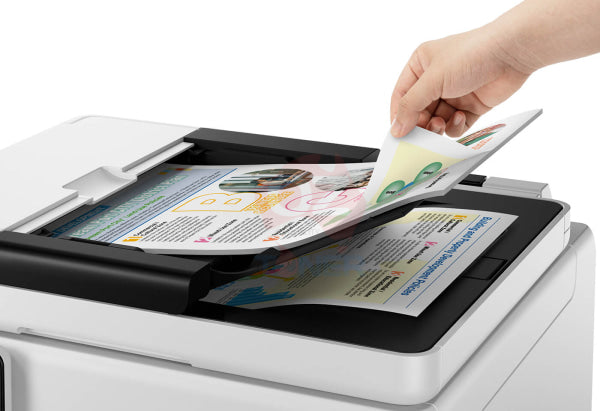
✓ 50-Sheet Automatic Document Feeder
✓ Massive 600-Sheet Total Plain Paper Capacity
✓ Two 250-Sheet Front Cassettes + 100-Sheet Rear Tray
✓ Wi-Fi, Wi-Fi Direct, Ethernet & USB Connectivity
✓ Up to 6,000 Black / 14,000 Colour Pages per Ink Set
✓ Economy Mode up to 9,000 Black / 21,000 Colour Pages
✓ User-Replaceable Maintenance Cartridge
✓ 2-Year Canon Australia Warranty
GX7160 – The Replacement for the Popular GX7060
The MAXIFY GX7160 continues the concept that made the GX7060 an excellent small-business printer: high-volume business printing without the high running costs traditionally associated with cartridge-based office inkjet printers.
For existing GX7060 owners looking to replace an ageing or failed machine, the GX7160 provides an especially practical migration path because it continues to use the Canon GI-66 ink bottle family.
This means customers with unused Genuine Canon GI-66 inks from their GX7060 can continue using those inks with the GX7160 rather than changing to a new consumable platform.
Same Canon GI-66 Ink Platform
The Canon MAXIFY GX7160 uses the same four-colour GI-66 pigment ink system familiar to GX7060 users:
- Canon GI-66BK Black Ink Bottle
- Canon GI-66C Cyan Ink Bottle
- Canon GI-66M Magenta Ink Bottle
- Canon GI-66Y Yellow Ink Bottle
Canon specifies yields of up to approximately 6,000 Black pages and 14,000 Colour pages from replacement ink bottles under its stated testing methodology.
When Economy Mode is used, Canon specifies yields of up to approximately 9,000 Black pages and 21,000 Colour pages.
Actual ink yield varies significantly depending on printed content, settings, usage patterns and other operating conditions.
4-in-1 Business Multifunction Printer
The GX7160 combines four core business functions in one compact desktop device:
- Print – High-volume A4 colour and monochrome business documents
- Copy – Standalone copying with ADF support
- Scan – Flatbed and automatic document feeder scanning
- Fax – Integrated business fax functionality
This makes it particularly suitable for small businesses that want the functionality of a traditional office multifunction device while benefiting from the low running costs of refillable ink tanks.
Fast Business Printing – 24ipm Black / 15.5ipm Colour
The MAXIFY GX7160 delivers document print speeds of up to approximately:
- 24.0 ipm – Black
- 15.5 ipm – Colour
Combined with automatic two-sided printing, the GX7160 is well suited to invoices, reports, correspondence, presentations, forms, marketing materials and other everyday business documents.
Automatic Duplex Printing & Duplex Scanning
The GX7160 includes automatic two-sided printing to reduce paper usage and simplify the production of professional double-sided documents.
It also provides automatic duplex scanning through its document feeder, making it much more efficient to digitise, copy or process double-sided business documents.
This is an important feature for offices regularly working with contracts, invoices, application forms and other multi-page originals.
50-Sheet Automatic Document Feeder
The built-in 50-sheet ADF allows multi-page documents to be scanned, copied or faxed without placing every page individually on the scanner glass.
Together with duplex scanning, this makes the GX7160 substantially more productive for document-heavy office workflows than entry-level MegaTank printers equipped only with a flatbed scanner.
Huge 600-Sheet Paper Capacity
One of the strongest business features of the GX7160 is its substantial standard paper capacity:
- Cassette 1: Up to 250 sheets
- Cassette 2: Up to 250 sheets
- Rear Tray: Up to 100 sheets of plain paper
- Total Plain Paper Capacity: Up to 600 sheets
The two front cassettes allow businesses to keep different paper sizes or types ready for use, while the rear feed provides flexibility for envelopes, specialty media and other supported materials.
Flexible Business Media Handling
The GX7160 supports a broad range of business and creative media, including standard office paper, envelopes, labels and selected specialty media.
The rear feed supports custom media lengths of up to approximately 1,200mm, allowing businesses to produce items such as banners, signage and long-format promotional materials within the printer's supported media specifications.
Wi-Fi, Ethernet & USB Connectivity
The MAXIFY GX7160 provides flexible connectivity for both individual users and shared office environments:
- Wi-Fi
- Wi-Fi Direct / Direct Connection
- Wired Ethernet LAN
- USB-B
- USB-A Flash Drive support
- Canon PRINT app
- Apple AirPrint
- Mopria for compatible Android devices
Businesses can therefore deploy the GX7160 as a wired network printer, wireless shared printer or directly connected workstation printer.
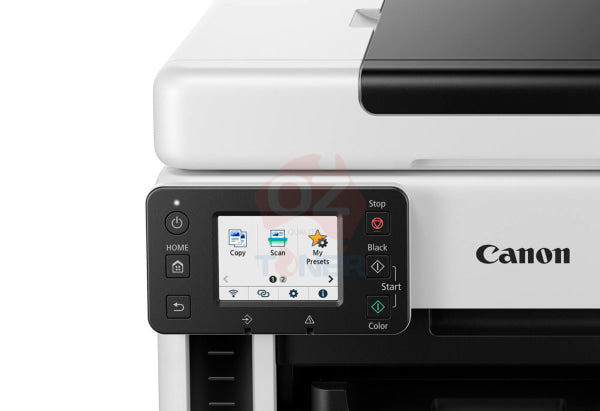
Colour Touchscreen Control
The integrated colour LCD touchscreen provides convenient access to print, copy, scan and fax functions directly from the printer.
Administrators can also restrict selected printer functions where required, while users can customise available features and arrange frequently used functions for easier access.
User-Replaceable Maintenance System
The MAXIFY MegaTank business platform is designed with maintainability in mind. The maintenance cartridge used to collect waste ink generated during normal printing and cleaning operations can be replaced by the user when required.
This helps reduce unnecessary service downtime compared with printers where the waste-ink system requires workshop servicing.
Product Specifications
| Brand | Canon |
| Model | MAXIFY GX7160 MegaTank |
| Product Type | A4 Colour Ink Tank Multifunction Printer |
| Functions | Print, Copy, Scan, Fax |
| Replacement For | Canon MAXIFY GX7060 MegaTank |
| Print Technology | Refillable Canon MegaTank Inkjet |
| Print Resolution | Up to 600 × 1200 dpi |
| Black Print Speed | Up to 24.0 ipm |
| Colour Print Speed | Up to 15.5 ipm |
| Automatic Duplex Printing | Yes |
| Automatic Duplex Scanning | Yes |
| Automatic Document Feeder | 50 Sheets |
| Paper Capacity | Up to 600 Sheets Plain Paper |
| Paper Sources | 250-Sheet Cassette 1 + 250-Sheet Cassette 2 + 100-Sheet Rear Tray |
| Compatible Inks | Canon GI-66 Black, Cyan, Magenta & Yellow |
| Standard Ink Yield | Up to 6,000 Black / 14,000 Colour Pages |
| Economy Mode Yield | Up to 9,000 Black / 21,000 Colour Pages |
| Connectivity | Wi-Fi, Direct Connection, Ethernet LAN, USB-B, USB-A Flash |
| Australian RRP | $949 AUD |
| Warranty | 2 Years – Subject to Canon Australia Warranty Terms |
Ideal For
- Small and medium businesses
- Home offices with high print volumes
- Existing Canon MAXIFY GX7060 owners
- Customers with spare GI-66 ink bottles
- Accounting and administration offices
- Schools and education environments
- Businesses requiring Print, Scan, Copy and Fax
- Users requiring automatic duplex scanning
- Businesses wanting low running costs without sacrificing office features
Why Upgrade from GX7060 to GX7160?
The GX7160 provides a straightforward migration path for existing GX7060 users. It retains the familiar high-volume MAXIFY MegaTank concept, 600-sheet paper capacity, 50-sheet ADF, automatic duplex document handling and the same GI-66 ink platform.
Most importantly, customers replacing a GX7060 do not need to abandon unused GI-66 ink bottles. The same Genuine Canon GI-66 Black, Cyan, Magenta and Yellow ink family continues with the GX7160.
Warranty & Support
The Canon MAXIFY GX7160 MegaTank is backed by a 2-year Canon Australia warranty, subject to Canon Australia's applicable warranty terms and conditions.
Frequently Asked Questions (FAQ)
Does the Canon GX7160 replace the GX7060?
The GX7160 is the current-generation MAXIFY MegaTank model positioned as the natural replacement for customers considering or replacing the older GX7060.
Can I use my GX7060 ink in the GX7160?
Yes. Both printers use the Canon GI-66 Black, Cyan, Magenta and Yellow ink bottle family, making the GX7160 particularly convenient for existing GX7060 owners with spare inks.
What ink does the Canon GX7160 use?
The GX7160 uses Canon GI-66BK Black, GI-66C Cyan, GI-66M Magenta and GI-66Y Yellow Genuine Canon ink bottles.
How many pages can the GX7160 print from its ink bottles?
Canon specifies yields of up to approximately 6,000 Black and 14,000 Colour pages from replacement inks under its stated testing methodology. Economy Mode can increase the specified yield to approximately 9,000 Black and 21,000 Colour pages. Actual results vary according to printed content and usage conditions.
Does the GX7160 have automatic duplex printing?
Yes. Automatic two-sided printing is standard.
Does the GX7160 scan both sides automatically?
Yes. The GX7160 supports automatic duplex scanning through its document feeder.
How many sheets does the ADF hold?
The automatic document feeder holds up to 50 sheets.
How much paper can the GX7160 hold?
It can hold up to 600 sheets of plain paper across two 250-sheet front cassettes and the 100-sheet rear tray.
Does the GX7160 have fax?
Yes. The GX7160 is a complete 4-in-1 Print, Copy, Scan and Fax multifunction printer.
Does the GX7160 have Ethernet as well as Wi-Fi?
Yes. It supports both wired Ethernet LAN and Wi-Fi, along with Direct Connection and USB connectivity.
Last Updated Date: 14 September 2026
Canon Maxify GX7160 vs GX7060 Multifunction Printer Comparison
| Feature | Canon Maxify GX7060 | Canon Maxify GX7160 |
|---|---|---|
| Launch Year | 2021 | 2024 |
| Print Speed | Up to 24 ipm (mono) / 15.5 ipm (colour) | Same: Up to 24 ipm (mono) / 15.5 ipm (colour) |
| First Page Out Time | Approx. 7 sec (mono) | Slightly faster: Approx. 6 sec (mono) |
| Print Resolution | Up to 600 x 1200 dpi | Same |
| Paper Capacity | Dual Tray: 250 + 100 sheets + Rear 100-sheet tray | ✅ Dual Tray: 2x 250 |
| ADF Capacity | 50 sheets | 50 sheets |
| ADF Duplex Scanning | Single-pass duplex (via dual CIS) | Same |
| Display Panel | 2.7” Colour Touch LCD | ✅ Larger 3.4” Colour Touch LCD |
| Connectivity | USB, Wi-Fi, Ethernet, Mobile/Cloud | Same, but improved mobile app UI |
| Ink Type | GI66 Pigment Ink (K/C/M/Y) | Same |
| Monthly Duty Cycle | Up to 45,000 pages | ✅ Up to 50,000 pages |
| Replacement Status | Ongoing | ✅ Direct replacement for GX7060 |
| Dimensions (W x D x H) | 399 × 410 × 314 mm | 399 × 410 × 314 mm (Same) |
✅ What’s New or Improved in the GX7160?
-
Larger 3.4” touch screen for better navigation and user experience
-
Faster first-page-out time for mono prints
-
Updated firmware & enhanced mobile integration
-
Higher monthly duty cycle for heavy users
-
Refined internal design for slightly quieter and more efficient operation
📌 Summary:
The GX7160 builds upon the solid foundation of the GX7060 with subtle but valuable improvements, particularly in user experience (larger touch display), performance, and durability. For new buyers or business users, GX7160 is the current-generation model and a future-ready investment.
NOTE: Our shipping fee is based on metro/close regional shipping. In rare cases, some areas are charged at a higher rate by our couriers (especially remote and out of the way places), so we may contact you with a more accurate shipping rate before we process your order. You may accept or decline based on the final shipping charge we quote you.

Estimate shipping