


Description

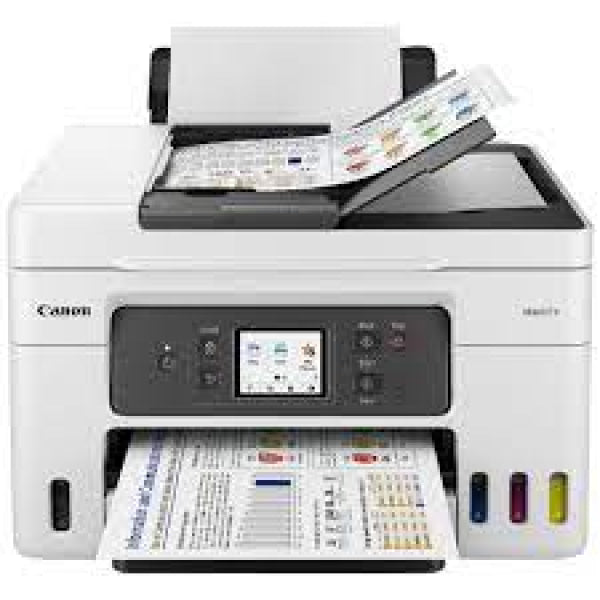
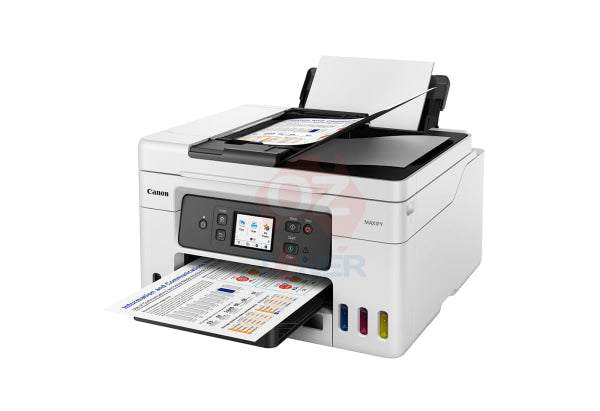
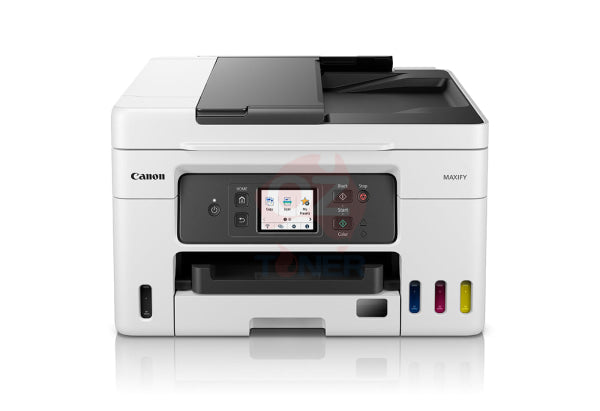
The Canon MAXIFY GX4060 MegaTank 4-in-1 Multifunction Printer is a high-efficiency A4 refillable ink tank printer designed for home offices, small businesses and professional users who need low running costs without sacrificing business functionality.
Featuring Print, Copy, Scan and Fax, a 35-sheet Automatic Document Feeder (ADF), automatic duplex printing, Wi-Fi and wired Ethernet, the GX4060 combines productive office features with Canon's high-yield MegaTank refillable ink system.
For customers replacing an older Canon PIXMA Endurance G7060 or G7065, the MAXIFY GX4060 is an excellent newer-generation alternative, offering significantly faster document printing, business-focused pigment inks and convenient user-replaceable maintenance components.
✓ 4-in-1 Print, Copy, Scan & Fax
✓ High-yield Canon MegaTank refillable ink system
✓ Up to 18 ipm black & 13 ipm colour printing
✓ 35-sheet Automatic Document Feeder (ADF)
✓ Automatic duplex (2-sided) printing
✓ 350-sheet total plain paper capacity
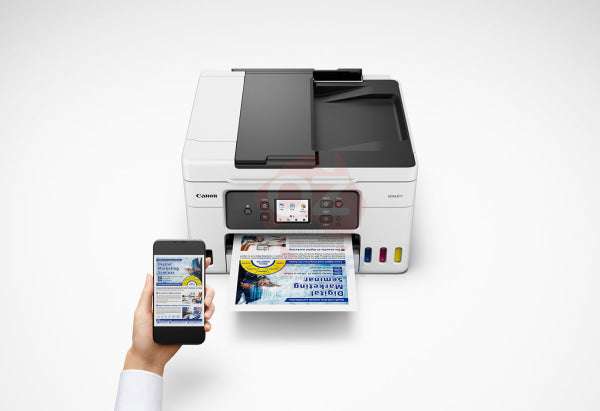
✓ Wi-Fi, Wireless Printing, USB & Wired Ethernet
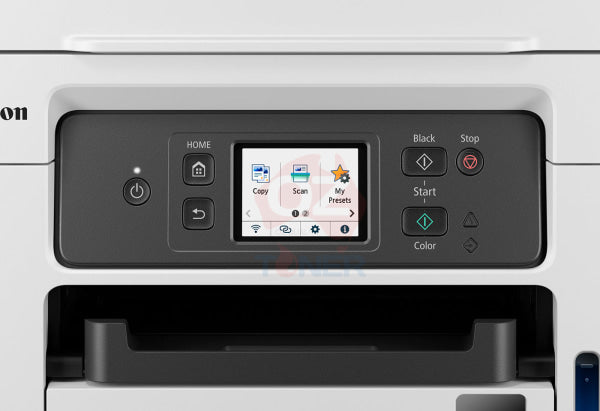
✓ 2.7-inch colour touchscreen
✓ Uses high-yield Canon GI-66 pigment ink bottles
✓ Up to 6,000 black / 14,000 colour pages in Standard mode
✓ Up to 9,000 black / 21,000 colour pages in Economy mode
✓ User-replaceable MC-G03 Maintenance Cartridge
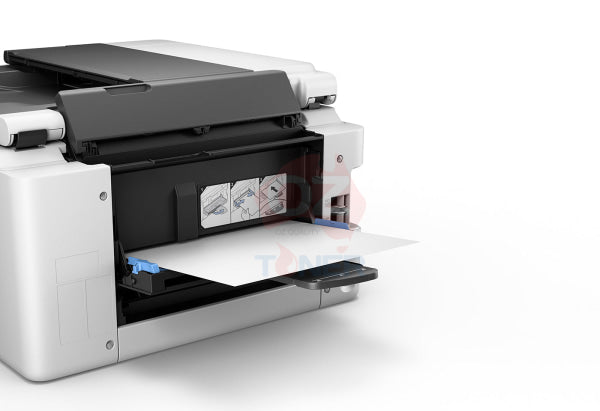
✓ Rear flat tray supports rigid media up to 0.7mm thick
✓ Excellent newer-generation alternative to PIXMA Endurance G7060 / G7065
High-Productivity MegaTank Printer for Small Business
The Canon MAXIFY GX4060 combines the low running costs of refillable ink tanks with the productivity features normally expected from a dedicated business printer.
Unlike entry-level home MegaTank printers, the GX4060 uses a 4-colour pigment-based ink system designed for durable, professional-looking business documents. It also provides Ethernet networking, automatic duplex printing, an ADF and fax functionality, making it suitable for a genuine small-office environment.
Key Features
- Functions: Print, Copy, Scan & Fax
- Printer Type: A4 Colour MegaTank Multifunction Printer
- Ink System: 4-colour refillable pigment ink tanks
- Black Print Speed: Up to 18 ipm
- Colour Print Speed: Up to 13 ipm
- Print Resolution: Up to 600 x 1200 dpi
- Automatic Duplex: Yes
- Automatic Document Feeder: 35 sheets
- Paper Capacity: Up to 350 sheets
- Display: 2.7-inch Colour Touchscreen LCD
- Connectivity: Wi-Fi, Wired LAN / Ethernet and USB
- Mobile Printing: Canon PRINT, Apple AirPrint & Mopria
- Compatible Ink: Canon GI-66 BK / C / M / Y
- Maintenance Cartridge: Canon MC-G03
Fast 18 ipm Black & 13 ipm Colour Printing
The MAXIFY GX4060 delivers document print speeds of approximately 18 images per minute in black and 13 images per minute in colour.
This is particularly important for customers upgrading from older Canon PIXMA Endurance MegaTank models. The GX4060 is designed around faster business-document production, making it more suitable for busy home offices and small businesses where waiting for large document jobs can reduce productivity.
Ultra-Low Running Costs with Canon GI-66 Ink
The GX4060 uses Canon's high-capacity GI-66 pigment ink bottles. The refillable MegaTank system eliminates conventional small ink cartridges and provides extremely high page yields for everyday business printing.
Compatible genuine Canon inks include:
- Canon GI-66BK Black Pigment Ink Bottle
- Canon GI-66C Cyan Pigment Ink Bottle
- Canon GI-66M Magenta Pigment Ink Bottle
- Canon GI-66Y Yellow Pigment Ink Bottle
High Page Yields
Canon rates the GX4060 for up to approximately:
| Print Mode | Black Yield | Colour Yield |
| Standard Mode | Up to 6,000 pages | Up to 14,000 pages |
| Economy Mode | Up to 9,000 pages | Up to 21,000 pages |
Actual page yield varies according to document content, print settings, usage patterns and other operating conditions.
4-Colour Pigment Ink for Business Documents
A major advantage of the MAXIFY GX4060 is its pigment-based black, cyan, magenta and yellow ink system.
Pigment inks are particularly well suited to business documents, helping produce crisp text, strong colour graphics and durable output on plain office paper. This makes the GX4060 a strong choice for invoices, reports, presentations, forms, educational material and everyday business correspondence.
35-Sheet Automatic Document Feeder
The built-in 35-sheet Automatic Document Feeder (ADF) allows multi-page documents to be fed automatically for scanning, copying and faxing.
This makes the GX4060 considerably more productive than a basic flatbed-only multifunction printer when processing invoices, contracts, forms and other multi-page business documents.
Automatic Duplex Printing
Automatic two-sided printing is included as standard, allowing compatible A4 documents to be printed on both sides of the page without manually turning the paper over.
This helps reduce paper consumption and makes it easier to produce professional reports, manuals and business documents.
350-Sheet Paper Capacity
The MAXIFY GX4060 provides a generous total plain-paper capacity of up to 350 sheets:
- Front Cassette: Up to 250 sheets of plain paper
- Rear Tray: Up to 100 sheets of plain paper
The two paper sources also provide greater flexibility when working with different paper types or sizes.
Print on Thick & Rigid Media up to 0.7mm
In addition to the conventional cassette and rear paper tray, the GX4060 features a rear flat tray capable of handling supported rigid media up to approximately 0.7mm thick.
This provides additional flexibility for businesses producing signs, menus, promotional material, cards and other specialised media that cannot easily pass through a conventional curved paper path.
Wi-Fi, Ethernet & Mobile Printing
The GX4060 provides flexible connectivity for both individual and shared-office environments.
- Wi-Fi wireless networking
- Wired LAN / Ethernet networking
- USB connection
- Canon PRINT app
- Apple AirPrint
- Mopria for compatible Android devices
Wired Ethernet is particularly useful in a business environment where stable network connectivity and printer sharing between multiple computers are important.
2.7-Inch Colour Touchscreen
The built-in 2.7-inch colour touchscreen provides convenient access to print, copy, scan, fax, network and maintenance functions directly from the printer.
This makes everyday operation considerably easier than printers relying on a small monochrome display and physical navigation buttons.
User-Replaceable Maintenance Cartridge
The GX4060 uses the Canon MC-G03 Maintenance Cartridge, which is designed to be replaced by the user when required.
This is an important advantage for long-term ownership because routine maintenance can be completed without necessarily sending the printer to a service centre, helping reduce downtime.
GX4060 as a Replacement for Canon G7060 / G7065
If your older Canon PIXMA Endurance G7060 or G7065 has reached the end of its service life, the MAXIFY GX4060 is an excellent newer-generation alternative for customers who still require Print, Copy, Scan, Fax, refillable ink tanks, ADF, duplex printing and network connectivity.
However, the GX4060 should be considered an upgrade / replacement option rather than an identical successor. The two printer families use different ink and maintenance systems.
| Feature | MAXIFY GX4060 | PIXMA G7060 / G7065 |
| Functions | Print / Copy / Scan / Fax | Print / Copy / Scan / Fax |
| Ink Platform | GI-66 | Different GI-series ink platform |
| Black Print Speed | Up to 18 ipm | Older-generation print engine |
| Colour Print Speed | Up to 13 ipm | Older-generation print engine |
| ADF | 35 Sheets | Yes |
| Networking | Wi-Fi + Ethernet + USB | Wi-Fi + Ethernet + USB |
| Maintenance Cartridge | User-Replaceable MC-G03 | Different maintenance system |
Important for G7060 / G7065 owners: Existing ink bottles from your older printer should not be assumed to work with the GX4060. The GX4060 uses the Canon GI-66 BK/C/M/Y ink system.
Explore Other Canon MegaTank Printers
If you are comparing different Canon refillable ink printers, browse our Canon MegaTank Continuous Ink Printer Range.
Customers requiring a print-only business MegaTank can also consider the Canon MAXIFY GX5060, while higher-volume offices requiring additional paper-handling capabilities can compare the Canon MAXIFY GX7060 MegaTank Multifunction Printer.
Product Specifications
| Brand | Canon |
| Model | MAXIFY GX4060 MegaTank |
| Colour | White |
| Printer Type | A4 Colour Refillable Ink Tank Multifunction Printer |
| Functions | Print, Copy, Scan, Fax |
| Print Resolution | Up to 600 x 1200 dpi |
| Black Print Speed | Up to 18 ipm |
| Colour Print Speed | Up to 13 ipm |
| Automatic Duplex Printing | Yes |
| Automatic Document Feeder | 35 Sheets |
| Scanner | Flatbed + ADF |
| Scanner Optical Resolution | Up to 1200 x 2400 dpi |
| Fax | Yes – Up to 33.6 kbps |
| Paper Capacity | 350 Sheets Total – 250-Sheet Cassette + 100-Sheet Rear Tray |
| Rear Flat Tray | Supports compatible rigid media up to 0.7mm thick |
| Display | 2.7-inch Colour Touchscreen LCD |
| Connectivity | Wi-Fi, Wired LAN / Ethernet, USB-B |
| Mobile Printing | Canon PRINT, Apple AirPrint, Mopria |
| Compatible Ink | Canon GI-66BK, GI-66C, GI-66M, GI-66Y |
| Maintenance Cartridge | Canon MC-G03 |
| USB Cable | Not Included |
What's in the Box?
- Canon MAXIFY GX4060 MegaTank Printer
- Power Cord
- Full Set of Starter Ink Bottles
- Getting Started Guide
Please note: USB printer cable is not included.
Ideal For
- Home offices and hybrid workers
- Small businesses
- High-volume document printing
- Businesses wanting low cost-per-page colour printing
- Invoices, reports, forms and presentations
- Users requiring Print, Copy, Scan & Fax
- Customers needing Ethernet as well as Wi-Fi
- Customers replacing an ageing Canon G7060 / G7065
Why Choose the Canon MAXIFY GX4060?
The Canon MAXIFY GX4060 is particularly attractive for businesses that want the economics of an ink-tank printer without giving up practical office features.
Its combination of 18 ipm black printing, 13 ipm colour printing, 35-sheet ADF, automatic duplex, 350-sheet paper capacity, Wi-Fi, Ethernet, fax and extremely high-yield GI-66 pigment inks makes it a strong all-round small-business printer.
For existing PIXMA Endurance G7060 / G7065 owners, it also provides a logical path into Canon's newer MAXIFY business MegaTank platform, while retaining the refillable-ink concept that makes MegaTank printers economical to operate.
Warranty & Support
The Canon MAXIFY GX4060 purchased new through eligible Australian distribution is covered by Canon Australia's applicable 2-year manufacturer warranty, subject to Canon Australia's warranty terms, conditions and proof-of-purchase requirements.
Product Brochure
Frequently Asked Questions (FAQ)
Is the Canon GX4060 a print, scan, copy and fax printer?
Yes. The MAXIFY GX4060 is a 4-in-1 multifunction printer providing Print, Copy, Scan and Fax functions.
Does the GX4060 have an Automatic Document Feeder?
Yes. It includes a 35-sheet ADF for convenient multi-page scanning, copying and faxing.
Does the Canon GX4060 automatically print double-sided?
Yes. Automatic duplex printing is included as standard.
What ink does the Canon GX4060 use?
The GX4060 uses Canon GI-66 pigment ink bottles: GI-66BK Black, GI-66C Cyan, GI-66M Magenta and GI-66Y Yellow.
How many pages can the GX4060 print from a set of ink bottles?
Canon rates the system for up to approximately 6,000 black pages and 14,000 colour pages in Standard mode. Economy mode can increase the estimated yield to approximately 9,000 black and 21,000 colour pages.
Does the GX4060 have Ethernet?
Yes. It supports wired LAN / Ethernet as well as Wi-Fi and USB connectivity, making it suitable for shared small-business networks.
Can the GX4060 print thick card?
The rear flat tray can handle selected rigid media up to approximately 0.7mm thick, subject to Canon's supported media specifications.
Which maintenance cartridge does the GX4060 use?
The GX4060 uses the Canon MC-G03 Maintenance Cartridge, which is designed to be replaced by the user.
Is the Canon GX4060 a replacement for the G7060 or G7065?
The GX4060 is an excellent newer-generation alternative for customers replacing a G7060 or G7065, particularly when Print, Copy, Scan, Fax, ADF, duplex and refillable ink tanks are still required. However, it is not an identical machine and uses a different ink and maintenance system.
Can I use my old G7060 / G7065 ink in the GX4060?
No. Do not assume the older printer's ink bottles are compatible. The MAXIFY GX4060 uses the Canon GI-66 BK/C/M/Y ink bottle system.
Is the GX4060 suitable for high-volume office printing?
Yes. Its high-yield refillable ink tanks, 350-sheet paper capacity, business-oriented pigment inks, automatic duplex printing and network connectivity make it particularly suitable for regular home-office and small-business document printing.
Canon Maxify GX3060 vs GX4060 Multifunction Printers: A Comparative Review for Home or Small Business Customers
The Canon Maxify GX3060 and GX4060 printers are ideal for home or small business use, offering cost-effective, reliable, and versatile printing solutions. Both models are equipped with the MegaTank ink system for high-yield, low-cost printing, but they differ in features, capacity, and pricing.
Key Differences
- Automatic Document Feeder (ADF): GX3060 does not have an ADF, while GX4060 includes a basic ADF for more efficient scanning of multi-page documents.
- Duplex Printing: GX3060 supports manual duplex printing, whereas GX4060 features automatic duplex printing.
- Paper Capacity: GX3060 offers a standard capacity of 100–250 sheets, whereas GX4060 has an enhanced capacity of up to 250 sheets.
- Connectivity: GX4060 offers advanced connectivity options including Ethernet, while GX3060 focuses on standard Wi-Fi and USB connectivity.
Canon Maxify GX3060: Affordable and Efficient
- Ideal for: Home offices and small businesses with moderate printing needs.
- Key Features: Compact design, high-quality printing, and basic connectivity (Wi-Fi, USB).
- Ink System: MegaTank system for economical, high-yield printing.
- Best For: Budget-conscious users needing a reliable multifunction printer.
Canon Maxify GX4060: Enhanced Productivity
- Ideal for: Small businesses requiring higher productivity and efficiency.
- Key Features: Includes an Automatic Document Feeder (ADF) and supports automatic duplex printing.
- Connectivity Options: Wi-Fi, USB, and Ethernet for flexible and reliable network integration.
- Best For: Users who need additional features for multitasking and document handling.
Final Recommendation
- Choose GX3060 if you are a home user or small business with moderate print and scan needs and want a cost-effective solution.
- Choose GX4060 if you need more productivity features like an ADF, automatic duplexing, and enhanced connectivity options.
Both models offer excellent value and reliable performance for their respective target users.
Learn More at OzToner.au
For more information, visit our website www.OzToner.au or contact our team for personalized recommendations and exclusive offers. Explore our range of Canon printers and other office solutions tailored to meet your needs!Last Updated Date: 12 September 2026
Estimate shipping