





Description


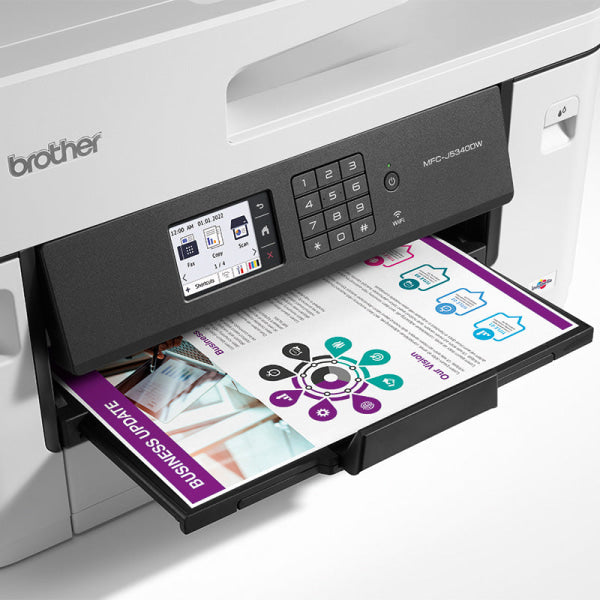
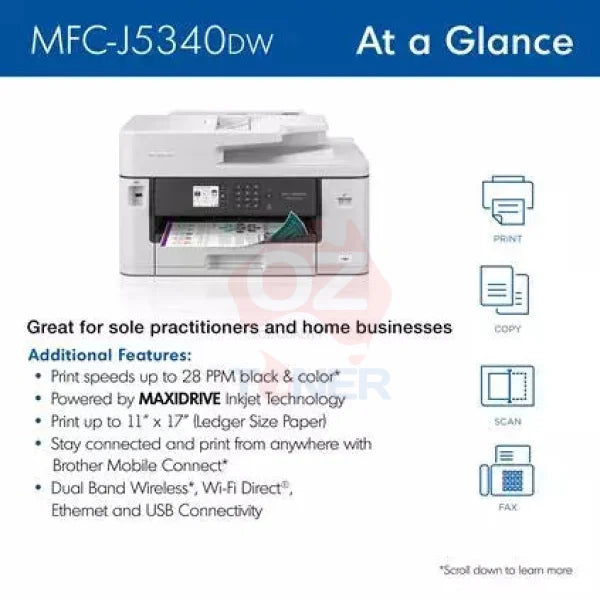
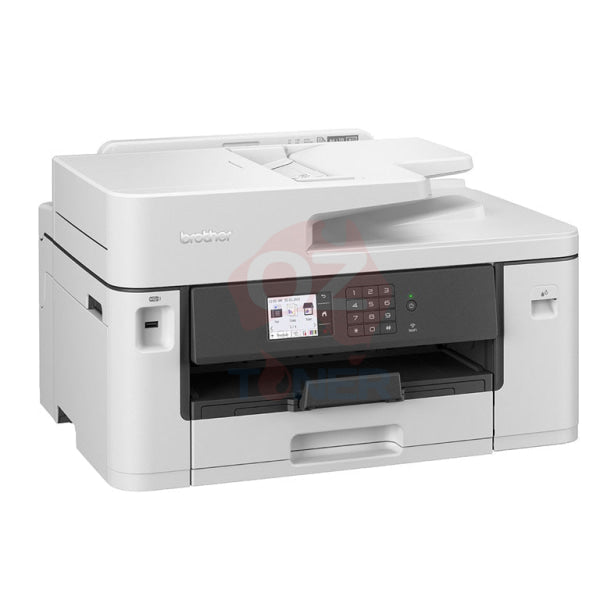
The Brother MFC-J5340DW A3 Colour Inkjet Multifunction Printer is a business-focused 4-in-1 printer designed for offices and workgroups that need fast A3 printing together with everyday Print, Copy, Scan and Fax functionality. Featuring Brother's MaxiDrive inkjet technology, print speeds of up to 28ppm in both mono and colour, automatic A4 duplex printing, a 50-sheet Automatic Document Feeder and flexible wired and wireless connectivity, it is built for productive everyday business use.
The MFC-J5340DW supports printing up to A3 through its 250-sheet main paper tray and single-sheet manual feed slot. Scanning, copying and faxing are designed for documents up to A4 size. This bundle also includes an additional Genuine Brother LC432 Black, Cyan, Magenta and Yellow ink cartridge set, providing replacement ink ready for future use.
- ✔ Print + Copy + Scan + Fax
- ✔ A3 Colour Printing
- ✔ A4 Scan, Copy & Fax
- ✔ Up to 28ppm Mono / 28ppm Colour
- ✔ Automatic 2-Sided A4 Duplex Printing
- ✔ 50-Sheet Automatic Document Feeder
- ✔ 250-Sheet A3-Capable Paper Tray
- ✔ Single-Sheet A3 Manual Feed Slot
- ✔ Dual-Band Wi-Fi + Ethernet + Wi-Fi Direct + USB
- ✔ 6.8cm Colour Touchscreen
- ✔ Brother Mobile Connect
- ✔ Genuine Brother LC432 Ink System
- ✔ Additional Genuine LC432 BK/C/M/Y Ink Set Included
- ✔ Brother Australia Warranty
Fast A3 Business Printing
The Brother MFC-J5340DW is designed for businesses that need the flexibility of A3 printing without moving to a significantly larger office device. It supports A3 paper through both the main paper tray and manual feed slot, making it useful for spreadsheets, plans, presentations, charts, posters and larger-format business documents.
Brother rates the printer at up to 28 pages per minute in both mono and colour, with a first page out time from approximately 4.4 seconds, helping reduce waiting time for everyday office print jobs.
Key Features
- ✔ A3 Colour Inkjet Multifunction Printer
- ✔ Print, Copy, Scan & Fax
- ✔ Brother MaxiDrive Inkjet Technology
- ✔ Up to 28ppm Mono
- ✔ Up to 28ppm Colour
- ✔ First Page Out from Approx. 4.4 Seconds
- ✔ Up to 1,200 × 4,800 dpi Print Resolution
- ✔ Automatic A4 Duplex Printing
- ✔ 50-Sheet A4 Automatic Document Feeder
- ✔ 250-Sheet Main Paper Tray
- ✔ Single-Sheet Manual Feed Slot
- ✔ A3 Printing
- ✔ A4 Scanning, Copying & Faxing
- ✔ Dual-Band Wireless Networking
- ✔ Wired Ethernet
- ✔ Wi-Fi Direct
- ✔ Hi-Speed USB 2.0
- ✔ USB Host
- ✔ Brother Mobile Connect
- ✔ 6.8cm Colour Touchscreen
- ✔ 256MB Memory
A3 Printing with A4 Scan, Copy & Fax
The MFC-J5340DW provides print capability up to A3, while its scanning, copying and fax functions are designed for originals up to A4 size.
This distinction is important: customers who require A3 scanning or A3 copying should consider a higher model in Brother's A3 business inkjet range. For users who primarily need A3 printing but handle standard A4 originals for scanning, copying and faxing, the MFC-J5340DW provides an efficient and cost-effective solution.
50-Sheet Automatic Document Feeder
The built-in 50-sheet Automatic Document Feeder makes it easy to scan, copy and fax multi-page A4 documents without manually placing every sheet on the scanner glass.
This is particularly useful for invoices, contracts, reports, forms and other routine office paperwork.
Automatic Duplex Printing
The MFC-J5340DW supports automatic two-sided printing on supported A4-size media, helping reduce paper use and making it easier to create professional double-sided reports and documents.
Automatic duplex is not provided for A3 printing on this model.
Flexible Paper Handling
The printer offers practical paper handling for both A4 and A3 workloads.
| Main Paper Tray | Up to 250 Sheets – Supports Up to A3 |
| Manual Feed Slot | 1 Sheet – Supports Up to A3 |
| Automatic Document Feeder | Up to 50 Sheets – A4 Class |
| Output Capacity | Up to 100 Sheets A4 / 50 Sheets Above A4 |
| Main Tray Media Weight | 64–220gsm |
| Manual Feed Media Weight | 64–220gsm |
Dual-Band Wi-Fi, Ethernet & Wi-Fi Direct
The Brother MFC-J5340DW provides flexible connectivity for both individual users and shared office environments:
- Dual-Band 2.4GHz / 5GHz Wi-Fi
- Wired Ethernet
- Wi-Fi Direct
- Hi-Speed USB 2.0
- USB Host
- Brother Mobile Connect
This allows the printer to be connected directly to a computer, shared over an office network or accessed from compatible smartphones and tablets.
Brother Mobile Connect & Cloud Features
Brother Mobile Connect allows compatible mobile devices to print, scan, check machine status and access commonly used functions.
The printer also supports cloud workflows including supported services such as Google Drive, Dropbox and OneDrive, helping streamline document sharing in modern hybrid workplaces.
Genuine Brother LC432 Ink System
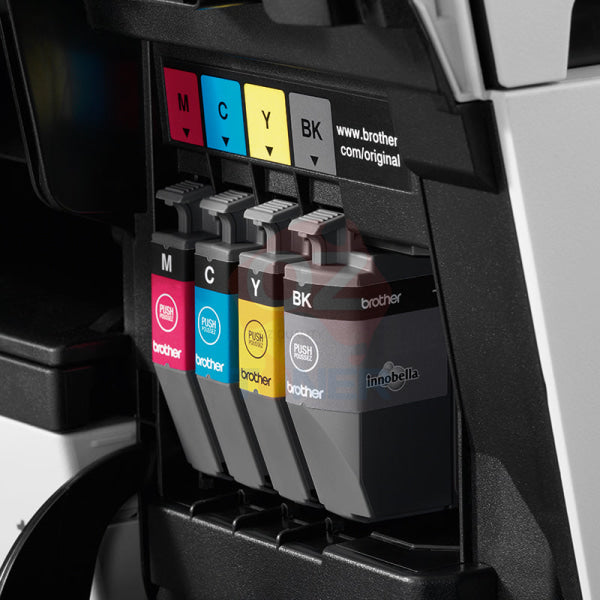
The MFC-J5340DW uses the Brother LC432 ink cartridge family, with separate Black, Cyan, Magenta and Yellow cartridges so each colour can be replaced independently as required.
| Cartridge | Colour | Approx. Yield |
| LC432XLBK | Black | Up to 3,000 Pages |
| LC432XLC | Cyan | Up to 1,500 Pages |
| LC432XLM | Magenta | Up to 1,500 Pages |
| LC432XLY | Yellow | Up to 1,500 Pages |
Approximate yields are based on Brother's stated testing methodology and applicable ISO standards. Actual yield varies depending on printed content, coverage, settings and usage.
Additional Genuine LC432 Ink Set Included
In addition to the ink supplied with the printer, this bundle includes an additional Genuine Brother LC432 Black, Cyan, Magenta and Yellow ink set.
This provides replacement ink ready for future use and adds practical value for customers who expect to use the printer regularly.
Product Specifications
| Brand | Brother |
| Model | MFC-J5340DW |
| Manufacturer Part Number | MFCJ5340DW |
| Product Type | A3 Colour Inkjet Multifunction Printer |
| Functions | Print / Copy / Scan / Fax |
| Maximum Print Size | A3 |
| Maximum Scan Size | A4 |
| Maximum Copy Size | A4 |
| Fax Size | A4 |
| Print Speed | Up to 28ppm Mono / 28ppm Colour |
| Duplex Print Speed | Up to 22ppm Mono / 22ppm Colour |
| First Page Out | From Approx. 4.4 Seconds |
| Print Resolution | Up to 1,200 × 4,800 dpi |
| Automatic Duplex | Yes – A4 / Supported Sizes |
| ADF | 50 Sheets |
| Paper Input | 250 Sheets |
| Manual Feed | 1 Sheet |
| Scanner Glass Resolution | Up to 1,200 × 1,200 dpi Colour / 1,200 × 2,400 dpi Mono |
| ADF Scan Resolution | Up to 600 × 600 dpi |
| Connectivity | USB 2.0 / Ethernet / Dual-Band Wi-Fi / Wi-Fi Direct |
| Mobile Printing | Brother Mobile Connect |
| Display | 6.8cm Colour Touchscreen |
| Memory | 256MB |
| Ink Series | Brother LC432 |
| Warranty | Brother Australia Standard Warranty |
| Condition | New |
Ideal For
- ✔ Small & Medium Businesses
- ✔ Home Offices
- ✔ Professional Offices
- ✔ Construction & Trade Businesses
- ✔ Real Estate & Property Offices
- ✔ Schools & Educational Organisations
- ✔ Users Requiring A3 Printing
- ✔ A4 Multi-Page Scanning & Copying
- ✔ Business Fax Requirements
- ✔ Shared Wired & Wireless Office Environments
Why Choose the Brother MFC-J5340DW?
The MFC-J5340DW is particularly attractive for businesses that need A3 printing without requiring A3 scanning or copying. Its 28ppm print speed, 250-sheet A3 paper tray, 50-sheet ADF, automatic A4 duplex and comprehensive networking make it a strong business printer for everyday workloads.
For customers who require full A3 print, scan and copy capability, a higher Brother model may be more appropriate. For users whose main large-format requirement is A3 printing, the MFC-J5340DW offers a more compact and economical solution.
Warranty & Support
The Brother MFC-J5340DW is supplied with the applicable Brother Australia standard warranty and access to Brother's Australian customer support.
What's Included?
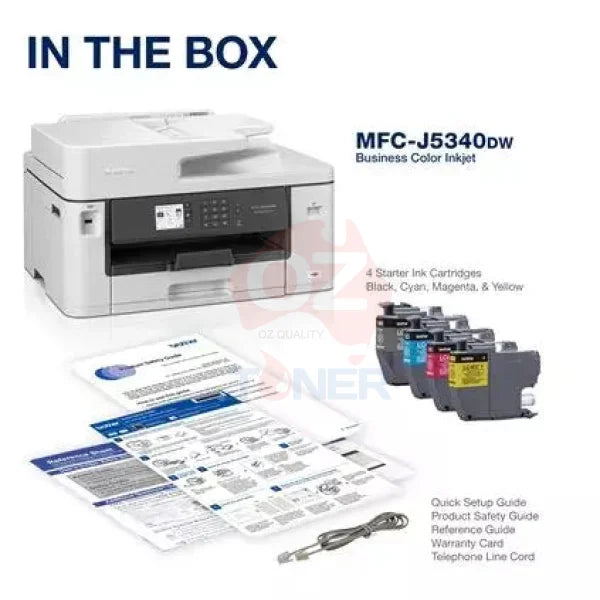
- ✔ 1 × Brother MFC-J5340DW A3 Colour Multifunction Printer
- ✔ Standard Brother Inbox Ink
- ✔ 1 × Additional Genuine Brother LC432 Black Ink Cartridge
- ✔ 1 × Additional Genuine Brother LC432 Cyan Ink Cartridge
- ✔ 1 × Additional Genuine Brother LC432 Magenta Ink Cartridge
- ✔ 1 × Additional Genuine Brother LC432 Yellow Ink Cartridge
- ✔ Power Cable & Standard Documentation
Frequently Asked Questions (FAQ)
Can the Brother MFC-J5340DW print A3?
Yes. The MFC-J5340DW supports printing up to A3 size through both the main paper tray and manual feed slot.
Can the MFC-J5340DW scan A3 documents?
No. The MFC-J5340DW provides A3 printing but A4 scanning. Customers requiring A3 scanning should consider a Brother model with full A3 scan capability.
Can it copy A3 documents?
No. Copying is designed for originals up to A4 size. The printer can produce A3 print output, but its scanner and ADF are A4-class.
Does the MFC-J5340DW have fax?
Yes. It includes a built-in fax function for compatible telephone-line environments.
How fast does the MFC-J5340DW print?
Brother rates the printer at up to 28ppm in both mono and colour.
Does it automatically print double-sided?
Yes. It supports automatic duplex printing on supported A4-size media.
Can it automatically duplex print A3?
No. Automatic duplex printing is limited to supported smaller paper sizes such as A4. A3 printing itself is supported, but not automatic A3 duplex.
Does it have an Automatic Document Feeder?
Yes. The MFC-J5340DW includes a 50-sheet A4 Automatic Document Feeder for multi-page scanning, copying and faxing.
How much paper does the printer hold?
The main paper tray holds up to 250 sheets, and a separate single-sheet manual feed slot is also provided.
Does the MFC-J5340DW support Wi-Fi?
Yes. It supports dual-band 2.4GHz and 5GHz Wi-Fi, Wi-Fi Direct, wired Ethernet and USB.
Which ink cartridges does the MFC-J5340DW use?
The printer uses Brother LC432-series ink cartridges. High-yield replacements are rated at up to approximately 3,000 pages Black and 1,500 pages for each colour.
Does this bundle include extra ink?
Yes. This listing includes an additional Genuine Brother LC432 Black, Cyan, Magenta and Yellow ink set in addition to the standard ink supplied with the printer.
Is the MFC-J5340DW suitable for business use?
Yes. Its fast 28ppm print speed, A3 print capability, 250-sheet tray, 50-sheet ADF, wired Ethernet, dual-band Wi-Fi and fax functionality make it particularly suitable for small and medium business environments.
- This printer is a colour Inkjet Multifunction printer.
- With this machine you can print single sided pages up to A3 in size and scan, fax or copy on paper up to A4 size.
- Print your documents at a speed of 28 impressions per minute (ipm) in black and white or colour.
- The printer features USB 2.0, LAN and Wireless LAN connectivity with WiFi Direct for easy wireless setup.
- You can use AirPrint, MobilePrint and the Brother Mobile Connect app to wireless print.
- It has automatic two-sided printing.
- The automatic document feeder has a large 50 sheet capacity.
- It has a 250 sheet capacity paper tray.
- It offers a print resolution of up to 1200 x 4800 dpi.
- It comes with a 12 month warranty.
- This printer uses Brother LC432 consumables, and Brother LC432XL consumables.*
- It can print on plain paper, glossy paper, envelopes and labels in A3, A4 and A3 sizes.
- It has a 2.7" TFT LCD display.
General
-
- Barcode
- 4977766817813
-
- Borderless Photo Printing
- Yes
-
- Brand
- Brother
-
- Descriptive Colour
- White
-
- Functions
- Copier, Fax, Printer, Scanner
-
- Manufacturer's Warranty
- 12 month
-
- Material
- Plastic
-
- Microsoft Certification
- Yes
-
- Model Number
- MFC-J5340DW
-
- Paper Size
- A3, A4, A5
-
- Photo Ink Colour Qty
- 4
-
- Print Direct from USB
- Yes
-
- Printer Type
- Colour Inkjet
-
- Printhead Type
- Maxidrive
-
- Printing Output Type
- Colour
-
- Printing Technology
- Ink-jet
-
- Product Dimensions (mm)
- 530W x 398D x 305H mm
-
- Product Weight (kg)
- 17 kg
-
- USB Cable Included
- No
Compatibility
-
- ePrint Application Supported
- Brother Mobile Connect
-
- OS Required
- WIN: 7/8.1/10/Server 2008/2008 R2/2012/2012 R2/2016/2019 macOS: 10.14.6/10.15.x/11
-
- PostScript Support
- No
Connectivity
-
- AirPrint Compatible
- Yes
-
- Google Print Compatible
- N/A
-
- Mobile App Compatible
- Brother Mobile Connect
-
- PC Connection
- USB 2.0, LAN, USB Host, WiFi, Wireless LAN 2.4Ghz/5Ghz
-
- Printer Connectivity Technology
- AirPrint, Mobile print, Wired, Wireless
-
- Wi-Fi Direct Compatible
- Yes
-
- Wireless Protocols
- Infrastructure Mode:IEEE 802.11 b/g/n Wi-Fi Direct: IEEE 802.11 g/n, (2.4Ghz) Infrastructure Mode:IEEE 802.11a/n Wi-Fi Direct: IEEE 802.11 a/n (5Ghz)
Copier Features
-
- 2-sided copying
- No
-
- Copy Resizing
- 25-400%
-
- First Copy Out Time B/W (sec)
- 10 sec
-
- First Copy Out Time Colour (sec)
- 9.5 sec
-
- Max Resolution B/W
- 1200x4800 dpi
-
- Max Resolution Colour
- 1200x4800 dpi
-
- Max Speed B/W
- 25ipm
-
- Max Speed Colour
- 24ipm
Display
-
- Display Size (Diagonal)
- 2.7 in
-
- Display Type
- TFT LCD
Document and Media Handling
-
- Automatic Document Feeder Capacity
- 50 sheets
-
- Largest Print Size
- A3
-
- Max Media Capacity
- 301
-
- Media Handling
- 1x250 sheet tray, 1x manual sheet feeder, 50 sheets ADF
-
- Media Size Class
- A3/A4
-
- Media Thickness
- 64-220g/m2
-
- Media Type
- Palin Paper, glossy paper, Envelopes, Labels
-
- Print on CD/DVD
- N/A
-
- Standard Tray Capacity
- 250 sheets
-
- Total Media Capacity
- 251 sheets
Faxing Features
-
- Fax Transmission Speed (kbps)
- 14.4
-
- Fax Type
- Plain Paper
-
- Faxing Functionality
- Yes
-
- Max Transmission Speed
- 14.4kbps
-
- PC Faxing
- Yes
Manufacturer
-
- Country of Manufacture
- Philippines
-
- Part Number
- MFC-J5340DW
Performance
-
- Software Bundle Provided
- WIN / Mac Drivers for Print / Scan
Printer Performance
-
- 2-sided printing
- Yes
-
- Max Black and White Printing Speed
- 28 ipm
-
- Max Colour Printing Speed
- 28 ipm
-
- Max Printing Speed Colour (ppm)
- 32
-
- Max Resolution B/W
- Up to 1200 x 4800 dpi
-
- Max Resolution Colour
- Up to 1200 x 4800 dpi
-
- Print Resolution (DPI x DPI)
- Up to 1200 x 4800 dpi
Quantity
-
- Pack/Carton Quantity
- 1
-
- Total Individual Units
- 1
-
- Units Per Pack/Carton
- 1
Refilling
-
- Compatible Consumables/Refills
- LC432 & LC432XL
Scanner Features
-
- 2-sided scanning
- No
