Fujitsu ScanSnap SV600 Review: One of the Best Contactless A3 Book Scanners for Libraries, Schools and Offices
When businesses or institutions need to digitise books, magazines, fragile originals or oversized documents, a standard sheetfed scanner is often the wrong tool. That is where the Ricoh / Fujitsu ScanSnap SV600 stands out.
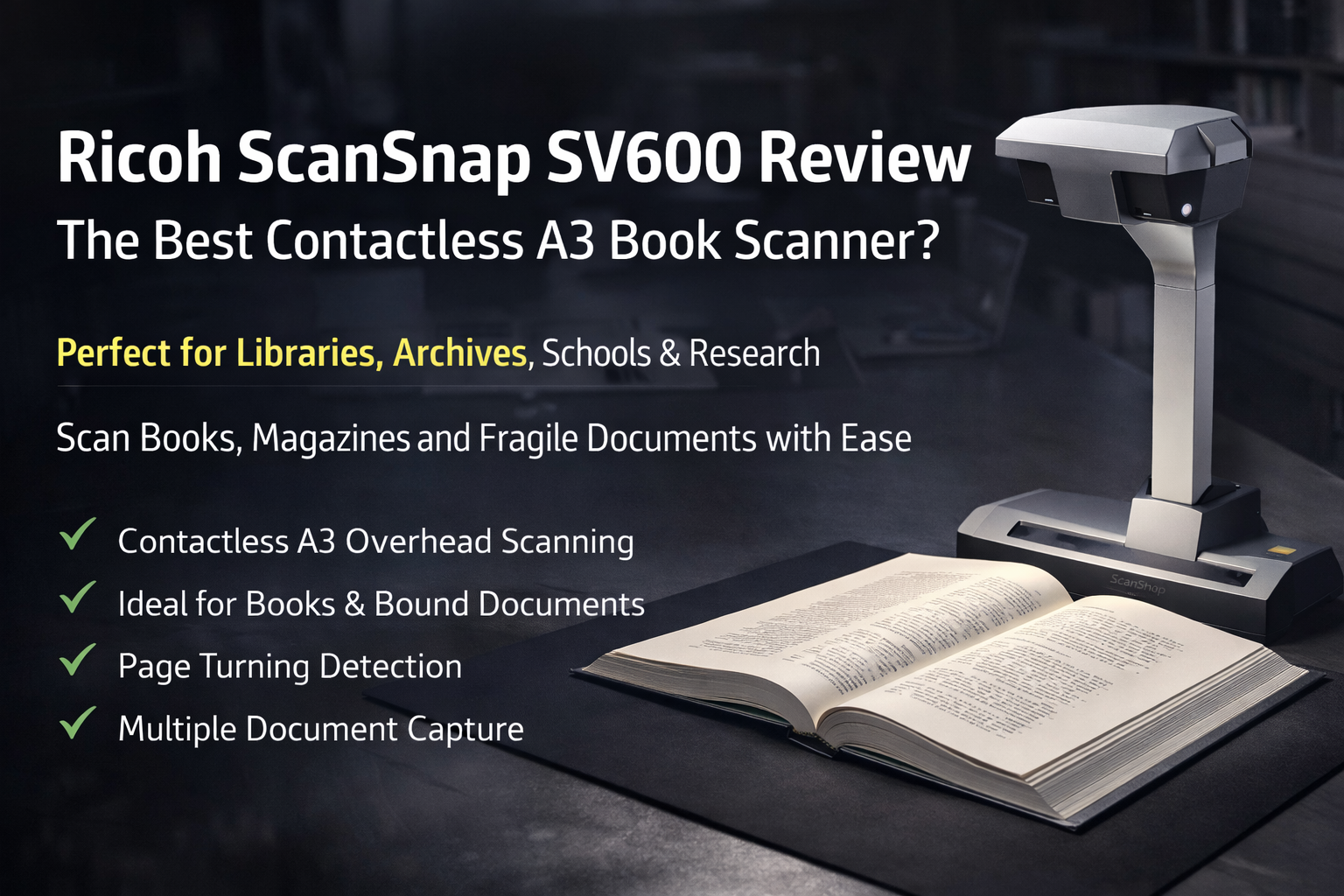
The ScanSnap SV600 is an overhead, contactless scanner designed to capture documents up to A3 size without pressing, flattening or damaging the original. It also supports books and documents up to 30 mm thick, making it especially useful for bound materials and delicate originals.
Product Image – ScanSnap SV600 Front View

The Ricoh / Fujitsu ScanSnap SV600 uses an overhead contactless design, making it ideal for books, magazines and fragile originals.
Why the ScanSnap SV600 Is Different from a Normal Document Scanner
Most office scanners are designed for loose sheets. That works well for invoices and forms, but not for:
- bound books
- magazines
- archival originals
- fragile documents
- thick reference materials
- oversized papers and artwork
The ScanSnap SV600 solves this problem with an overhead scanning design. Instead of feeding paper through rollers or pressing it onto a flatbed, the scanner captures the document from above.
Key Features of the Ricoh / Fujitsu ScanSnap SV600
1. Contactless A3 Scanning
The SV600 supports scanning up to A3 size, making it suitable for newspapers, magazines, reports and larger originals.
2. Ideal for Books and Bound Documents
With Book Image Correction, the SV600 helps correct distortion and page curvature when scanning books and magazines.
3. Page Turning Detection
The scanner supports Page Turning Detection, helping users scan books and multi-page material more smoothly.
4. Multiple Document Detection
The SV600 can scan several small items in one pass and automatically separate them using Multiple Document Detection.
5. Fast Specialist Scanning
Official materials indicate scan capture in around under 3 seconds per page, depending on settings and workflow.
Watch the ScanSnap SV600 in Action
Watch the ScanSnap SV600 overview video to see how overhead scanning works for books, magazines and difficult originals.
This video demonstrates how the ScanSnap SV600 handles books, magazines and other difficult originals.
Product Image – ScanSnap SV600 In Use

The ScanSnap SV600 is designed for originals that are awkward, delicate or oversized, including books and mixed small documents.
Who Should Use the ScanSnap SV600?
The SV600 is best suited to customers with a specific need to scan non-standard originals.
- Libraries and archives – for books, rare materials and delicate originals
- Schools and universities – for textbooks, journals and research materials
- Government and records departments – for bound records and historical files
- Legal and professional offices – for contracts, reports and bound documents
- Creative and specialist users – for artwork, photos and irregular originals
Why Not Just Use a Flatbed Scanner?
A flatbed can work for occasional book scanning, but it is usually slower and less practical for repeated use. The ScanSnap SV600 offers clear advantages:
- no need to press down on books
- less risk of damaging spines
- better handling of oversized originals
- faster repeated page capture
- automatic correction tools for curved pages
- multiple small-item scanning in one pass
Main Selling Points for OzToner Customers
- Contactless scanning for books and fragile originals
- A3 overhead scanning capability
- Excellent for libraries, schools and offices
- Book curve correction and page-turn support
- Great alternative to flatbed book scanning workflows
- Specialist scanner for difficult originals
Frequently Asked Questions
What is the Ricoh / Fujitsu ScanSnap SV600?
The ScanSnap SV600 is a contactless overhead scanner designed for scanning books, magazines, newspapers and documents up to A3 size without cutting or damaging the original.
Is the ScanSnap SV600 good for scanning books?
Yes. The SV600 is specifically designed for bound materials and includes Book Image Correction and Page Turning Detection.
What size documents can the ScanSnap SV600 scan?
The SV600 supports originals up to A3 size and is also suitable for smaller items such as photos, cards and clippings.
Can the ScanSnap SV600 scan fragile or delicate documents?
Yes. Because it is an overhead contactless scanner, it is well suited to fragile, bound or hard-to-handle originals.
Does the ScanSnap SV600 scan multiple items at once?
Yes. It supports Multiple Document Detection, which can crop several items from one scan.
How fast is the ScanSnap SV600?
Official materials describe scanning in roughly under 3 seconds per page depending on settings and workflow.
Final Verdict
The Ricoh / Fujitsu ScanSnap SV600 is not meant to replace a standard office sheetfed scanner. It is a specialist overhead scanner designed for customers who need to digitise books, magazines, A3 documents and fragile originals with less risk and much better convenience.
Its overhead scanning design, intelligent page detection and curvature correction make it a powerful solution for libraries, education institutions and archival environments.
For many users, the SV600 remains one of the best non-destructive book scanners available today.
If your customer needs a book scanner, an A3 overhead scanner, or a contactless scanner for delicate originals, the ScanSnap SV600 is one of the strongest specialist options available.
Ready to Digitise Books and Fragile Originals More Easily?
If you need a professional contactless A3 overhead scanner for books, archives, research material or delicate originals, the Ricoh / Fujitsu ScanSnap SV600 is a strong specialist solution.
Shop Ricoh / Fujitsu ScanSnap SV600 Now
Ideal for libraries, schools, offices and specialist digitisation workflows.
1 comment
Richard.Goodman
Excellent review!
This blog clearly explains why the Fujitsu ScanSnap SV600 stands out from standard scanners. The way it highlights the contactless A3 overhead scanning, book curve correction, and page-turn detection makes it easy for readers to understand why this scanner is so useful for libraries, schools, and offices handling bound or fragile documents.
I also like how the article breaks down the real-world use cases and benefits compared to flatbed scanners. It’s a very informative and practical guide for anyone looking for a reliable book or archive scanning solution. Great work!