Best Brother Mono Laser Printer for Clinics: HL-L5210DN vs HL-L5210DW vs HL-L6210DW
Written by 
Independent product & compliance insights
If your clinic, medical centre, pharmacy, accounting office or admin team regularly prints different document types, a standard single-tray printer can quickly become inefficient. Staff often need to switch between plain A4 paper, pre-printed letterhead, prescription stock or special forms — which wastes time and interrupts workflow.
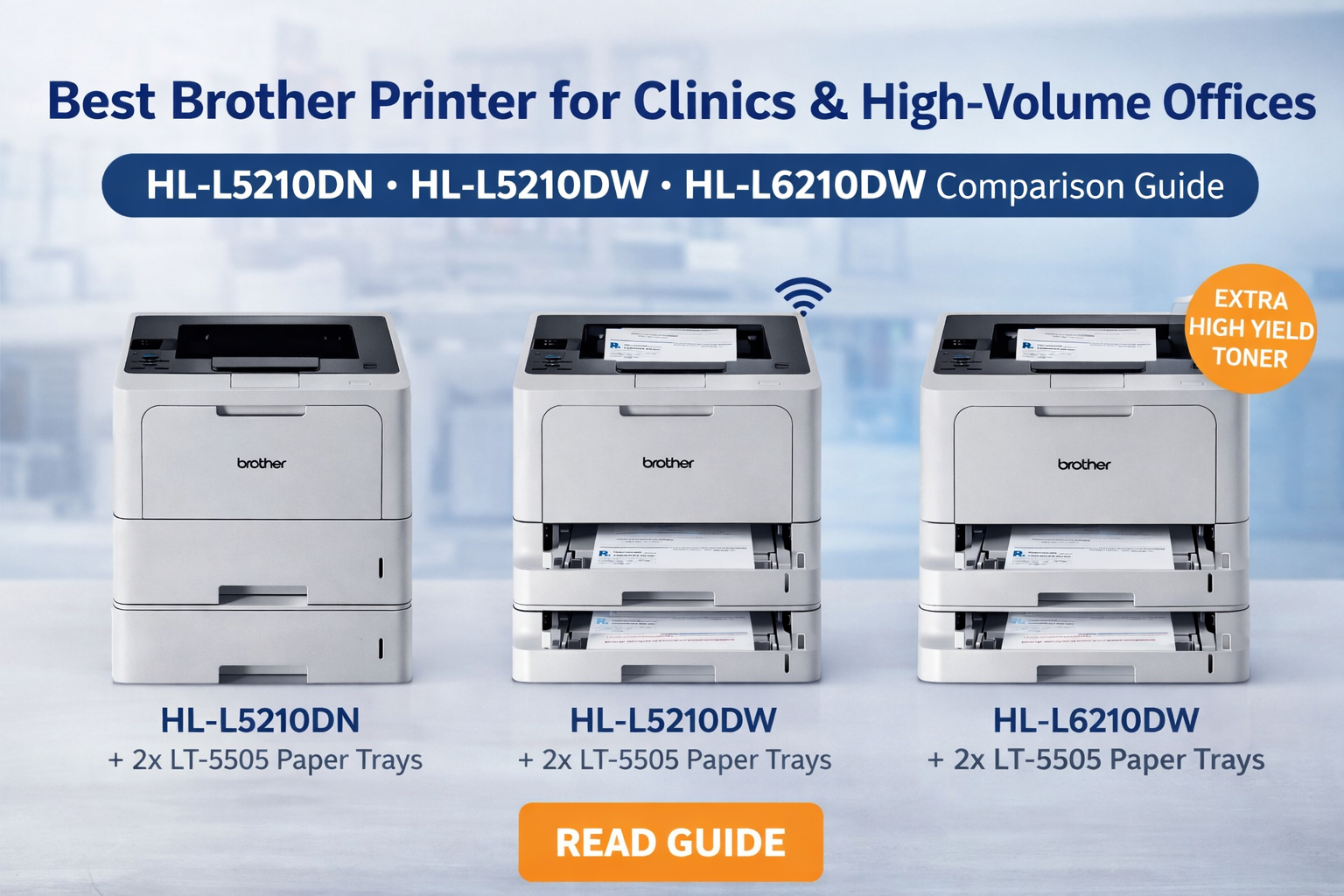
In this guide, we compare three strong Brother monochrome laser printer options for high-volume business use: Brother HL-L5210DN, Brother HL-L5210DW and Brother HL-L6210DW. We also explain why a multi-tray bundle configuration can be a smart solution for busy workplaces that need fast, reliable and flexible mono printing.
Quick Answer
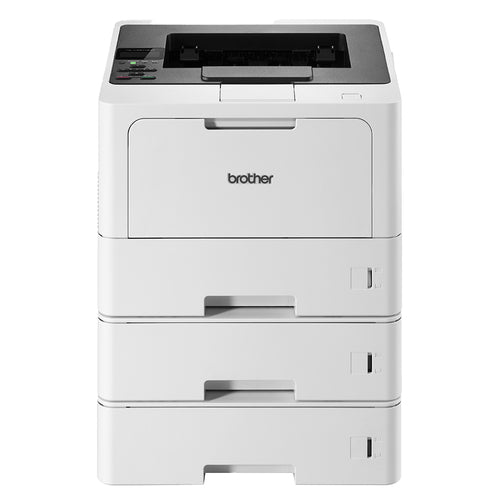
Choose HL-L5210DN + 2x LT-5505 trays if you want a cost-effective network printer with three paper sources. Choose HL-L5210DW if you want the same class of machine but need wireless connectivity. Choose HL-L6210DW if you are a heavy user and want a lower long-run printing cost thanks to its higher-speed engine and ultra-high-yield toner support.
Why Clinics and Busy Offices Need a Multi-Tray Printer
Many workplaces do not print on just one type of paper. A clinic may need one source for standard A4 paper, another for medical letterhead, and another for scripts, referral forms or other specialised stationery. A legal office may need one tray for plain paper, one for pre-printed letterhead and one for archived forms. A warehouse or dispatch team may keep invoices, packing documents and office paper ready at the same time.
That is where a Brother multi-tray bundle becomes useful. Instead of constantly opening trays and swapping paper by hand, the printer can stay loaded and ready for multiple tasks throughout the day.

HL-L5210DW Bundle
Ideal for offices that want fast mono printing plus Wi-Fi convenience.

HL-L5210DN + 2 Trays
Great value for clinics and admin teams that want three paper sources.
Recommended Multi-Tray Setup for Clinics
A practical clinic setup might look like this:
| Paper Source | Suggested Use | Benefit |
|---|---|---|
| Manual feed slot | Prescription forms / special stationery | Flexible one-off or controlled media feeding |
| Tray 1 | Standard A4 paper | Daily reports, patient notes, internal printing |
| Tray 2 / Tray 3 | Medical letterhead / referral paper / pre-printed forms | Reduces paper swapping and user error |
Brother HL-L5210DN vs HL-L5210DW vs HL-L6210DW
These three models all target professional mono laser printing, but they suit different types of users. The HL-L5210DN and HL-L5210DW sit very close together in hardware capability, while the HL-L6210DW is a step up for heavier-volume environments.
| Feature | HL-L5210DN | HL-L5210DW | HL-L6210DW |
|---|---|---|---|
| Best for | Networked offices wanting strong value | Wireless offices and flexible placement | Heavy users and high monthly print volume |
| Print speed | Up to 48ppm | Up to 48ppm | Up to 50ppm |
| Connectivity | USB + Wired Network | USB + Wired Network + Wi-Fi + Wi-Fi Direct | USB + Wired Network + Wi-Fi + Wi-Fi Direct |
| Duplex printing | Yes | Yes | Yes |
| Toner positioning | Super high yield available | Super high yield available | Ultra-high yield available |
| Long-run cost per page | Good | Good | Best for heavy usage |
| Typical bundle fit | 3-tray clinic or admin bundle | 2-tray wireless office bundle | Higher-capacity business bundle |
Which One Gives Better Long-Term Value?
For many buyers, the real decision is not just hardware price — it is cost over time. If your team prints moderate volumes, the HL-L5210DN or HL-L5210DW may be the better-value option. However, if your business prints heavily every week, the HL-L6210DW becomes more attractive because its toner strategy is designed for lower long-run running cost.
In simple terms:
- HL-L5210DN – best if you want reliable business printing with wired networking and a strong value multi-tray setup.
- HL-L5210DW – best if you want similar print performance but need Wi-Fi for easier office placement.
- HL-L6210DW – best if you print a lot and want a machine built more clearly around heavier output and lower ongoing cost per page.
Suggested Buyer Guide by Industry
| Business Type | Recommended Model | Why |
|---|---|---|
| Clinic / Medical Centre | HL-L5210DN + 2x LT-5505 | Excellent for multi-paper workflows with good upfront value |
| Small to Mid Office needing Wi-Fi | HL-L5210DW bundle | Same class of engine plus flexible wireless setup |
| Large admin team / high-volume back office | HL-L6210DW bundle | Better fit for higher print demand and lower long-run consumables cost |
| Accounting / Legal / Forms-heavy office | HL-L5210DN or HL-L5210DW | Fast mono output and strong tray flexibility for forms and letterhead |
Watch the Product Video
Here is a useful product video for buyers considering the HL-L6210DW platform:
And if you want a closer look at the HL-L5210DW class, you can also embed this video instead or as a second video section:
Frequently Asked Questions
Which Brother printer is best for a clinic?
If you need multiple paper sources for standard A4, letterhead and forms, the HL-L5210DN + 2x LT-5505 tray bundle is an excellent clinic-focused solution. If you print much more heavily and want lower long-run toner cost, the HL-L6210DW may be the better choice.
What is the main difference between HL-L5210DN and HL-L5210DW?
The key difference is connectivity. The HL-L5210DN is focused on USB and wired network use, while the HL-L5210DW adds wireless networking and Wi-Fi Direct.
Why choose HL-L6210DW over HL-L5210 models?
The HL-L6210DW is better suited to heavier print volumes. It also supports a more economical toner strategy for high-usage environments, which can reduce cost per page over time.
What does the LT-5505 paper tray do?
The LT-5505 is an optional lower tray that adds additional paper input capacity, helping offices reduce paper reload frequency and keep different paper types ready for use.
Is a three-paper-source setup practical for medical centres?
Yes. It is especially useful where staff need to switch frequently between ordinary office paper, medical letterhead and specialised stationery or forms.
#brother printer for clinic
#best printer for medical centre
#brother hl-l5210dn vs hl-l6210dw
#brother multi tray printer
#clinic prescription printer
#mono laser printer for office
#brother hl-l5210dw review
#high volume brother printer
Shop the Brother Bundles
Looking for a practical mono laser printer bundle for your clinic, office or high-volume team? Explore these options from OzToner:
- Brother HL-L5210DN + 2x LT-5505 Paper Tray Bundle
- Brother HL-L5210DWT Wireless Printer + Extra LT-5505 Tray Bundle
- Brother HL-L6210DW Business Mono Laser Bundle
For business customers who need a tailored multi-tray setup, OzToner can also help match the right Brother model to your daily workflow and paper handling needs.
1 comment
Daniel Kowalski
I found this blog while comparing Brother printers for our clinic. The breakdown of the three models was clear and easy to follow, which helped a lot. It did feel a bit promotional though, and I wish it talked more about real drawbacks. Still, it’s a helpful quick guide.