
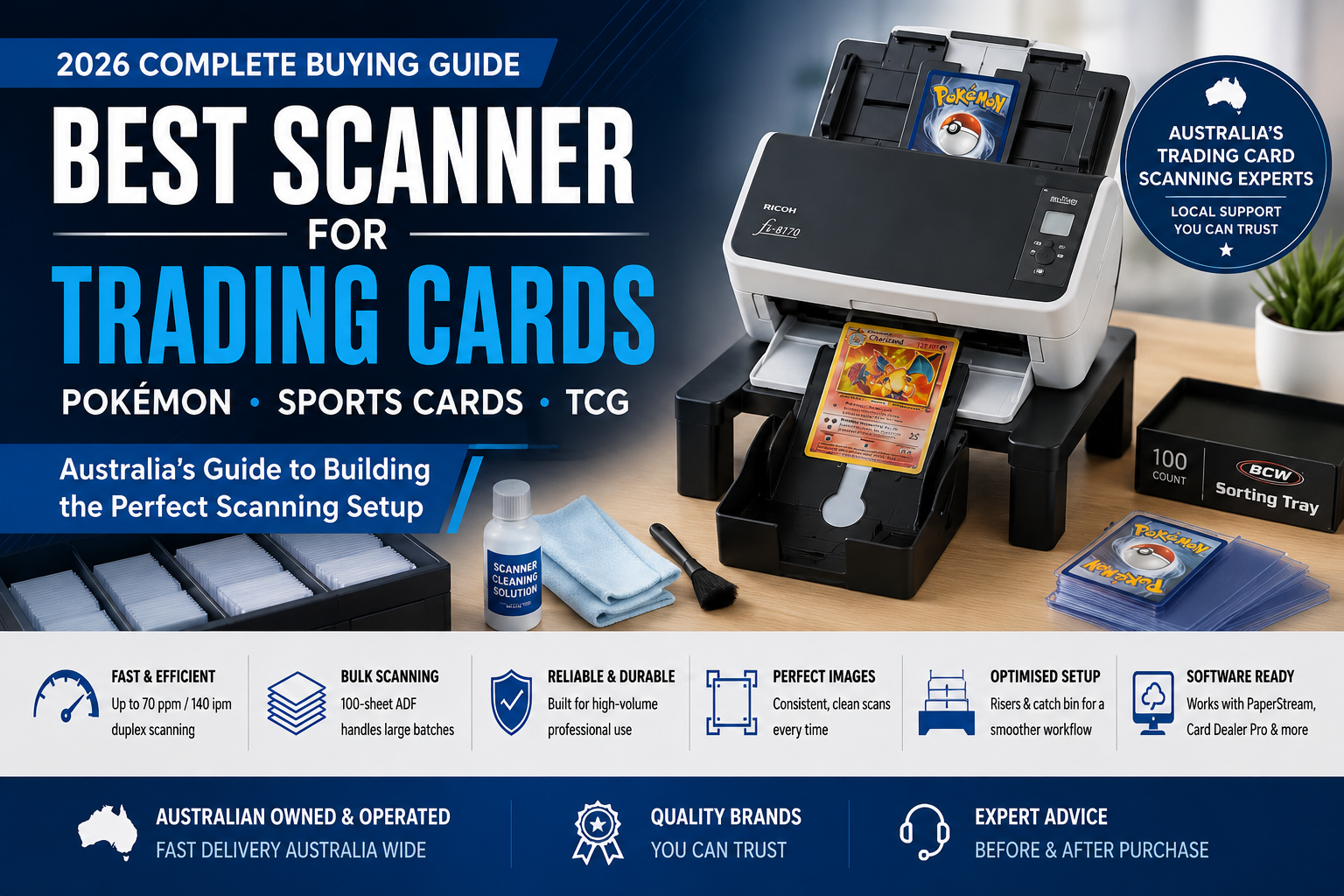
Best Scanner for Pokémon, Sports & Trading Cards in Australia: 2026 Buying Guide
If you have been researching the best scanner for Pokémon cards, sports cards or trading card collections, one model probably keeps appearing: the Ricoh fi-8170, formerly known as the Fujitsu fi-8170.
Across trading card communities, specialist software guides and professional card-selling workflows, the fi-8170 has become one of the most widely discussed scanners for high-volume card digitisation.
But is it really the best choice for everyone?
What if you already own an older fi-7160? What about valuable or fragile cards? Should you consider a contactless scanner such as the ScanSnap SV600 instead? And what settings and accessories actually make a difference?
This guide brings those questions together to help Australian Pokémon, sports card and TCG sellers choose a scanner based on volume, card value, handling preference and workflow rather than simply buying the model that appears most often on YouTube.
Trading Cards Have Become a Serious Online Business
Pokémon and sports cards may have started as hobbies, but today's trading card market includes collectors, specialist dealers, online stores and professional resellers handling significant quantities of inventory.
Popular categories include:
- Pokémon
- NBA and basketball cards
- NFL and American football cards
- AFL cards
- Baseball cards
- Magic: The Gathering
- Yu-Gi-Oh!
- One Piece
- Disney Lorcana
- Other collectible card games and sports cards
Once a seller moves beyond a small personal collection, one problem quickly becomes obvious:
Taking individual photographs with a phone works well for a small number of cards. At commercial volumes, however, image capture can become one of the slowest parts of the entire listing workflow.
A Typical Trading Card Listing Workflow
Sort Cards
Scan Front & Back
Identify Cards
Price & Catalogue
List Online
Modern card-selling software can significantly accelerate the identification and cataloguing stages. The scanner's job is therefore simple but important:
Smartphone vs Dedicated Scanner
| Workflow | Smartphone / Camera | Dedicated Scanner |
|---|---|---|
| Best use | Small collections & individual premium cards | Bulk inventory & repetitive workflows |
| Front & back capture | Normally separate photographs | Duplex ADF can capture both sides in one pass |
| Lighting | Dependent on setup | Consistent scanner illumination |
| Alignment | Manual positioning | Repeatable feeding and image processing |
| Large batches | Labour intensive | Designed for repetitive scanning |
| Card contact | No feeder contact | ADF rollers and guides contact the card or sleeve |
The main advantage of an ADF scanner is not simply image quality. It is workflow efficiency and consistency.
Why Has the Ricoh fi-8170 Become So Popular?
Ricoh fi-8170
The Ricoh fi-8170 is a commercial-grade duplex document scanner capable of up to 70 pages per minute / 140 images per minute at 200/300 dpi.
It features a 100-sheet ADF, 600 dpi optical resolution and a professional PaperStream software ecosystem.
Most importantly for this niche, the fi-8170 has become one of the most widely supported and recommended auto-feed scanners within modern trading card workflows.
View Ricoh fi-81701. It Captures Both Sides in One Pass
Trading card listings commonly benefit from front and back images. A duplex ADF scanner captures both sides automatically during one pass through the scanner.
2. It Is Fast
For sellers processing hundreds or thousands of cards, throughput matters.
That does not mean a dealer should simply load valuable cards into the feeder and run the scanner at maximum speed. Card thickness, sleeves, condition and scanner configuration all matter.
But the underlying commercial scanner platform provides dramatically greater workflow capacity than manually photographing every card.
3. The Software Ecosystem Already Exists
Windows users can combine the fi-8170 with Ricoh PaperStream software, while specialist trading card applications and dealer workflows have developed around Ricoh auto-feed scanners.
This matters because a scanner becomes much more useful when users already have access to shared settings, tutorials and proven workflows.
4. Community Adoption Creates Momentum
New sellers researching a scanner often see other trading card businesses using the fi-8170.
That creates a cycle:
What About the Older fi-7160?
This is an important question because the fi-7160 remains a capable commercial document scanner.
If you already own one and it is working reliably, there is no reason to assume it suddenly became unsuitable for trading cards.
| Specification | fi-7160 | fi-8170 |
|---|---|---|
| Generation | Previous generation | Current generation |
| Scan speed | 60 ppm / 120 ipm | 70 ppm / 140 ipm |
| ADF capacity | 80 sheets | 100 sheets |
| Optical resolution | 600 dpi | 600 dpi |
Read our Ricoh fi-7160 vs fi-8170 for Trading Cards: Is It Really Worth Upgrading?
What About the Ricoh fi-8040?
The fi-8040 is another modern Ricoh document scanner that can make sense for customers who already own one or prefer its workflow.
However, for someone specifically entering the trading card market and looking for the model with the strongest current community recognition, the fi-8170 remains our preferred starting point.
What About a Flatbed or Hybrid Scanner?
There are situations where a conventional sheet-fed scanner is not ideal.
A scanner with an integrated flatbed may be useful for businesses handling mixed documents and cards, particularly where some originals should not pass through an automatic feeder.
However, software compatibility should always be confirmed before purchasing a scanner specifically for a third-party trading card application.
What If the Card Is Valuable? Consider Contactless Scanning
Ricoh ScanSnap SV600
The ScanSnap SV600 is fundamentally different from the fi-8170.
Rather than feeding a card through rollers, it uses an overhead contactless scanning design. The card remains on the scanning surface while the imaging system captures it from above.
This makes it worth considering for collectors and dealers who place a higher priority on avoiding feeder transport than on maximum scanning speed.
View ScanSnap SV600The SV600 may make sense when you want to:
- Minimise feeder contact with selected cards
- Scan fragile or unusual originals
- Capture several small items positioned on the mat
- Scan albums, books or oversized material
The trade-off is throughput. The SV600 is not designed to replace the high-speed duplex workflow of the fi-8170.
Bulk raw inventory → fi-8170
Premium / delicate cards → consider SV600
Mixed professional inventory → consider a hybrid workflow
Ricoh ScanSnap SV600 vs fi-8170 for Trading Cards: Which Scanner Is Better?
Important: Can an ADF Scanner Damage Trading Cards?
We recommend:
- Test the scanner with low-value cards first
- Keep the scanner path and glass extremely clean
- Follow the manufacturer's operating instructions
- Follow the current guidance from your card-scanning software provider
- Do not assume every penny sleeve or holder will feed identically
- Use an overhead, flatbed or photography workflow when feeder contact is unacceptable
Scanner Settings Matter More Than Many Sellers Realise
Even the best scanner can produce disappointing results if the resolution, cropping, colour profile or reflective-card settings are wrong.
For a modern fi-8170 trading card workflow, we generally suggest starting with a dedicated card profile rather than using the scanner's default office-document settings.
Our General Starting Profile
Color + Duplex + 400 dpi + JPEG + Automatic Crop + 2 mm Margin
Chrome and holographic cards can benefit from a separate image profile because reflective finishes interact differently with scanner illumination.
Read our Best Scanner Settings for Pokémon, Sports & Trading Cards (2026 Complete Guide) for resolution, JPEG, cropping and Chrome / Holo recommendations.
Building a Better Trading Card Scanning Station
Once sellers start scanning hundreds of cards at a time, the scanner itself is only one part of the workflow.
High-volume duplex capture
Elevate the scanner
Receive completed cards
Prepare scanning batches
Keep the scan path clean
Identify and list cards
A simple riser-and-catch-bin system can make repetitive scanning considerably more organised by creating clearance beneath the output area and providing a dedicated place for completed cards.
OzToner is currently developing dedicated trading card scanner accessories and bundle solutions for the Australian market.
Which Scanner Should You Choose?
| User / Workflow | Our Suggested Approach | Why |
|---|---|---|
| Existing fi-7160 owner | Keep the fi-7160 initially | Still capable; optimise your existing workflow before upgrading. |
| New professional card seller | Ricoh fi-8170 | Fast duplex workflow and strong trading-card ecosystem. |
| High-volume dealer | Ricoh fi-8170 | Best suited to repetitive bulk capture. |
| Premium / delicate raw cards | Consider ScanSnap SV600 | Avoids feeder transport. |
| Serious dealer with mixed inventory | Hybrid workflow | fi-8170 for bulk cards and SV600 selectively for premium items. |
Scanner Maintenance Matters More Than You Think
A tiny particle of dust on scanner glass can produce a line extending across every scanned image.
That problem may be relatively minor when scanning ordinary office paperwork. On an online collectible-card listing, however, an artificial line could make the card appear scratched or damaged.
A professional trading card scanning setup should therefore treat scanner cleaning as part of the normal workflow.
Useful maintenance items include:
- Approved scanner cleaning solution
- Lint-free cleaning cloths
- Cleaning consumables
- Replacement rollers when required
Frequently Asked Questions
Is the Ricoh fi-8170 really one of the best scanners for Pokémon cards?
For high-volume automatic-feed scanning, it is one of the strongest current choices because it combines professional hardware, duplex scanning, speed and a mature ecosystem of trading card workflows.
Can the fi-7160 scan trading cards?
Yes. If you already own a reliable fi-7160, test and optimise it before replacing it purely because the fi-8170 is newer.
Why do sellers move from the fi-7160 to the fi-8170?
The fi-8170 is faster, has a larger ADF and has become the current reference model in many modern trading card scanning workflows.
Can an auto-feed scanner scratch a trading card?
An ADF involves physical contact, so some handling risk always exists. Test with inexpensive cards, keep the scanner clean and consider a non-feed method when feeder contact is unacceptable.
What DPI should I use for trading cards?
For a modern fi-8170 workflow, 400 dpi is a strong starting point. See our dedicated scanner settings guide for detailed recommendations.
What scanner should I use for very expensive cards?
If avoiding feeder transport is more important than throughput, an overhead scanner such as the ScanSnap SV600—or another appropriate non-feed capture method—may be preferable.
Should a professional dealer own both an fi-8170 and SV600?
Not necessarily, but a hybrid workflow can make sense for businesses that process large quantities of normal raw inventory while also handling a smaller number of premium or delicate cards.
Final Recommendation
There is no single perfect scanner for every trading card.
For sellers processing large quantities of ordinary raw inventory, the Ricoh fi-8170 is currently our first choice because of its speed, automatic duplex scanning, commercial construction and the strong trading card workflow ecosystem that has developed around it.
If you already own a fi-7160, do not rush to replace it. Optimise the scanner you already have first.
If your collection includes especially valuable or delicate cards where avoiding feeder transport is the overriding priority, consider a contactless overhead workflow such as the ScanSnap SV600.
OzToner Quick Recommendation
Bulk seller → Ricoh fi-8170
Existing fi-7160 owner → Keep using it if the workflow is reliable
Premium / delicate cards → Consider ScanSnap SV600
Serious mixed-inventory dealer → Consider a hybrid workflow
Continue the OzToner Trading Card Scanner Series
01 — Complete Buying Guide
You are currently reading our main Trading Card Scanner buying guide.
02 — fi-7160 vs fi-8170
Is upgrading from the fi-7160 to fi-8170 really worth it?
03 — Best Scanner Settings
Learn recommended resolution, JPEG, cropping and Chrome / Holo settings.
04 — ScanSnap SV600 vs fi-8170
Compare high-speed sheet-fed scanning with contactless overhead scanning.
Ready to Build Your Trading Card Scanning Setup?
OzToner supplies professional Ricoh and Fujitsu scanners across Australia and is developing dedicated trading card scanning solutions for Pokémon, sports card and TCG sellers.
Shop Ricoh fi-8170 Browse Ricoh / Fujitsu ScannersDedicated Trading Card Edition accessories and bundle solutions are in development.
Scanner specifications, software compatibility and third-party recommendations may change over time. Trading card scanning involves physical handling of collectible items. Always test a new workflow with low-value cards before processing valuable inventory, and use an appropriate non-feed capture method when feeder contact is unacceptable.