
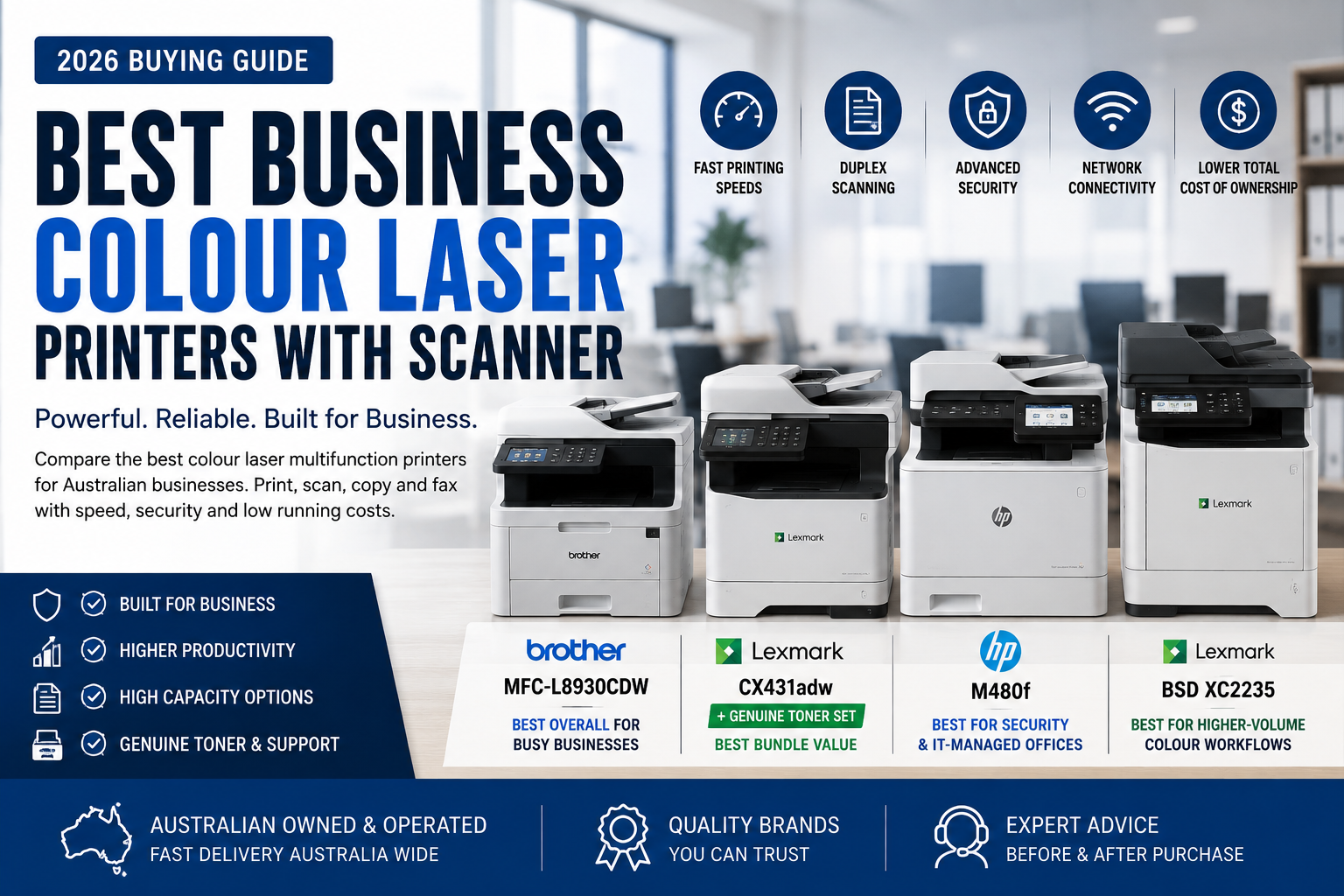
2026 Australian Small Business Buying Guide
Best Business Colour Laser Printers with Scanner (MFP) in Australia
Choosing the best business colour laser printer with scanner requires more than finding a machine that can print, scan and copy. A good business multifunction printer should also provide fast document handling, automatic duplex scanning, dependable networking, suitable toner yields and enough capacity to support multiple users.
A colour laser printer with a scanner is also commonly called a colour laser multifunction printer, colour laser MFP or business all-in-one printer. Selected models also include fax, cloud workflows, secure printing and expandable paper trays.
In this guide, we compare four capable business models from Brother, HP and Lexmark to help small and medium-sized Australian businesses choose the right balance of productivity, security, scanning performance and running cost.
Our Quick Recommendations
- Best overall for most businesses: Brother MFC-L8930CDW
- Best printer-and-toner bundle value: Lexmark CX431adw with Genuine CMYK Toner Set
- Best for enterprise security and IT management: HP Color LaserJet Enterprise MFP M480f
- Best for higher-volume colour workflows: Lexmark BSD XC2235
Why Choose a Business Colour Laser Multifunction Printer?
A business colour laser multifunction printer combines several important office functions in one networked device. Depending on the model and configuration, it may provide:
- Colour and monochrome printing
- Flatbed and multi-page document scanning
- Automatic duplex printing
- Automatic duplex scanning on selected models
- Copying and fax functionality
- Wi-Fi, Ethernet, USB and mobile printing
- Secure print release and user authentication
- Cloud scanning and workflow shortcuts
- High-yield or super-high-yield toner options
- Expandable paper capacity
For businesses regularly handling invoices, contracts, reports, medical files, customer forms or marketing documents, a reliable colour laser MFP can reduce the number of separate devices required and improve everyday document workflows.
Business buyers should also consider total cost of ownership. A printer with a slightly higher purchase price may provide better value over time if it supports larger toner cartridges, faster scanning and fewer consumable changes.
Business Colour Laser MFP Comparison
| Model | Best For | Print Speed | Duplex Scan | Wi-Fi | ADF | Main Advantage |
|---|---|---|---|---|---|---|
| Brother MFC-L8930CDW | Busy small and medium-sized businesses | Up to 31 ppm | Yes — single-pass | Yes | 80 sheets | Strong all-round productivity |
| Lexmark CX431adw Bundle | Small workgroups seeking predictable toner value | Up to approximately 25 ppm | Yes — single-pass | Yes | Automatic document feeder | Genuine toner set included |
| HP M480f | Security-conscious and IT-managed offices | Up to 27 ppm | Yes | Via included or optional Jetdirect accessory | 50 sheets | Enterprise security and management |
| Lexmark BSD XC2235 | Higher-volume colour business workflows | Up to 33 ppm | Selected configuration supports duplex scanning | Model/configuration dependent | Business document feeder | Higher toner yields and business warranty offer |
Manufacturer-rated speeds, connectivity and scanning functions may vary by region and configuration. Check each product page for the exact included accessories and current warranty details.
1. Brother MFC-L8930CDW
High-speed printing, fast duplex scanning and expandable capacity
The Brother MFC-L8930CDW is our strongest all-round recommendation for busy small and medium-sized businesses.
It combines print, scan, copy and fax functionality with up to 31 pages per minute output, an 80-sheet Automatic Document Feeder and high-speed single-pass duplex scanning. Its large colour touchscreen and flexible network connectivity also make it practical as a shared device for multiple employees.
The Brother supports Ethernet, dual-band Wi-Fi, mobile printing, front USB host and NFC authentication. Paper input starts with a 250-sheet cassette and 50-sheet multipurpose tray and can be expanded significantly with optional trays.
Its standard, high-yield and super-high-yield toner options allow businesses to select cartridge capacity based on actual monthly print volume. This can reduce toner changes and support more predictable running costs.
Why we recommend it
- Print, scan, copy and fax functions
- Up to 31 pages per minute
- 80-sheet Automatic Document Feeder
- Up to 100 images per minute two-sided mono scanning
- Single-pass duplex document capture
- Dual-band Wi-Fi and Gigabit Ethernet
- Large 17.6cm colour touchscreen
- Expandable paper capacity up to approximately 1,340 sheets
- High-yield and super-high-yield toner options
- Suitable for shared workgroup use
Potential drawbacks
- Higher purchase price than compact entry-level MFPs
- Larger than a typical home-office multifunction printer
- Optional paper trays increase the total installed footprint
- May offer more capacity than a very small two-person office requires
Best for: Accounting firms, medical centres, education, real estate offices, legal practices, customer-service departments and businesses with regular multi-page scanning requirements.
BEST PRINTER-AND-TONER BUNDLE VALUE
2. Lexmark CX431adw with Genuine Toner Set
The Lexmark CX431adw bundle is the standout value option for businesses that want a compact colour laser MFP together with a complete set of genuine replacement toner cartridges.
The CX431adw combines printing, scanning, copying and faxing with automatic duplex printing, single-pass duplex scanning, Wi-Fi, Gigabit Ethernet and built-in cloud connectors.
Its compact footprint makes it suitable for smaller offices, reception areas and professional workgroups that do not need the paper capacity of a larger enterprise device.
The important commercial advantage is the included genuine cyan, magenta, yellow and black toner set. Instead of purchasing replacement cartridges separately later, the business receives the printer and an additional complete toner set in one package.
Why the Toner Bundle Matters
Printer running cost is not determined by hardware price alone. A complete genuine toner set can represent a significant part of the first years of ownership cost.
Purchasing the printer and toner together can help businesses budget more accurately, reduce the risk of an urgent consumable order and preserve consistent Lexmark print quality.
Why we recommend it
- Print, scan, copy and fax functionality
- Up to approximately 25 pages per minute
- Automatic duplex printing
- Single-pass automatic duplex scanning
- Wi-Fi, Wi-Fi Direct and Gigabit Ethernet
- Built-in cloud connectors
- Lexmark full-spectrum security
- Compact, business-class design
- Complete genuine CMYK toner set included
- Strong value for small workgroups
Potential drawbacks
- Slower than the Brother and XC2235 models
- Smaller standard paper capacity than larger business machines
- Better suited to small workgroups than high-volume departments
- Bundle availability may be limited
Best for: Small professional offices, accountants, consultants, clinics and businesses seeking a complete printer-and-consumables package with lower upfront operating uncertainty.
BEST FOR SECURITY & IT-MANAGED OFFICES
3. HP Color LaserJet Enterprise MFP M480f
The HP Color LaserJet Enterprise MFP M480f is designed for businesses that value security, centralised management and integration with an established HP Enterprise environment.
It provides print, scan, copy and fax capability, automatic duplex printing, duplex document scanning, Gigabit Ethernet and a colour touchscreen. Print speed is rated at up to approximately 27 pages per minute.
Unlike many standard small-office printers, the M480f uses HP FutureSmart firmware and enterprise-oriented management and security tools. This makes it especially relevant to organisations with an IT administrator, multiple departments or stricter document-security requirements.
Standard wireless networking is not built into the base printer. However, OZ Toner’s current bundle includes an HP Jetdirect wireless accessory that adds dual-band Wi-Fi, Wi-Fi Direct and Bluetooth Low Energy functionality.
The printer also uses the HP 414A and 414X toner family, which may be useful for businesses replacing an HP M479-series device and wishing to retain compatibility with existing consumable stock.
Why we recommend it
- Print, scan, copy and fax functionality
- Up to approximately 27 pages per minute
- Automatic duplex printing and scanning
- 50-sheet Automatic Document Feeder
- Gigabit Ethernet and USB
- Wireless capability through the Jetdirect accessory bundle
- HP FutureSmart firmware
- Enterprise-oriented security features
- Uses HP 414A and 414X toner cartridges
- Strong replacement option for selected HP M479 users
Potential drawbacks
- Wireless connectivity requires the Jetdirect accessory
- Slower than the Brother MFC-L8930CDW and Lexmark XC2235
- More complex than a typical small-office printer
- May require IT support to fully use enterprise management features
Best for: Corporate departments, government, healthcare, legal and financial organisations, IT-managed offices and businesses already using HP Enterprise printers.
BEST FOR HIGHER-VOLUME COLOUR WORKFLOWS
4. Lexmark BSD XC2235
The Lexmark BSD XC2235 is the highest-speed printer in this comparison and is designed for businesses that regularly produce larger volumes of colour documents.
It offers print, scan, copy and fax capability with output of up to approximately 33 A4 pages per minute. Its business-class construction, touchscreen workflow controls and higher toner yields make it more suitable for demanding office environments than a compact entry-level MFP.
The XC2235 supports genuine Lexmark BSD toner cartridges, including colour cartridges rated at up to approximately 6,000 pages and black toner options designed for substantially higher business volume.
The current OZ Toner listing also includes a bonus extended parts and maintenance-kit warranty arrangement. Customers should review the individual product page for the exact coverage, conditions and current availability.
Why we recommend it
- Up to approximately 33 pages per minute
- Print, scan, copy and fax functionality
- Automatic duplex printing
- Business document scanning
- Higher-yield BSD toner options
- Large colour touchscreen
- Suitable for multiple users
- Designed for more demanding monthly volumes
- Current extended parts and maintenance-kit warranty offer
Potential drawbacks
- Larger and heavier than the CX431adw
- Higher initial hardware price than compact office MFPs
- May be excessive for a low-volume office
- Wireless capability and exact scan configuration should be checked before ordering
Best for: Legal and accounting practices, schools, healthcare administration, government departments and offices producing regular high-volume colour reports and document packs.
Why Duplex Scanning Matters for Business
Automatic duplex printing and automatic duplex scanning are different features.
Duplex printing allows the machine to print both sides of a sheet automatically. Duplex scanning allows the Automatic Document Feeder to capture both sides of an original document without requiring the user to turn each page manually.
Single-pass duplex scanning is especially valuable for businesses processing:
- Contracts and legal documents
- Invoices and purchase orders
- Medical and insurance forms
- Identity documents
- Double-sided customer records
- Multi-page financial reports
Businesses with frequent scanning requirements should give scanning speed and ADF capacity the same attention as print speed.
Which Business Colour Laser MFP Has the Best Running Cost?
No single printer automatically has the lowest cost for every business. Running cost depends on:
- Monthly print volume
- Percentage of colour pages
- Toner cartridge yield
- Replacement drums and imaging components
- Waste-toner and transfer components
- Paper usage
- Staff time spent replacing toner and loading paper
- Hardware purchase price
The Brother MFC-L8930CDW offers standard, high-yield and super-high-yield consumable choices, making it attractive for growing businesses.
The Lexmark XC2235 supports higher business toner yields and is better suited to sustained colour volume.
The Lexmark CX431adw toner bundle provides a different kind of value: it includes a complete replacement toner set with the printer, reducing the amount the business may need to spend on its first consumable order.
The HP M480f is especially attractive to organisations already holding HP 414A or 414X toner cartridges or replacing an existing compatible HP fleet.
Which Business Colour Laser Printer with Scanner Should You Choose?
Choose the Brother MFC-L8930CDW if:
You need the strongest overall combination of speed, 80-sheet document feeding, fast duplex scanning, Wi-Fi, expandable paper capacity and high-yield toner.
Choose the Lexmark CX431adw Bundle if:
You run a smaller office and want a compact wireless MFP together with a complete set of genuine replacement toner cartridges.
Choose the HP M480f if:
Your organisation values enterprise security, HP fleet management and compatibility with HP 414-series toner, or you are replacing an HP M479-series device.
Choose the Lexmark BSD XC2235 if:
Your office prints a higher volume of colour documents and needs faster 33ppm output, stronger toner capacity and business-class construction.
Best Business MFP by Industry
Accounting & Finance
Brother MFC-L8930CDW for fast scanning and shared office use; HP M480f where document security and IT management are priorities.
Legal Practices
Brother MFC-L8930CDW or Lexmark XC2235 for contracts, evidence packs, client files and regular double-sided scanning.
Medical & Healthcare
HP M480f for enterprise security and managed environments, or Brother for high-speed document capture.
Small Professional Office
Lexmark CX431adw bundle for compact size, wireless connectivity and immediate access to replacement toner.
Education & Government
Lexmark XC2235 for sustained colour printing, or HP M480f for centrally managed departments.
Growing Business
Brother MFC-L8930CDW for expandable paper handling and multiple toner-yield options.
Final Verdict: Best Business Colour Laser Printer with Scanner
For most small and medium-sized businesses, the Brother MFC-L8930CDW is the best overall choice. It offers the strongest balance of print speed, fast single-pass duplex scanning, an 80-sheet ADF, wireless connectivity and expandable paper capacity.
The Lexmark CX431adw toner bundle is our best value package for a smaller office because it combines a compact business-class MFP with a full genuine toner set.
The HP M480f is the preferred option for businesses requiring enterprise security, HP management tools and compatibility with the HP 414 toner family.
The Lexmark BSD XC2235 is the strongest choice for businesses requiring faster colour output and higher-volume toner options.
Before purchasing, consider the number of users, expected monthly print volume, scanning workload, required security features and the long-term cost of genuine toner.
OZ Toner 2026 Office Printer Guide Series
Continue with a More Specific Office Printer Guide
If you are choosing a colour laser MFP for a particular workplace rather than comparing hardware alone, these related guides narrow the choice by workload and industry:
- Best Office Printer Australia 2026 — general office selection
- Best Printer for Small Business Australia — small business
- Best Printer for 3000 Pages Per Month — higher monthly volume
- Best Printer for Medical Practice Australia — medical practice
- Best Printer for Accounting Office Australia — accounting
- Best Printer for Law Firm Australia — legal practice
Frequently Asked Questions
What is the best business colour laser printer with scanner?
The Brother MFC-L8930CDW is our best overall recommendation for most businesses because it combines 31ppm printing, fast duplex scanning, an 80-sheet ADF, wireless networking and expandable paper capacity.
Is a colour laser printer with scanner the same as a multifunction printer?
Yes. Colour laser MFP, multifunction printer, all-in-one printer and colour laser printer with scanner generally describe the same type of device.
Which printer offers the best toner bundle value?
The Lexmark CX431adw bundle includes the printer plus a complete genuine cyan, magenta, yellow and black toner set, making it attractive for businesses seeking more predictable early ownership costs.
Which business MFP is best for security?
The HP M480f is the strongest security-focused option in this comparison because it is an HP Enterprise model with FutureSmart firmware and advanced device-management features.
Which model is best for high-volume colour printing?
The Lexmark BSD XC2235 is the fastest model in this guide and supports business-class toner yields, making it suitable for heavier colour workloads.
Does every business MFP include Wi-Fi?
No. Wi-Fi varies by model and configuration. The HP M480f requires a Jetdirect wireless accessory, while the Brother MFC-L8930CDW and Lexmark CX431adw include wireless networking.
Why is single-pass duplex scanning useful?
It allows both sides of a document to be captured during one pass through the Automatic Document Feeder, reducing scan time and mechanical handling.
Should a business buy high-yield toner?
High-yield toner is usually worthwhile for businesses that print consistently. It reduces cartridge changes and may lower the cost per page, although the cartridge purchase price is higher.
Compare Business Colour Laser Multifunction Printers
Browse colour laser printers with scanning, copying, fax, duplex document handling and business networking. OZ Toner offers competitive Australian pricing, Australia-wide delivery and experienced product advice.
Browse All Colour Laser MFPs View Lexmark Toner Bundle Ask for Business Advice