
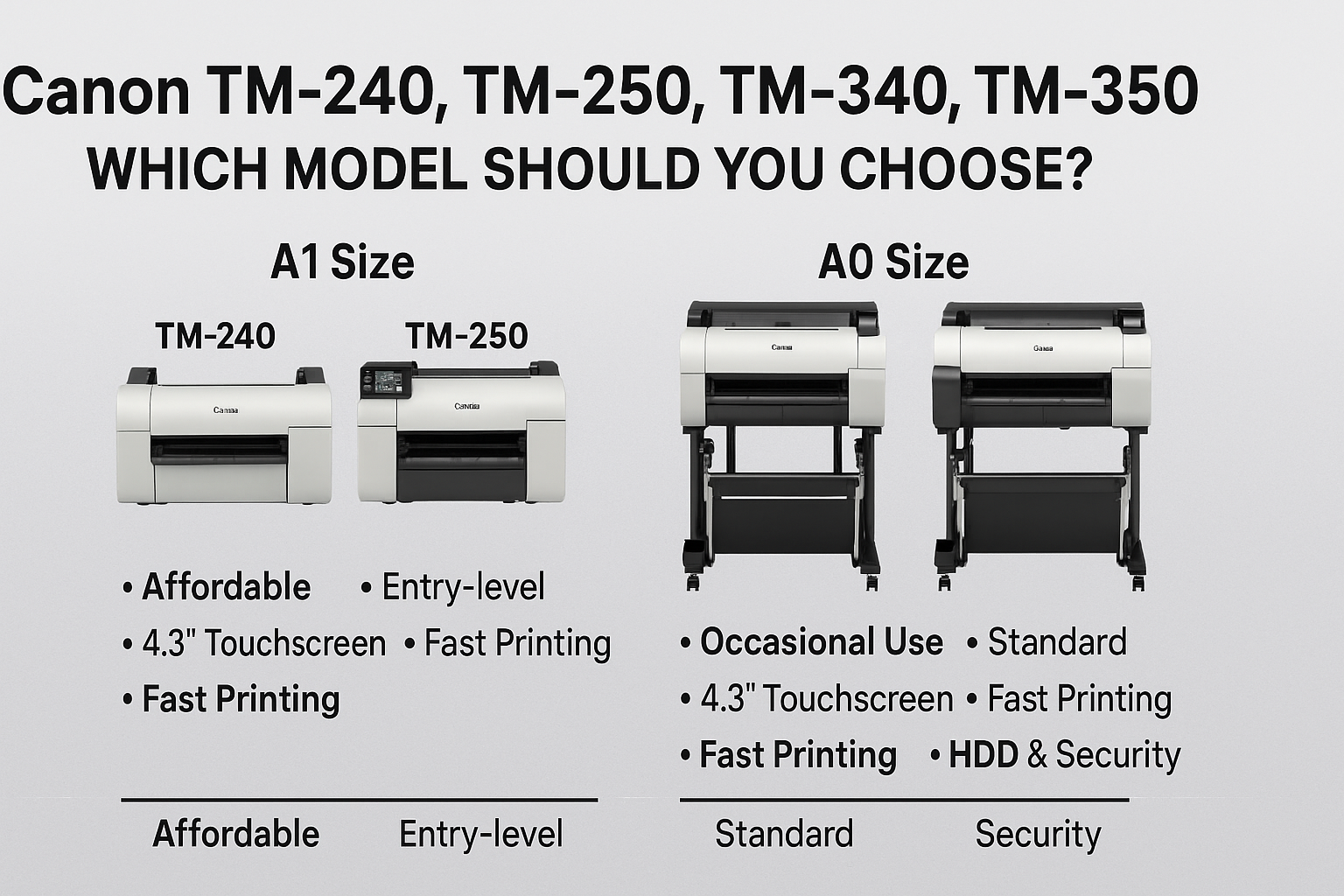

Canon has launched a new generation of imagePROGRAF TM Series large-format printers—offering smarter performance, cleaner design, and broader media handling. Whether you're printing CAD plans, GIS maps, or point-of-sale posters, these new models deliver the precision and productivity today's professionals demand.
In this guide, we compare the four key models in the lineup:
-
A1-size: Canon TM-240 vs TM-250
-
A0-size: Canon TM-340 vs TM-350
Let’s break down the differences so you can choose the best printer for your workspace.

🖨️ Canon TM-240, TM-250, TM-340, TM-350 – Choosing the Right Wide Format Printer for 2025
Canon’s new-generation imagePROGRAF TM Series has landed—and it’s engineered to simplify large-format printing for professionals across architecture, engineering, construction (AEC&M), retail, hospitality, and education.
In this guide, we’ll walk you through the four flagship models:
-
A1 Size: TM-240 vs TM-250
-
A0 Size: TM-340 vs TM-350
We’ll also help you choose the best model based on your print volume, security needs, software usage, and environmental goals—using Canon’s own reseller insights.
🆕 What’s New in the 2025 Canon TM Series?
All TM models feature:
✅ LUCIA TD 5-Colour Pigment Ink – Enhanced with new magenta for vivid reds and high durability
✅ Borderless Printing (any size) – Saves time on trimming and finishing
✅ Quiet Operation – As low as 39 dB for TM-240/340
✅ Energy Efficiency – All models are EPEAT Gold rated, with eco-conscious packaging (no EPS foam)
✅ Easy Roll Loading – Flat-top design with auto media type/remaining detection
✅ Large 4.3” Touchscreen (on select models) – Intuitive and clear job control
✅ Optional MFP Upgrades – Add a scanner with Lm or Z36 kits for full multifunction setup
📏 TM-240 vs TM-250 – Which A1 Model Is Right for You?
| Feature | Canon TM-240 | Canon TM-250 (Upgrade) |
|---|---|---|
| Max Print Width | 24” (A1) | 24” (A1) |
| LUCIA TD Ink | ✅ Yes | ✅ Yes |
| Print Speed (A1 CAD) | ~23 seconds | ✅ ~20 seconds |
| Display | LED basic display | ✅ 4.3” Touchscreen |
| PDF Direct Print | ❌ No | ✅ Yes |
| USB Direct Print | ❌ No | ✅ Yes |
| Security (PIN Code) | ❌ No | ✅ Yes |
| Internal HDD | ❌ No | ✅ 500GB (Encrypted) |
| Noise Level | 39 dB | 41 dB |
| Best For | Occasional use, entry-level AEC | ✅ Daily use, power users, security |
| Starter Ink Capacity | 300ml | ✅ 490ml |
💡 Verdict:
-
Choose TM-240 for affordable, entry-level wide-format printing (e.g., schools, studios, light AEC work).
-
Upgrade to TM-250 if you need faster processing, secure job handling, or USB/PDF workflow support. It’s the professional A1 model built for scale.
📐 TM-340 vs TM-350 – Which A0 Model Suits You Best?
| Feature | Canon TM-340 | Canon TM-350 (Upgrade) |
|---|---|---|
| Max Print Width | 36” (A0) | 36” (A0) |
| LUCIA TD Ink | ✅ Yes | ✅ Yes |
| Print Speed (A1 CAD) | ~21 seconds | ✅ ~17 seconds |
| Display | LED basic display | ✅ 4.3” Touchscreen |
| PDF Direct Print | ❌ No | ✅ Yes |
| USB Direct Print | ❌ No | ✅ Yes |
| Security (PIN Code) | ❌ No | ✅ Yes |
| Internal HDD | ❌ No | ✅ 500GB (Encrypted) |
| Noise Level | 39 dB | 41 dB |
| Best For | Light-to-moderate CAD/poster work | ✅ Frequent use, enterprise-grade |
| Starter Ink Capacity | 300ml | ✅ 490ml |
💡 Verdict:
-
Choose TM-340 if you need occasional wide-format prints in-house.
-
Choose TM-350 for secure printing, frequent large files, and high throughput—ideal for architects, surveyors, and GIS professionals.
🧠 Pro Tips from Canon’s Reseller Guide
According to Canon’s official guide:
-
Weekly-use customers: TM-240 and TM-340
-
Daily-use customers: TM-250 and TM-350
-
Customers needing PDF printing, PIN security, reprints, or job logs: TM-250/TM-350
-
Customers focused on sustainability: All models meet EPEAT Gold and ship foam-free
📌 Model Recommendation Summary
| Model | Best Use Case |
|---|---|
| TM-240 | Entry-level A1 printing for schools & small teams |
| TM-250 | Secure, fast A1 prints for offices & studios |
| TM-340 | Occasional A0 CAD or poster output |
| TM-350 | High-volume A0 printing with security & HDD |
🧾 Final Thoughts: TM Series = Performance Reimagined
The Canon TM Series brings together bold colour, quiet operation, intuitive design, and enterprise-ready features in a surprisingly compact package.
Whether you need a quiet machine for your classroom, or a robust plotter for architectural drawings, the TM series offers a model built to match your pace and scale.
Let your printing grow with your business.
✅ Key Features Across the TM Series
All four models share:
-
LUCIA TD pigment ink system for durable, water-resistant prints
-
High resolution up to 2400 x 1200 dpi
-
Wi-Fi, Ethernet, and USB connectivity
-
Ultra-quiet design (~39 dB operation)
-
Optional stands and scanner upgrades for MFP configurations
🛒 Which Canon TM Model Is Right for You?
| Usage Scenario | Best Model |
|---|---|
| Entry-level A1 poster & CAD use | TM-240 |
| A1 technical office with regular printing | TM-250 |
| Occasional A0 technical printing | TM-340 |
| Frequent A0 printing, advanced admin features | TM-350 |
💬 Final Thoughts
The updated Canon TM Series gives you flexibility and choice—whether you're designing posters for events, printing CAD plans, or mapping out GIS layouts.
-
Choose the TM-240 or TM-340 for standard needs.
-
Step up to the TM-250 or TM-350 if you value touchscreen control, faster output, and smarter workflow integration.
Need scanning and copying? All four models support MFP configurations with Canon’s smart CIS scanner kits.

1 comment
marke
tm-340 has a touchscreen?