
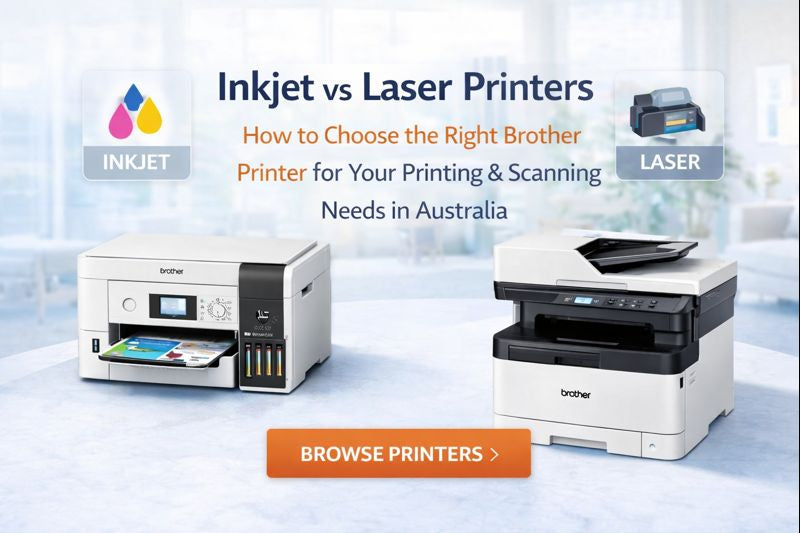

Inkjet vs Laser Printers: How to Choose the Right Printer for Your Printing & Scanning Needs
Shopping for a new printer often starts with one big question: inkjet or laser? The best choice depends on what you print most, how often you print, and whether scanning is part of your workflow. Picking the wrong device can mean slower productivity, higher running costs, and avoidable frustration—especially for home offices and small businesses.
In this guide, we break down the difference between inkjet printers and laser printers, highlight the key considerations, and share five real-world scenarios with Brother printer recommendations suitable for Australian homes and offices.
Inkjet vs Laser: What’s the Difference?
Inkjet printers spray liquid ink through microscopic nozzles onto paper. They’re known for excellent colour reproduction, flexibility across paper types, and strong performance for mixed printing (documents + colour graphics).
Laser printers use toner powder that’s fused to the page with heat. This technology typically excels at crisp text, consistent document output, and efficient high-volume printing—especially in monochrome (black & white).
These differences impact print quality, speed, running costs, maintenance habits, and what media you can safely use—so it pays to match the technology to your daily needs.
Laser Printer vs Inkjet Printer: Key Considerations
Before you choose, run through these practical factors:
- Paper type and size: Will you print mostly A4, or do you need A3 printing? Do you use specialty papers (labels, glossy, photo paper, coated, recycled)?
- Monthly print volume: Estimate how many pages you print per month. Both inkjet and laser have high-yield consumables, but the best value depends on volume and the type of jobs you run.
- Print quality: Both can produce sharp text and strong imagery, but colour richness and media handling can vary based on paper type and your output priorities.
- Print speed: Real-world speed matters when you’re printing multi-page documents under time pressure. For offices, every minute saved adds up.
- Upfront price vs long-term value: Inkjet printers are often cheaper to buy initially. Laser devices may cost more upfront but can deliver lower total cost of ownership for document-heavy workflows over time.
- Business features: If you share a printer or print in bulk, look for optional trays, higher-yield supplies, secure printing options, and robust paper handling.
Laser or Inkjet? 5 Real-World Scenarios (with Brother Recommendations)
Below are common questions we hear from customers—plus the best printer type and a Brother model suggestion for each scenario.
1) “I need to print and scan in A3 at home.”
Best choice: Inkjet
If you need A3 printing and scanning without a bulky copier footprint, an A3 inkjet multifunction device is often the most practical option—especially for home offices with limited space.
Recommended Brother model: MFC-J6540DW MFC-J6940DW (A3-capable multifunction) — a strong solution for users who want A3 output plus scanning, with the convenience of an all-in-one device.
2) “I need fast colour printing on A4 paper for work documents.”
Best choice: Colour Laser
For high-quality colour documents under a deadline—reports, charts, presentations—a colour laser printer is a great fit. It helps maintain consistent output and dependable speed even when pages include lots of graphics.
Recommended Brother model: MFC-L3755CDW MFC-L3760CDW (colour laser all-in-one) — ideal for frequent A4 colour printing plus scanning and copying in small office environments.
3) “I don’t need colour, but I print a large volume of documents.”
Best choice: Monochrome Laser
If your printing is mostly black-and-white and volume is high, a monochrome laser printer is typically the fastest, most efficient and cost-effective option—especially with high-yield toner.
Recommended Brother model: MFC-L6720DW (mono laser multifunction) — built for heavy workloads and shared office printing with strong monthly throughput.
4) “I need to print many paper types, sizes and photos.”
Best choice: Inkjet
If you print on different media—photo paper, glossy/coated paper, thicker stocks, or mixed sizes—inkjet generally offers more flexibility. (Tip: avoid running photo paper through laser devices.)
Recommended Brother approach: Consider Brother inkjet options such as the INKvestment range if you want flexible media handling plus efficient running costs for everyday colour printing.
5) “I just need a printer that will work when I need it.”
Best choice: Monochrome Laser
If you print occasionally but want reliable output on demand (e.g., a last-minute form or an important document), a compact mono laser is often a “no-fuss” solution—no worries about dried ink or running out unexpectedly.
Recommended Brother model: HL-L2480DW (mono laser) — compact and convenient, with optional high-yield toner options for fewer replacements.
Inkjet vs Laser: Quick Comparison
| Feature | Inkjet Printers | Laser Printers |
|---|---|---|
| Best for | Colour graphics, photos, mixed media, A3 options | Text documents, consistent office output, high volume |
| Speed | Good for everyday use | Often faster for document-heavy workflows |
| Running cost | Lower upfront; depends on ink system and usage | Higher upfront; often lower cost-per-page at scale |
| Paper flexibility | Typically supports broader media types | Best with standard office papers |
| Ideal use | Home, study, creative projects, mixed output | Home office, small business, shared workgroups |
FAQ
How can I tell if a printer is laser or inkjet?
A quick giveaway is the consumables: inkjets use small ink cartridges, while laser printers use toner cartridges (often with a separate drum unit). Laser printers can also be slightly bulkier, though compact home-office models exist.
Are laser printers better than inkjet?
Laser is often better for high-volume document printing and long-term cost efficiency. Inkjet is often better for colour versatility, mixed media, and printing on a wider range of paper types. The “best” choice depends on your printing and scanning needs.
What’s a compact laser option for home or small office?
If you want a space-friendly laser printer for home use, consider compact Brother models such as HL-L2460DW (designed with home/small office spaces in mind).
Need Help Choosing Inkjet vs Laser?
Tell us what you print most (A4 vs A3, colour vs mono, pages per month, and scanning needs). We’ll help match you with the right Brother printer for your home office or business.
Shop Brother Printers on OzToner.au*Model availability and specifications may vary. Please check the product page for the latest details.
