
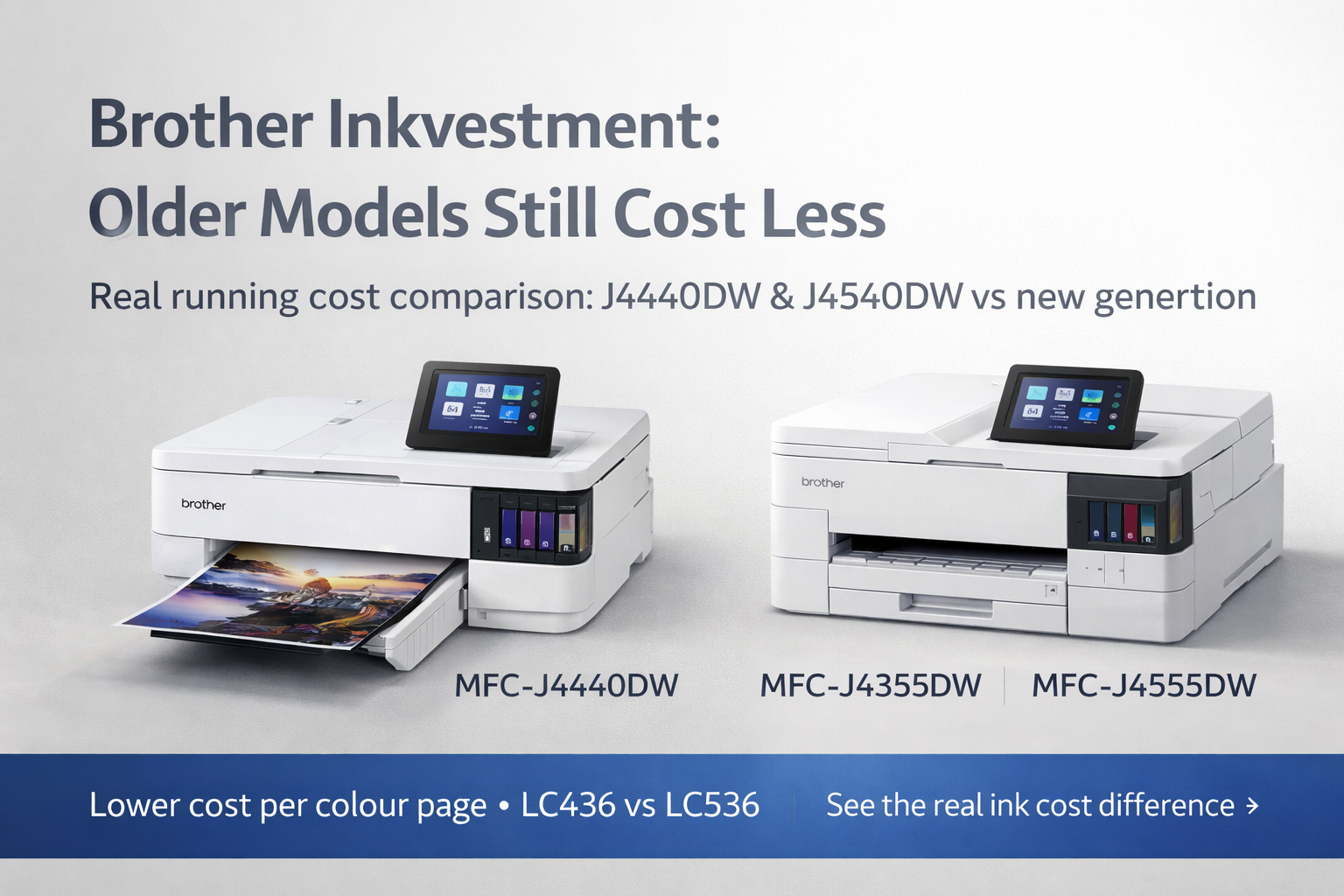

Brother MFC-J4355DW vs MFC-J4440DW / J4540DW (XL): Which INKvestment A4 All-in-One Is the Smarter Buy?
Officeworks has moved on from the Brother MFC-J4440DW and is now pushing the newer MFC-J4355DW and MFC-J4555DW range. If you’re shopping today, it’s easy to assume “newer = better” — but for many home offices and small businesses, the previous generation still offers a better day-to-day experience (especially if you value a larger touchscreen and smoother navigation).
In this guide, we’ll compare the popular MFC-J4355DW with older (but still highly desirable) models: MFC-J4440DW, MFC-J4540DW, and the XL variants — and show you which one is the best buy for your workflow.

At a Glance (Images)


Quick Answer: Which Model Should You Buy?
- Choose MFC-J4355DW if you want a current-range Officeworks replacement model and you’re happy with a simple 1.8" colour display and “set-and-forget” home office usage.
- Choose MFC-J4440DW or MFC-J4540DW if you want the smoother small-business experience: larger 2.7" colour touchscreen and easier navigation for scanning, copying, faxing, and settings.
- Choose XL variants (J4340DWXL / J4540DWXL) if you want to prioritise maximum value per page and longer intervals between ink purchases.

The Key Differences That Actually Matter
1) The display experience (this is the big one)
If you scan, copy, fax, or change settings often, the display is not a “nice-to-have” — it’s the difference between a frustrating printer and a productive one.
- MFC-J4355DW: typically uses a 1.8" colour LCD (simple, functional).
- MFC-J4440DW / MFC-J4540DW: feature a 2.7" colour touchscreen for faster navigation and control.
2) The “old generation” advantage: easier daily workflow
Even when two printers have similar print quality, real customers choose with their daily friction: scan-to-email setup, duplex defaults, copy shortcuts, paper handling, and menu speed. The older touchscreen models tend to feel more “small-business ready”.
3) Value strategy: divert new-range shoppers to the better deal
If a customer walks in asking for a new replacement model, your best conversion angle is: “Same class of printer, better control panel + better workflow, often better value.” That’s why the remaining stock of MFC-J4440DW / J4540DW / XL can be positioned as a smart buy while available.
Comparison Table (Simple, Buyer-Focused)
| Model | Best for | Control panel | Why it wins |
|---|---|---|---|
| MFC-J4355DW | Home office / light SMB | 1.8" colour LCD | Current range, simple operation, good entry point |
| MFC-J4440DW | Busy home office / SMB | 2.7" colour touchscreen | Faster navigation, easier scan/copy workflow |
| MFC-J4540DW | SMB teams / heavier scanning | 2.7" colour touchscreen | Premium workflow + business-first handling |
| MFC-J4540DWXL | High-volume value buyers | 2.7" colour touchscreen | Best “long-run cost” story (XL value positioning) |
| MFC-J4340DWXL | Value-focused home/office | XL value emphasis | Budget-friendly path to INKvestment running costs |
Ink & Running Cost Comparison (LC436 vs LC536) — The Real Buying Decision
A printer’s purchase price matters — but for most homes and small offices, the long-term ink cost is what you actually feel. Below is a practical comparison between the older Brother Inkvestment models (MFC-J4440DW / MFC-J4540DW / MFC-J4540DWXL / MFC-J4340DWXL) and the new generation (MFC-J4355DW / MFC-J4555DW) based on the consumables you provided.
- Yields are the rated page yields you provided (typically based on standard coverage).
- “Full colour page estimate” below assumes one page consumes ink from Black + Cyan + Magenta + Yellow (K+C+M+Y), so cost ≈ K CPP + C CPP + M CPP + Y CPP.
- Real-world results vary by content (photos cost more than documents).
| Generation | Ink Series | Black yield / price | Colour yield / price (each) | Black cost per page | Colour cost per page (each) | Full colour page estimate (K+C+M+Y) | Cost for 1,000 full-colour pages |
|---|---|---|---|---|---|---|---|
|
Older models J4440 / J4540 / J4540XL / J4340XL |
LC436XL | 6,000 / $80 | 5,000 / $132 | ~1.33c | ~2.64c | ~9.25c | ~$92.53 |
|
Newer models J4355 / J4555 |
LC536XL | 2,500 / $108 | 1,500 / $64 | ~4.32c | ~4.27c | ~17.12c | ~$171.20 |
|
Newer models J4355 / J4555 |
LC536XXL | 5,000 / $148 | 2,500 / $226 (CMY pack) | ~2.96c | ~3.01c | ~12.00c | ~$120.00 |
What this means: If you print a lot of colour documents (school, home office, invoices, flyers, presentations), the older LC436XL platform can cost materially less over time — even if the newer printer has a newer model number.

Comparison Verdict: Why Older Inkvestment Models Still Make More Sense
On paper, Brother’s newer MFC-J4355DW and MFC-J4555DW look like the logical upgrade. But once real ink costs are factored in, the numbers clearly tell a different story.
Based on the calculations above, printing 1,000 full-colour pages costs approximately:
- ~$92 using LC436XL (older generation)
- ~$171 using LC536XL (new generation)
- ~$120 even with LC536XXL (new generation, highest yield)
That means many users could spend 80–90% more on colour printing over time by moving to the newer generation — even though the printer itself may look more “modern”.
For home offices, families, schools, and small businesses that print colour documents regularly, the older Inkvestment models (MFC-J4440DW, MFC-J4540DW, MFC-J4540DWXL, MFC-J4340DWXL) remain the lowest total cost-of-ownership choice in the Brother A4 inkjet range.
They also offer features many users still prefer, such as a larger and clearer control interface, solid paper handling, and compatibility with the much more economical LC436 / LC436XL ink platform.
If you print colour frequently and care about long-term value, the older Brother Inkvestment models are simply the smarter buy — while stocks last.
We currently remain one of the very few resellers in Australia & New Zealand still offering all major LC436-based models, including variants that are no longer available at Officeworks and other national retailers.
Bottom line: newer does not always mean cheaper — and in this case, the older generation clearly wins on running cost.
Buyer Personas: Who Should Buy Which?
✅ Buy MFC-J4355DW if you’re:
- Replacing a basic home printer and want a current model
- Mostly printing invoices, school/work documents, occasional scans
- Happy to operate with a simpler display and fewer “workflow shortcuts”
✅ Buy MFC-J4440DW / MFC-J4540DW if you’re:
- Scanning and copying weekly (or daily)
- Running a small business where speed of navigation matters
- Wanting the smoother experience of a 2.7" touchscreen
✅ Buy XL variants if you’re:
- Printing higher volumes and want fewer ink purchases
- Comparing “total cost over 12–24 months” rather than just upfront price
- Trying to minimise downtime and supply admin
YouTube: Quick Video Overview
Prefer a visual walkthrough before you buy? Here’s a video review to help you understand the real-world experience.
Shop the Models Mentioned (OzToner.au)
- Brother MFC-J4355DW (New Range)
- Brother MFC-J4440DW (Older Range – Touchscreen)
- Brother MFC-J4540DW
- Brother MFC-J4540DWXL
- Brother MFC-J4340DWXL
Need Help Choosing?
Tell us your monthly print volume, whether you scan/copy frequently, and whether you want the easiest control panel — and we’ll point you to the best-value model for your workflow.
Browse All Printers*Availability and inclusions may vary by shipment. Please check each product page for the latest details.
