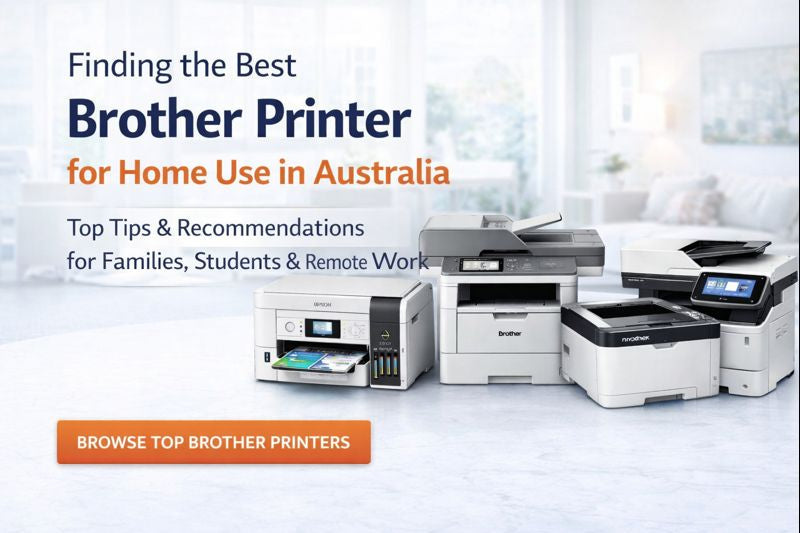

Ultimate Guide to Choosing the Best Brother Printers for Home & Small Office Use in Australia
Working from home, homeschooling, and running a side business are now common in many Australian households. The right home office printer can make everyday life easier—whether you’re printing invoices, school assignments, contracts, shipping labels, or colourful projects. In this guide, we compare some of Brother’s most popular printers for home use and explain how to choose the best option based on print quality, connectivity, running costs, and features.
What to Consider When Choosing the Best Home Office Printer
Every home setup is different—some people need a compact printer for occasional homework, while others need a reliable machine for daily business documents. Here are the key factors to consider:
1) Print Quality
If you print reports, forms, or colour graphics, look for crisp text and consistent colour output. This is especially important for presentations, photos, and marketing materials.
2) Connectivity
A good wireless printer for home lets you print easily from laptops, tablets, and phones. Consider Wi-Fi, Wi-Fi Direct, USB, and (for stable setups) Ethernet. Mobile printing support is a big plus for busy households.
3) Cost-Efficiency (Ink/Toner Running Costs)
Ink and toner costs can add up quickly. If you print regularly, consider printers designed to reduce cost-per-page— such as Brother INKvestment models or refillable ink tank printers, as well as efficient mono laser printers with high-yield toner options.
4) All-in-One Convenience
A multifunction printer (print/scan/copy—and sometimes fax) is ideal for home offices and families. It helps you handle school forms, ID copies, tax paperwork and contracts without extra devices.
5) Sustainability
Features like automatic duplex (two-sided) printing can reduce paper usage. Many households also prefer brands that support responsible consumables recycling.
Recommended Brother Printers for Home & Small Office
Below are popular Brother models for different use cases—families, students, remote professionals, and high-volume home offices. (Availability may vary; check OzToner.au for current stock and offers.)
Best Budget-Friendly Choice for Families & Students
Brother DCP-J1260W DCP-J1310DW DCP-J1360DW INKvestment Colour Multi-Function Printers
A compact wireless colour inkjet printer designed for everyday home printing—assignments, invoices, forms, and occasional colour projects—while keeping running costs in check.
- Print / Scan / Copy in one space-saving device
- Wireless + Wi-Fi Direct + USB connectivity
- Designed for long-term savings with INKvestment technology
- Great for small desks, shelves, and study nooks
Best for: Families, students, and budget-conscious home users.
Best All-Round Home Office Printer for Remote Professionals
Brother MFC-J4440DW MFC-J4540DW MFC-J4540DWXL and MFC-J4555DW INKvestment Colour Multi-Function Printers
A feature-rich all-in-one printer for busy home offices—ideal for frequent printing, scanning and copying. Great for invoices, proposals, and professional documents.
- Print / Scan / Copy / Fax in one device
- Automatic duplex printing + ADF for productivity
- Wi-Fi, Wi-Fi Direct, Ethernet + USB options
- Designed to balance speed, quality and efficiency
Best for: Remote workers, freelancers, and small business owners.
Best Colour Printer for Sharp, Professional Results
Brother HL-L3240CDW Colour LED Printer
If you want fast, fuss-free colour output—presentations, colour spreadsheets, flyers—this compact colour LED printer is a strong option.
- Fast mono and colour printing
- Automatic duplex printing to reduce paper use
- Wireless, Wi-Fi Direct and Ethernet connectivity
- High-yield toner options available for better cost-per-page
Best for: Home professionals needing crisp colour output and low maintenance.
Best for Homeschooling & Frequent Printing
Brother DCP-T580DW Compact Refillable Ink Tank Printer
A compact refillable ink tank printer built for households that print a lot—homework, worksheets, lesson plans and everyday documents—while minimising ink anxiety.
- Refillable tank design for ultra-low running costs
- Automatic duplex printing
- Wireless + Wi-Fi Direct + USB connectivity
- Great for high-frequency home printing
Best for: Students, teachers, and busy households with high print volumes.
Best High-Volume Mono Laser All-in-One (Workhorse)
Brother MFC-L5710DW Mono Laser Multi-Function Printer
For extremely busy home offices, a mono laser printer can deliver fast, sharp text output with excellent reliability and strong running-cost value—especially when paired with high-yield toner.
- High-speed monochrome printing for heavy workloads
- Print / Scan / Copy / Fax with duplex options
- Wireless (dual-band), Wi-Fi Direct, Ethernet + USB connectivity
- Scalable paper handling with optional trays
Best for: Power users and small businesses wanting commercial-grade reliability at home.
Recommended Home Printers at a Glance
| Model | Best For | Print Type | Key Benefit |
|---|---|---|---|
| MFC-L5710DW | Power users, small businesses | Mono Laser | High performance + reliability |
| Families, students | Inkjet | Budget-friendly + compact | |
| Remote professionals | Inkjet | Connected all-in-one efficiency | |
| HL-L3240CDW | Compact colour printing | Colour LED (Laser-class) | Fast, sharp colour output |
| Homeschooling / frequent printing | Tank Inkjet | Refillable + ultra-low running cost |
Tips to Choose the Right Printer (Inkjet vs Laser)
- Choose inkjet if you need colour versatility for photos, graphics and mixed printing.
- Choose laser/LED if you mainly print text and want speed, sharp output and low maintenance.
- Choose refillable ink tank if you print frequently and want the lowest possible cost-per-page.
- Look for duplex printing to reduce paper use and improve productivity.
- Check consumables (ink/toner availability, high-yield options) to keep running costs predictable.
FAQ: Best Printer for Home Use
What’s the best printer for students and homework?
A compact wireless inkjet like the Brother DCP-J1260W is a solid choice for everyday homework, forms and occasional colour. For heavier homework volumes, consider a refillable ink tank model like the DCP-T580DW.
What’s the best home office printer for remote work?
If you need an all-in-one with scanning and productivity features, the Brother MFC-J4555DW is a strong home office option. For very high-volume monochrome workloads, consider the MFC-L5710DW mono laser.
Do I need Wi-Fi or Ethernet?
Wi-Fi is convenient for households printing from multiple devices. Ethernet can be useful if you want a stable connection to your router, especially for shared home offices.
Need Help Choosing the Right Brother Printer?
Tell us what you print (pages per month, colour vs mono, scanning needs) and we’ll recommend the best Brother printer for your home or small business.
There’s no one-size-fits-all when it comes to the best home office printer - it really comes down to what your day looks like. Maybe you’re printing invoices between Zoom calls, managing homework and lesson plans at the kitchen table or finally launching that side hustle from your study nook.
Whether your priority is affordability, print quality, speed or simply something the whole household can share without fuss, Brother’s range of home and small office printers is designed to fit right in - with you, your space and your routine.
No matter which model you choose, you’ll enjoy the same trusted reliability, smart features and lifetime Customer Care support that have made Brother a favourite pick among the best home office printers in the market.
Still not sure which printer is right for you? Feel free to contact us if you have any questions, our team is always happy to help you find the perfect fit.
Tags: #remote workforce #WFH #Working from home #remote printing #Smart Home Office #best home office printer #home office laser printer #work from home #compact laser printers #home offices #desktop laser printer
