Best Epson Printers for Sublimation in Australia
Sublimation printing has become one of the most popular ways to create personalised products, from T-shirts and mugs to phone cases, gifts, and custom merchandise.
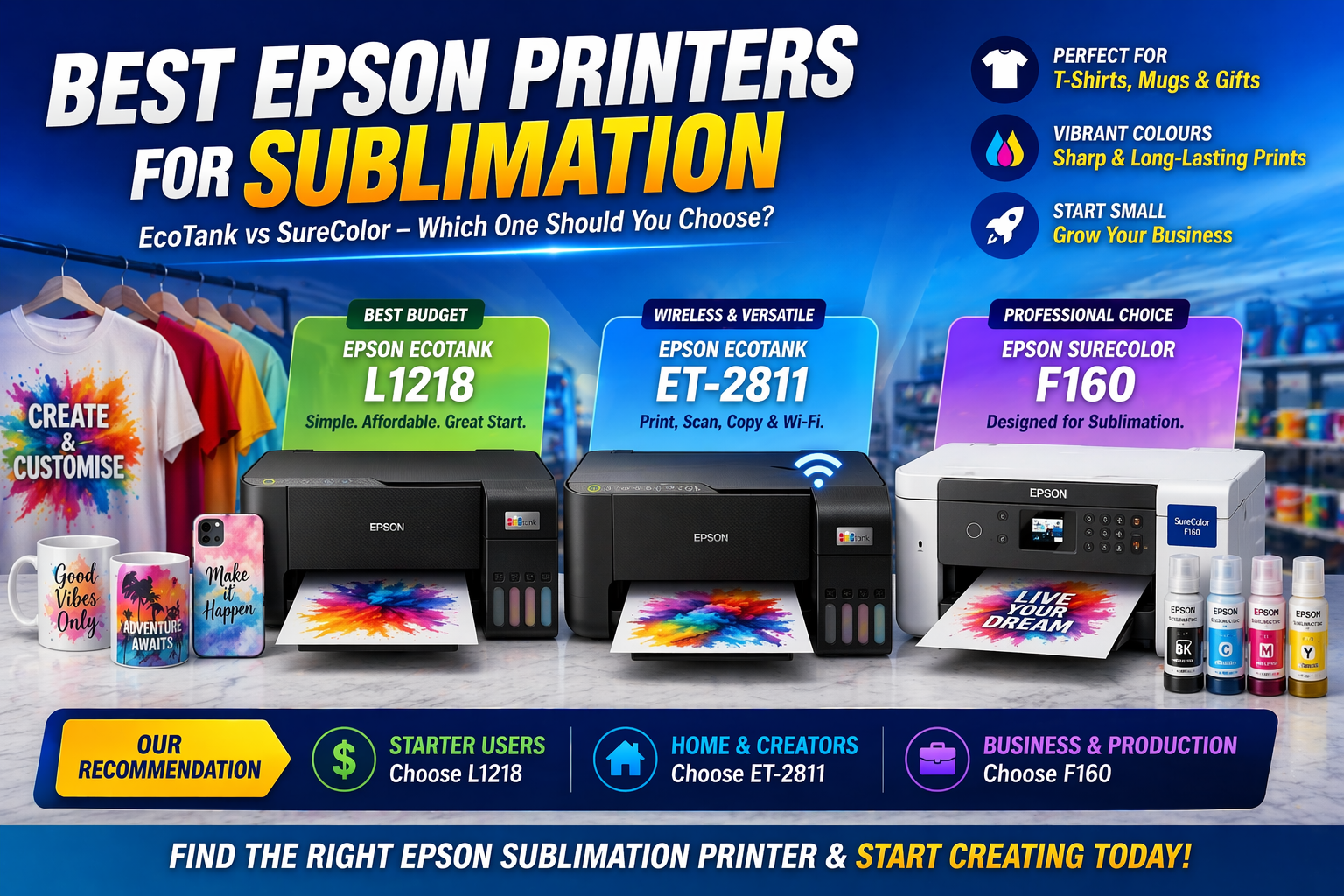
One of the most common questions we hear is: Which Epson printer should I use for sublimation? In this guide, we explain the best Epson printer options for sublimation, including entry-level EcoTank models customised by OzToner and the professional Epson SureColor F160.
In This Guide
- Epson EcoTank models for sublimation
- Epson SureColor series for sublimation
- Which model is best for beginners
- Which model is best for growing businesses
- How to choose the right sublimation printer for your needs
What Is Sublimation Printing?
Sublimation printing uses special sublimation ink to print onto transfer paper, which is then applied to polyester fabrics or specially coated products using heat and pressure.
It is commonly used for:
- Custom T-shirts and apparel
- Mugs and drinkware
- Phone cases
- Mouse pads
- Gifts and personalised merchandise
- Small craft and home business production
Many Epson inkjet printers are popular for sublimation because their print engines are reliable and produce very good colour output. However, not every Epson printer is officially designed for sublimation.
Broadly speaking, there are two paths:
- EcoTank models converted for sublimation
- Purpose-built Epson SureColor sublimation printers
1. Epson EcoTank Models for Sublimation (Customised by OzToner)
EcoTank printers are one of the most popular choices for entry-level sublimation because they use refillable ink tanks rather than traditional cartridges. This makes them practical for conversion using sublimation ink.
These models are especially suitable for beginners, hobby users, and small start-up businesses that want a lower initial investment.
Epson EcoTank L1218/ET-1810
The Epson EcoTank L1218 is one of the most popular budget-friendly Epson printers for sublimation. It is simple, reliable, and ideal for users who want to start with a dedicated printing setup without paying for extra functions they may not need.
Why it is a strong sublimation option
- Affordable entry point into sublimation printing
- Simple printer-only design
- Reliable Epson ink tank print engine
- Suitable for hobby users and small business starters
- Commonly chosen for dedicated sublimation conversion
Best for
- Beginners starting sublimation for the first time
- Small home-based businesses
- Users who want a lower-cost dedicated sublimation printer
Shop Epson EcoTank L1218/ET1810
Epson EcoTank ET-2811
The Epson EcoTank ET-2811 is another popular option for sublimation users who want the flexibility of a multifunction printer. Compared with the L1218, it adds scan and copy capability as well as wireless connectivity, which can make it more convenient in a home workspace.
Why users choose the ET-2811
- Wireless printing convenience
- Print, scan, and copy functions in one unit
- Good choice for home craft and creative business use
- Flexible setup for users who want more than just printing
Important note
Like other converted EcoTank sublimation printers, the ET-2811 needs to be set up with sublimation ink from the start. Once converted, it should be treated as a dedicated sublimation printer rather than switched back and forth between regular ink and sublimation ink.
Best for
- Home users wanting wireless sublimation printing
- Craft businesses
- Users who want print, scan, and copy in one device
2. Epson SureColor Series for Sublimation
If you want a more professional, purpose-built sublimation solution, the Epson SureColor series is the next step up. These printers are designed specifically for dye sublimation rather than being adapted from a standard office or home inkjet printer.
Epson SureColor F160
The Epson SureColor F160 is a true sublimation printer designed for users who want a more professional workflow and more consistent results. It comes with genuine dye sublimation ink and is built specifically for transfer printing applications.
Why the F160 stands out
- Purpose-built for sublimation printing
- No conversion required
- Uses genuine Epson dye sublimation ink
- Better colour consistency and workflow control
- Strong option for business growth and regular production
Best for
- Users wanting a dedicated professional sublimation setup
- Growing small businesses
- Customers who want an easier plug-and-play sublimation path
- Users focused on consistency and production quality
Comparison Table: Which Epson Sublimation Printer Is Right for You?
| Feature | Epson EcoTank L1218 | Epson EcoTank ET-2811 | Epson SureColor F160 |
|---|---|---|---|
| Sublimation Ready | Converted for sublimation | Converted for sublimation | Factory-built for sublimation |
| Ink System | Refill tank | Refill tank | Genuine sublimation ink system |
| Wireless Printing | ✘ | ✔ | ✔ |
| Print / Scan / Copy | Print only | Print / Scan / Copy | Print only |
| Ease of Setup | Moderate | Moderate | Easy |
| Print Quality for Sublimation | Good | Good | Excellent |
| Best For | Budget beginners | Wireless home setup | Professional sublimation users |
| Business Growth Potential | Entry-level | Entry-level to moderate | High |
Which Epson Sublimation Printer Should You Choose?
Choose the Epson EcoTank L1218 if:
- You want the lowest-cost entry into sublimation
- You are happy with a dedicated print-only setup
- You are starting a hobby or home business
Choose the Epson EcoTank ET-2811 if:
- You want wireless printing convenience
- You would like print, scan, and copy functions
- You want a more flexible home craft workspace
Choose the Epson SureColor F160 if:
- You want a proper factory-built sublimation printer
- You are planning to scale your sublimation business
- You want easier setup and more consistent results
- You prefer a more professional production workflow
Why Many Australian Buyers Start with EcoTank
In Australia, many beginners start their sublimation journey with a converted Epson EcoTank printer because it keeps the initial cost lower and allows them to test the business before investing in a more specialised setup.
A common upgrade path looks like this:
EcoTank starter setup → build experience → grow customer base → upgrade to SureColor F160
This progression makes practical sense for many home businesses because it reduces risk while still allowing users to learn the sublimation process properly.
Why Buy from OzToner?
At OzToner, we do more than just sell printers. We help customers choose the right sublimation path based on their budget, experience level, and production goals.
- Entry-level EcoTank sublimation options
- Professional Epson SureColor sublimation solutions
- Practical advice for beginners and small businesses
- Support in choosing the right setup for your workflow
Final Verdict
If you are looking for the best Epson printer for sublimation, the right answer depends on your budget and your business goals.
The Epson EcoTank L1218 is an excellent budget-friendly entry point. The Epson EcoTank ET-2811 adds wireless convenience and multifunction flexibility. The Epson SureColor F160 is the best choice for users who want a purpose-built professional sublimation printer.
For many beginners, starting with an EcoTank model is the smartest and most practical first step. For growing businesses, the SureColor F160 is a strong long-term solution.
Need Help Choosing the Right Sublimation Printer?
Whether you are starting a new sublimation business or upgrading your current setup, OzToner can help you find the right Epson printer for your workflow and budget.
Contact us or browse our sublimation printer range to get started.
#sublimation printer
#epson sublimation
#ecotank sublimation
#epson f160
#sublimation business
#heat transfer printing
#custom printing australia
#printer buying guide
1 comment
Maria
Hi I just purchased et4850 printer for sublimating
Is it going to work or should I take it back