
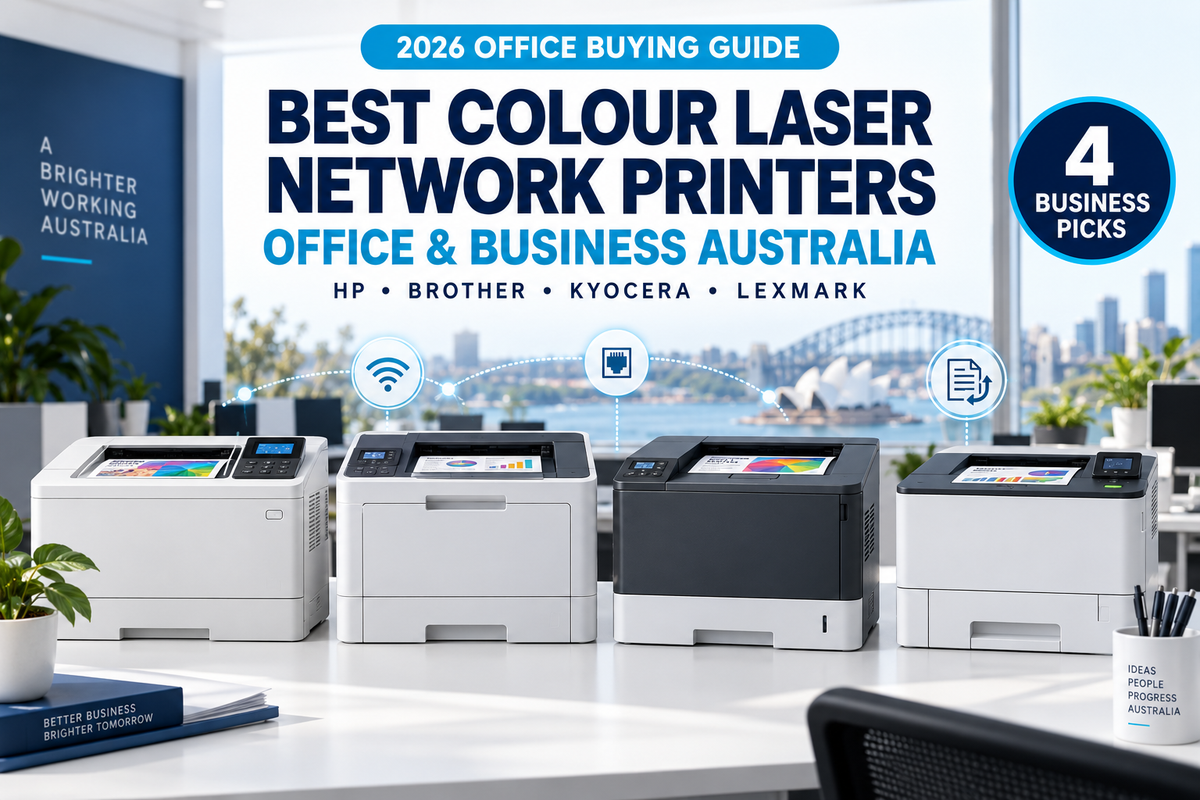
2026 Australian Business Printer Guide
Best Colour Laser Network Printers for Office & Business
Choosing the best colour laser network printer for office or business use involves more than comparing purchase prices. A good business printer should provide reliable network connectivity, automatic duplex printing, strong security, practical toner yields and enough capacity to support your team without constant intervention.
In this 2026 buying guide, we compare four capable A4 colour laser printers from HP, Brother, Kyocera and Lexmark. Each model is suited to a different type of workplace, from a small professional office through to a larger managed or security-conscious business environment.
HP Color LaserJet Managed E45028dn
The HP Color LaserJet Managed E45028dn is one of the most overlooked business colour laser printers currently available.
Many customers automatically search for a better-known HP Enterprise model such as the HP Color LaserJet Enterprise 5700dn. However, businesses replacing an older HP M454dn or M455dn should also seriously consider the Managed E45028dn.
The E45028dn offers automatic duplex printing, Gigabit Ethernet networking, enterprise-oriented security and management capabilities, job storage, private printing and HP FutureSmart support. It also provides a familiar upgrade path for businesses already operating printers from the M454/M455 generation.
Why is it our Editor's Choice? OZ Toner currently holds strong local stock of the E45028dn and can offer it at an exceptionally competitive price. In many cases, this gives businesses access to a managed, enterprise-oriented HP printer for less than they may expect to pay for a standard enterprise model.
Our Quick Recommendations
- Best enterprise value: HP Color LaserJet Managed E45028dn
- Best overall for most offices: Brother HL-L8430CDW
- Best for long-term efficiency: Kyocera ECOSYS PA3500cx
- Best for secure workgroups and high-yield toner: Lexmark CS531dw
What Makes a Good Colour Laser Network Printer for Business?
A home printer may only be used by one or two people, but an office printer must often support multiple users, different operating systems and a much higher monthly workload.
When comparing the best office colour laser printers, businesses should consider:
- Reliable Ethernet and wireless network connectivity
- Automatic double-sided printing
- Security features and user access controls
- Recommended monthly print volume
- Toner yield and long-term cost per page
- Expandable paper capacity
- Centralised printer management
- Availability of genuine toner and replacement parts
The cheapest printer is not always the cheapest printer to own. For a business, downtime, frequent toner replacement and limited paper capacity can cost far more than the initial difference in purchase price.

Best Office Colour Laser Printer Comparison
| Model | Best For | A4 Print Speed | Duplex | Ethernet | Wi-Fi | Key Advantage |
|---|---|---|---|---|---|---|
| HP E45028dn | Enterprise and managed environments | Up to 27 ppm | Yes | Yes | Optional | Enterprise value and security |
| Brother HL-L8430CDW | Small and medium-sized offices | Up to 31 ppm | Yes | Gigabit | Yes | Easy connectivity |
| Kyocera PA3500cx | Busy workgroups and cost-conscious offices | Up to 35 ppm | Yes | Yes | Optional | Long-life components |
| Lexmark CS531dw | Secure professional workgroups | Up to 33 ppm | Yes | Gigabit | Yes | High-yield toner |
Manufacturer-rated speeds may vary depending on paper type, print settings, document complexity, operating system and network conditions.
BEST ENTERPRISE VALUE
1. HP Color LaserJet Managed E45028dn
The HP Managed E45028dn is designed for organisations that require more than basic office printing. Its managed and enterprise-oriented feature set makes it well suited to professional offices, schools, healthcare environments, government departments and businesses with formal IT requirements.
It supports automatic duplex printing, Gigabit Ethernet, job storage, private printing and enterprise security features. HP also includes a Trusted Platform Module to help protect data passing through the printer.
Print speed is up to 27 pages per minute in A4 colour and monochrome. Although it is not the fastest model in this comparison, many business customers will place greater value on security, fleet management and a proven platform than on a few extra pages per minute.
Why we recommend it
- Enterprise-oriented security and management features
- HP FutureSmart firmware support
- Private printing and job storage
- Trusted Platform Module for data protection
- Automatic duplex printing
- Gigabit Ethernet networking
- Practical replacement path for HP M454dn and M455dn users
- Exceptional purchase value through OZ Toner
Potential drawbacks
- Built-in Wi-Fi is not standard
- Slower than the Brother, Kyocera and Lexmark models in this comparison
- Print-only device with no scanner or copier
- Managed printer terminology may be unfamiliar to some small businesses
Best for: Professional offices, schools, government, healthcare, accounting firms, legal practices and businesses upgrading from an HP M454dn or M455dn.
HP E45028dn vs HP 5700dn: Which One Should You Buy?
The HP Color LaserJet Enterprise 5700dn is a newer and faster enterprise printer, and it is the model many customers recognise first. However, the E45028dn should not be overlooked.
The two printers are not the same engine and should not be described as identical. The E45028dn belongs more closely to HP's M454/M455 generation, while the 5700dn is part of a newer enterprise platform.
The E45028dn remains highly attractive for businesses that value enterprise security, centralised management and a competitive purchase price. It is also especially relevant to organisations replacing an older M454dn or M455dn.
In simple terms, choose the 5700dn if maximum speed and the newer platform are your priorities. Choose the E45028dn if you want a secure, managed HP business printer at an unusually strong price.
BEST OVERALL FOR MOST OFFICES
2. Brother HL-L8430CDW
The Brother HL-L8430CDW is the easiest all-round recommendation for a modern small or medium-sized office.
It delivers print speeds of up to 31 pages per minute in colour and monochrome, automatic duplex printing, Gigabit Ethernet, dual-band Wi-Fi and USB connectivity. This gives businesses flexibility to connect desktops, laptops and mobile devices without relying on a single network method.
Brother also offers standard, high-yield and super-high-yield toner options, which allows businesses to match cartridge capacity to their actual print volume.
Why we recommend it
- Up to 31 pages per minute
- Automatic duplex printing
- Gigabit Ethernet and dual-band Wi-Fi
- USB connectivity at the front and rear
- Supports higher-yield TN645 toner cartridges
- Easy to deploy in a mixed-device office
- Strong balance of speed, connectivity and usability
Potential drawbacks
- Not as enterprise-focused as the HP Managed model
- Long-term cost depends heavily on toner yield selected
- Print-only device with no scanning or copying
Best for: Small businesses, professional offices, customer-service teams, retail administration and general workgroups.
BEST FOR LONG-TERM EFFICIENCY
3. Kyocera ECOSYS PA3500cx
The Kyocera ECOSYS PA3500cx is designed for small and medium-sized business workgroups that need reliable printing, strong paper handling and economical long-term operation.
It prints at up to 35 pages per minute in A4 colour and monochrome and includes automatic duplex printing, a standard 550-sheet paper cassette and business network connectivity.
Kyocera's ECOSYS design philosophy focuses on long-life components, helping reduce the number of service parts that require routine replacement. This makes the PA3500cx particularly appealing to businesses that print consistently and value predictable operating costs.
Why we recommend it
- Up to 35 pages per minute
- Automatic duplex printing
- Standard 550-sheet paper cassette
- Long-life ECOSYS components
- Expandable paper capacity
- High-resolution output up to 1200 x 1200 dpi
- Strong security options for business environments
Potential drawbacks
- Wireless networking requires an optional interface
- Larger than some compact small-office printers
- Advanced configuration may be better handled by an IT administrator
Best for: Busy offices, medium-sized workgroups, warehouses, schools and businesses seeking long-term efficiency.
BEST FOR SECURE WORKGROUPS & HIGH-YIELD TONER
4. Lexmark CS531dw
The Lexmark CS531dw is a robust business colour laser printer that combines fast output, wireless networking, integrated duplex printing and Lexmark's secure-by-design approach.
It prints at up to 33 pages per minute in A4 and supports high-yield toner cartridges of up to 15,800 pages in black and up to 8,800 pages in colour. This makes it particularly attractive to professional workgroups that want to minimise toner changes.
Its colour touchscreen and flexible connectivity also make it easier for teams to manage everyday print jobs.
Why we recommend it
- Up to 33 pages per minute
- Integrated automatic duplex printing
- Ethernet and wireless connectivity
- Secure-by-design architecture
- High-yield toner availability
- Recommended for active professional workgroups
- Colour touchscreen for easier operation
Potential drawbacks
- High-yield toner cartridges have a higher upfront replacement cost
- May be more printer than a very small, low-volume office requires
- Print-only device with no scanner or copier
Best for: Legal practices, accounting firms, corporate departments, education and secure professional workgroups.
Which Business Colour Laser Printer Should You Choose?
Choose the HP Managed E45028dn if:
You need enterprise security and management features, are replacing an HP M454dn or M455dn, or want access to a managed HP printer at an unusually competitive purchase price.
Choose the Brother HL-L8430CDW if:
You want the best all-round combination of Wi-Fi, Ethernet, duplex printing, speed and ease of use for a typical small or medium-sized office.
Choose the Kyocera PA3500cx if:
Your business prints consistently and values long-life components, a large standard paper cassette and strong long-term efficiency.
Choose the Lexmark CS531dw if:
You need secure workgroup printing, wireless connectivity and access to exceptionally high-yield black and colour toner cartridges.
Ethernet vs Wi-Fi for an Office Printer
For a permanent office installation, Ethernet is generally the most stable and predictable network connection. It is particularly useful when several users send large print jobs or when the printer is centrally managed by an IT team.
Wi-Fi offers more flexible placement and can be convenient for smaller offices without network cabling. The Brother HL-L8430CDW and Lexmark CS531dw include wireless connectivity, while wireless networking is optional on the HP E45028dn and Kyocera PA3500cx.
Businesses with strict security or reliability requirements may still prefer wired Ethernet, even when Wi-Fi is available.
Which Colour Laser Printer Has the Lowest Running Cost?
Running cost depends on more than toner price. Businesses should consider cartridge yield, drums, transfer units, waste toner containers, maintenance kits and the expected service life of each component.
The Kyocera PA3500cx is a strong option for businesses focused on long-life components. The Lexmark CS531dw offers very high toner yields, while the Brother HL-L8430CDW provides several toner-yield choices.
The HP E45028dn can also offer compelling total value where its purchase price is significantly lower than other enterprise-class alternatives.
For a proper comparison, calculate your estimated monthly print volume and divide the toner price by the rated page yield rather than comparing cartridge prices alone.
Final Verdict: Best Colour Laser Network Printer for Office & Business
For most small and medium-sized offices, the Brother HL-L8430CDW is the easiest all-round recommendation. It combines good speed, Wi-Fi, Gigabit Ethernet, automatic duplex and flexible toner options.
However, our Editor's Choice is the HP Managed E45028dn because it offers a rare combination of enterprise-oriented security, HP management features and exceptional purchase value. It is especially attractive for organisations replacing an M454dn or M455dn.
Choose the Kyocera PA3500cx for long-life components and sustained office use, or the Lexmark CS531dw if high-yield toner and secure workgroup printing are your priorities.
The best choice ultimately depends on your network, monthly print volume, security requirements and long-term operating priorities.
OZ Toner 2026 Office Printer Guide Series
Continue with a More Specific Office Printer Guide
Need more than a network-printer comparison? Use these workplace guides to match the printer to your actual office environment:
- Best Office Printer Australia 2026 — overall office buying
- Best Printer for Small Business Australia — small business
- Best Printer for 3000 Pages Per Month — higher volume offices
- Best Printer for Accounting Office Australia — accounting offices
- Best Printer for School Office Australia — school administration
- Best Printer for Law Firm Australia — legal offices
Frequently Asked Questions
What is the best colour laser network printer for a small office?
The Brother HL-L8430CDW is our best all-round small-office recommendation because it combines Ethernet, Wi-Fi, duplex printing and up to 31 ppm output.
What is the best enterprise colour laser printer for the price?
The HP Managed E45028dn is an excellent enterprise-value option when offered at a competitive price. It includes enterprise-oriented security, management, job storage and private-printing capabilities.
Is the HP E45028dn the same printer as the HP 5700dn?
No. They are different printer platforms. The E45028dn is more closely related to the M454/M455 generation, while the 5700dn belongs to a newer HP Enterprise platform.
Does the HP E45028dn include Wi-Fi?
Wi-Fi is not standard on the E45028dn. It is primarily designed for USB and wired Ethernet networking, with optional wireless capability depending on configuration.
Which business colour laser printer has the highest toner yield?
The Lexmark CS531dw supports toner yields of up to approximately 15,800 pages in black and up to 8,800 pages in colour, making it a strong option for active workgroups.
Which printer is best for lower long-term maintenance?
The Kyocera PA3500cx is designed with long-life ECOSYS components and is a strong choice for businesses that prioritise durability and reduced component replacement.
Do all four printers support automatic duplex printing?
Yes. The HP E45028dn, Brother HL-L8430CDW, Kyocera PA3500cx and Lexmark CS531dw all support automatic double-sided printing.
Can these printers scan or copy?
No. All four models in this guide are single-function colour laser printers. For scanning and copying, choose a multifunction colour laser printer.
Shop Colour Laser Printers for Office & Business
Compare business colour laser printers from HP, Brother, Kyocera, Lexmark and other leading brands. OZ Toner offers competitive Australian pricing, local stock, Australia-wide delivery and experienced product support.
Browse All Colour Laser Printers View HP Managed E45028dn