
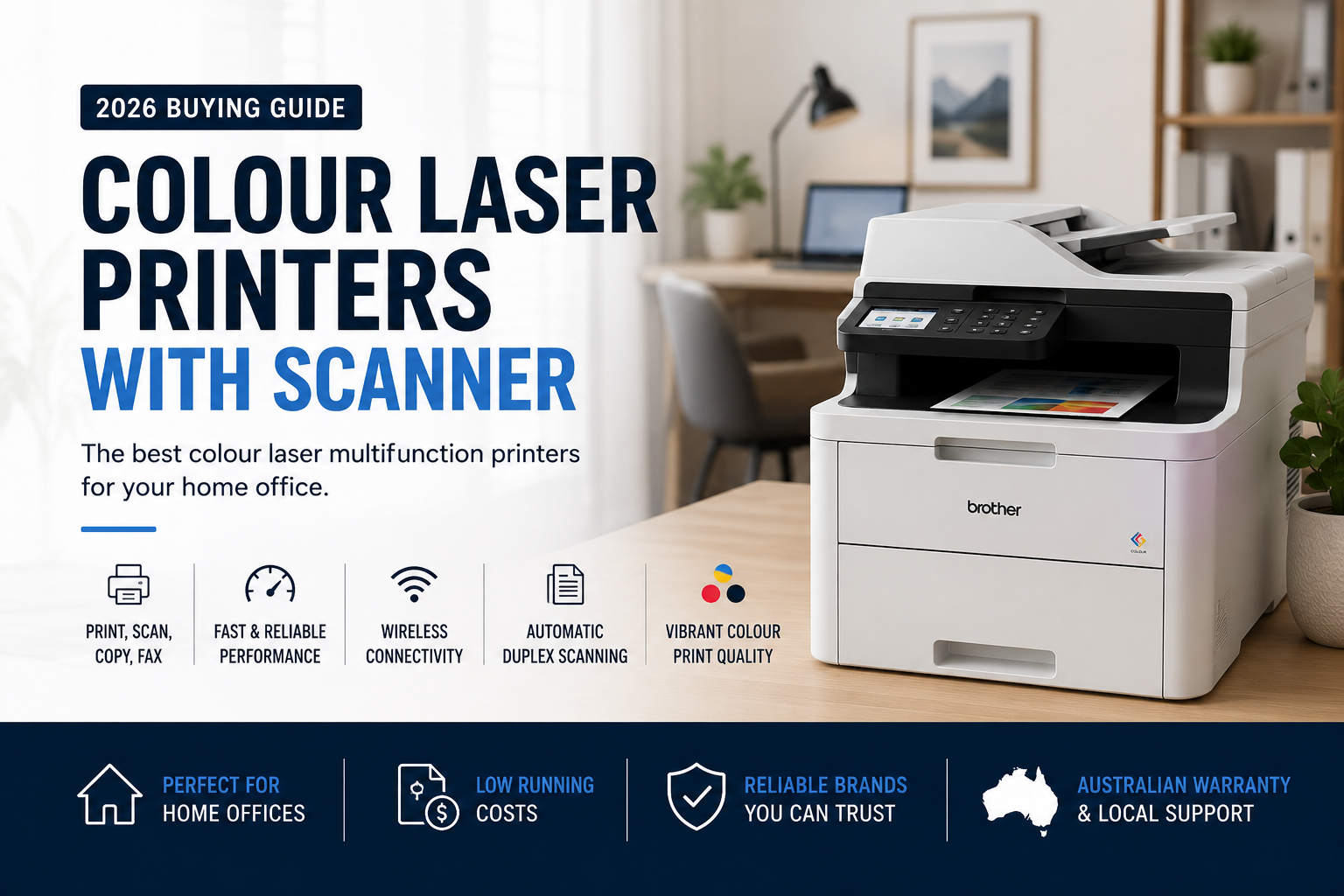
2026 Australian Home Office Buying Guide
Best Colour Laser Printers with Scanner for Home Office in Australia
Looking for the best colour laser printer with scanner for working from home? A colour laser printer with scanning is also commonly known as a colour laser multifunction printer, colour laser MFP or colour laser all-in-one printer.
These machines combine colour printing, scanning and copying in one device, while selected models also include fax, automatic document feeding and automatic duplex scanning.
In this guide, we compare four practical A4 colour multifunction printers from Brother, HP, Lexmark and Fujifilm to help Australian home-office users choose the right balance of size, speed, connectivity, scanning features and running cost.
Our Quick Recommendations
- Best overall for most home offices: Brother MFC-L3755CDW
- Best compact all-rounder: HP Color LaserJet Pro MFP 3301fdw
- Best value compact choice: Lexmark MC3326i
- Best premium choice for duplex scanning: Fujifilm Apeos C325z
What Is a Colour Laser Printer with Scanner?
A colour laser printer with a scanner combines several everyday office functions in one machine. Depending on the model, it may provide:
- Colour and monochrome printing
- Flatbed scanning
- Multi-page scanning through an Automatic Document Feeder
- Colour and monochrome copying
- Fax functionality on selected models
- Automatic double-sided printing
- Automatic double-sided scanning on selected models
- Wi-Fi, Ethernet, USB and mobile-device connectivity
For a home office, a multifunction printer can save valuable desk space and avoid the need to buy a separate scanner, copier or fax machine.
Colour laser technology is particularly suitable for users who regularly print contracts, invoices, reports, presentations, schoolwork and professional documents. Toner also does not dry out in the same way liquid ink may, which can be helpful when the printer is used intermittently.
Colour Laser Multifunction Printer Comparison
| Model | Best For | Print Speed | Functions | Duplex Print | Duplex Scan | Wi-Fi |
|---|---|---|---|---|---|---|
| Brother MFC-L3755CDW | Best overall home-office balance | Up to 26 ppm | Print, Scan, Copy, Fax | Yes | No — single-sided ADF scan | Yes |
| HP 3301fdw | Compact four-in-one convenience | Up to 25 ppm A4 | Print, Scan, Copy, Fax | Yes | Yes | Yes |
| Lexmark MC3326i | Compact value and secure connectivity | Up to approximately 25 ppm | Print, Scan, Copy, Cloud Fax | Yes | No — single-sided ADF scan | Yes |
| Fujifilm Apeos C325z | Premium scanning and faster output | Up to 31 ppm | Print, Scan, Copy, Fax | Yes | Yes — single-pass | Yes |
Manufacturer-rated speeds and features may vary by configuration, document type, operating system and network conditions. Check individual product specifications before purchasing.
BEST OVERALL FOR HOME OFFICE
1. Brother MFC-L3755CDW
The Brother MFC-L3755CDW is our best all-round recommendation for most home-office users. It combines colour printing, copying, scanning and faxing with automatic duplex printing, Wi-Fi, Ethernet and a 50-sheet Automatic Document Feeder.
With print speeds of up to 26 pages per minute, it is fast enough for remote workers, consultants, families and sole traders who regularly print reports, invoices, assignments and colour business documents.
Brother also offers optional high-yield toner cartridges, including black toner rated at up to 3,000 pages and colour cartridges rated at up to 2,300 pages each. This can reduce the frequency of cartridge replacement compared with using only standard-yield consumables.
Why we recommend it
- Print, copy, scan and fax functionality
- Up to 26 pages per minute
- Automatic double-sided printing
- 50-sheet Automatic Document Feeder
- Wi-Fi, Wi-Fi Direct, Ethernet and USB connectivity
- Colour touchscreen
- Optional high-yield toner cartridges
- Good balance of features, speed and purchase price
Potential drawbacks
- The document feeder scans one side at a time
- It is not suitable for users who frequently scan double-sided contracts in bulk
- It is supplied as a New Zealand market version
Best for: Remote workers, families, consultants, students, sole traders and home offices that require print, scan, copy and fax functions.
BEST COMPACT FOUR-IN-ONE CHOICE
2. HP Color LaserJet Pro MFP 3301fdw
The HP Color LaserJet Pro MFP 3301fdw is a modern and relatively compact four-in-one printer designed for home offices and small teams.
It supports colour printing, scanning, copying and faxing, with automatic double-sided printing and wireless, Ethernet and mobile connectivity. A4 print speed is rated at up to 25 pages per minute.
One of its strongest advantages is automatic duplex document scanning. This is useful for users who regularly digitise double-sided contracts, forms, invoices or identification documents.
HP Wolf Pro Security and built-in network features also make it suitable for professional home users who handle confidential documents or connect multiple devices.
Why we recommend it
- Print, scan, copy and fax functionality
- Up to 25 pages per minute in A4
- Automatic duplex printing
- Automatic duplex scanning
- Wi-Fi, Ethernet, USB and mobile printing
- HP Wolf Pro Security
- Compact design for a multifunction colour laser printer
- Standard and high-yield toner options
Potential drawbacks
- Replacement toner can represent a significant ongoing cost
- Smaller toner yields than heavier business-class printers
- May not be the best choice for very high monthly print volumes
Best for: Professionals working from home, consultants, accountants, real estate agents and users who frequently scan two-sided documents.
BEST COMPACT VALUE
3. Lexmark MC3326i
The Lexmark MC3326i is a compact colour laser all-in-one printer designed for smaller workspaces and moderate home-office printing.
It provides printing, scanning and copying, together with automatic duplex printing, a document feeder, Wi-Fi, Gigabit Ethernet and USB connectivity. Cloud-based fax options may also be available depending on the service and setup.
Lexmark's steel-frame construction, lifetime imaging components and full-spectrum security make the MC3326i a robust choice for users who want something more business-oriented than a basic consumer printer.
High-yield replacement toner options are rated at up to approximately 3,000 pages in black and 2,500 pages for each colour.
Why we recommend it
- Compact footprint
- Colour printing, scanning and copying
- Automatic double-sided printing
- Wi-Fi, Gigabit Ethernet and USB connectivity
- Colour touchscreen
- Lexmark full-spectrum security
- High-yield toner options
- Recommended monthly volume of approximately 600 to 2,500 pages
Potential drawbacks
- The document feeder does not automatically scan both sides in one pass
- Traditional analogue fax is not the main focus of this model
- Running cost should be reviewed carefully for frequent colour printing
Best for: Compact home offices, students, consultants and users who want secure network printing without moving to a larger enterprise machine.
BEST PREMIUM HOME-OFFICE CHOICE
4. Fujifilm Apeos C325z
The Fujifilm Apeos C325z is the most capable model in this comparison. It offers business-class speed and scanning while remaining compact enough for a professional home office.
It prints at up to 31 pages per minute and supports automatic duplex printing, single-pass duplex scanning, fax, Wi-Fi, Ethernet and mobile connectivity.
Single-pass duplex scanning means both sides of a document can be captured without mechanically feeding the page through the scanner twice. This can save considerable time when scanning contracts, financial files, legal documents or multi-page records.
Genuine high-yield Fujifilm toner options are available with rated yields of up to approximately 6,000 pages in black and 4,000 pages for each colour.
Why we recommend it
- Up to 31 pages per minute
- Print, scan, copy and fax functionality
- Automatic duplex printing
- Single-pass automatic duplex scanning
- Wi-Fi, Ethernet and USB connectivity
- Compact business-class design
- High-yield genuine toner options
- Optional additional paper tray
Potential drawbacks
- Higher initial purchase price than entry-level models
- More capability than an occasional light user may require
- Heavier than a basic home multifunction printer
Best for: Professional home offices, legal or financial consultants, busy remote workers and users who frequently scan double-sided documents.
Duplex Printing Does Not Always Mean Duplex Scanning
This is one of the most common sources of confusion when choosing a colour laser printer with scanner.
Automatic duplex printing means the printer can print on both sides of a sheet without requiring you to turn the paper over manually.
Automatic duplex scanning means the scanner can capture both sides of an original document through the Automatic Document Feeder.
A printer may support automatic double-sided printing but still scan only one side of each original page. This is the case with models such as the Brother MFC-L3755CDW and Lexmark MC3326i.
If you frequently scan double-sided contracts, invoices or legal documents, the HP 3301fdw or Fujifilm Apeos C325z may be more suitable.
How to Choose the Best Colour Laser Printer with Scanner
1. Consider how often you scan
Occasional scanning from the flatbed or a single-sided ADF may be sufficient for many home users. Frequent double-sided document scanning justifies paying more for automatic duplex scanning.
2. Check whether you still need fax
Fax remains useful in selected legal, medical, government and international business workflows. However, not every colour laser MFP includes a traditional fax modem, so check the individual specification.
3. Compare Wi-Fi and Ethernet
Wi-Fi gives you more flexibility when positioning the printer, while wired Ethernet generally provides the most stable connection for a permanent home office. All four models in this guide offer wireless and wired networking.
4. Review toner yield and cost per page
The cheapest printer is not always the cheapest printer to operate. Compare the price and page yield of standard and high-yield replacement toner, particularly if you expect to print several hundred pages each month.
5. Measure your available space
Multifunction printers need clearance above the machine for the scanner lid and document feeder. Also allow space around the printer for ventilation, paper loading and toner replacement.
6. Think about future print volume
A compact entry-level model may be suitable today, but a slightly faster model with higher-yield toner may be better value if your home business is growing.
Which Home-Office Colour Laser MFP Is Right for You?
Choose the Brother MFC-L3755CDW if:
You want the best overall balance of print, scan, copy, fax, Wi-Fi and high-yield toner options at an accessible price, and you do not require automatic duplex scanning.
Choose the HP 3301fdw if:
You want a modern compact four-in-one printer with automatic duplex scanning, HP security features and strong mobile connectivity.
Choose the Lexmark MC3326i if:
You have limited space and want a compact, secure, network-ready colour laser multifunction printer for moderate printing and scanning.
Choose the Fujifilm Apeos C325z if:
You regularly scan double-sided documents, want faster 31ppm printing and prefer a more capable business-class device that can support future growth.
Is a Colour Laser Multifunction Printer Better Than an Inkjet?
A colour laser multifunction printer is generally a strong choice for a home office that mainly prints documents, reports, charts and business materials.
Laser printers typically provide:
- Fast document printing
- Sharp, crisp text
- Smudge-resistant output
- Reliable performance after periods of inactivity
- Higher monthly print capability
Inkjet printers may be preferable for users who prioritise photo printing, borderless output or a lower initial purchase price. Ink-tank printers may also deliver lower colour cost per page for selected applications.
The best choice depends on whether your home office primarily produces business documents or photographic and creative output.
Final Verdict: Best Colour Laser Printer with Scanner for Home Office
For most home-office users, the Brother MFC-L3755CDW offers the strongest overall combination of speed, connectivity, fax functionality, document feeding and toner options.
The HP Color LaserJet Pro MFP 3301fdw is a better choice for users who need automatic duplex scanning in a compact modern machine.
The Lexmark MC3326i is a practical value option for smaller workspaces and moderate monthly volumes, while the Fujifilm Apeos C325z is our premium recommendation for professional users who require faster output and single-pass duplex scanning.
Before buying, consider how frequently you print, whether you scan double-sided documents and whether your priority is low initial cost, lower running cost or stronger productivity features.
Frequently Asked Questions
What is a colour laser printer with scanner?
It is a multifunction printer that combines colour laser printing with scanning and copying. Selected models also include fax and automatic duplex scanning.
Is a colour laser printer with scanner the same as a multifunction printer?
Yes. The terms colour laser multifunction printer, colour laser MFP, all-in-one colour laser printer and colour laser printer with scanner are often used to describe the same general product category.
What is the best colour laser printer with scanner for home office?
The Brother MFC-L3755CDW is our best overall choice for most home offices. Users who regularly scan double-sided documents may prefer the HP 3301fdw or Fujifilm Apeos C325z.
Do all colour laser multifunction printers include fax?
No. Fax availability varies by model. Always check the individual product specification if traditional fax functionality is required.
Do all colour laser printers with scanners scan both sides automatically?
No. Automatic duplex printing does not automatically mean duplex scanning. Duplex scanning is available only on selected models.
Is a colour laser printer suitable for working from home?
Yes. It is particularly suitable for remote workers who print business documents, invoices, contracts, reports and presentations and also need regular scanning or copying.
Which model is best for scanning contracts and legal documents?
The Fujifilm Apeos C325z is the strongest choice in this comparison for frequent document scanning because it includes single-pass duplex scanning. The HP 3301fdw is also a practical duplex-scanning option.
Are colour laser printers good for photos?
They are suitable for general colour graphics, reports and presentations, but a dedicated photo inkjet printer will normally produce better photographic output.
Shop Colour Laser Multifunction Printers
Compare colour laser printers with scanning, copying, fax, duplex printing and wireless connectivity. OZ Toner offers competitive Australian pricing, Australia-wide delivery and experienced product support.
Browse All Colour Laser Multifunction Printers Ask for Product Advice